The fast, easy way to make video they’ll actually watch

Making video to help your sales teams meet their numbers is a great idea. But only if you can make video that holds their attention. Descript makes that as easy as editing text or making a slide deck, so you can do it in hours, not weeks.

Hero Image

These companies use Descript. Not bad!

  • Amazon
  • Canva
  • Salesforce
  • Figma
  • Apple
  • Okta
  • Spotify
  • Vox
  • Reuters
  • CBS
  • Microsoft
  • New York Times
  • GitHub
  • KPMG
  • Coke
  • Amazon
  • Canva
  • Salesforce
  • Figma
  • Apple
  • Okta
  • Spotify
  • Vox
  • Reuters
  • CBS
  • Microsoft
  • New York Times
  • GitHub
  • KPMG
  • Coke

Cut production time without cutting corners

You don’t need a big budget, big team, or big chunk of time to make video that clears your quality bar. You just need Descript.

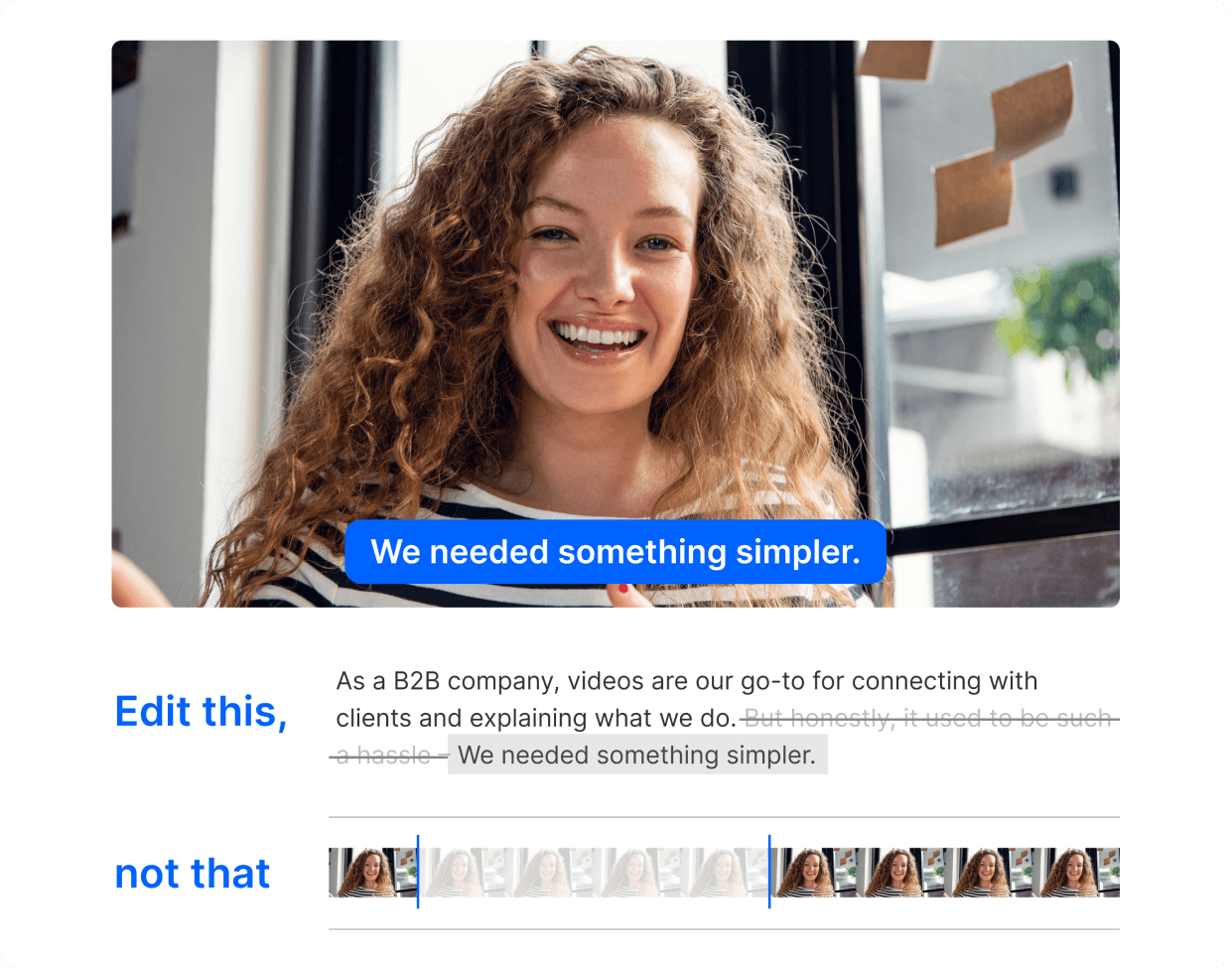
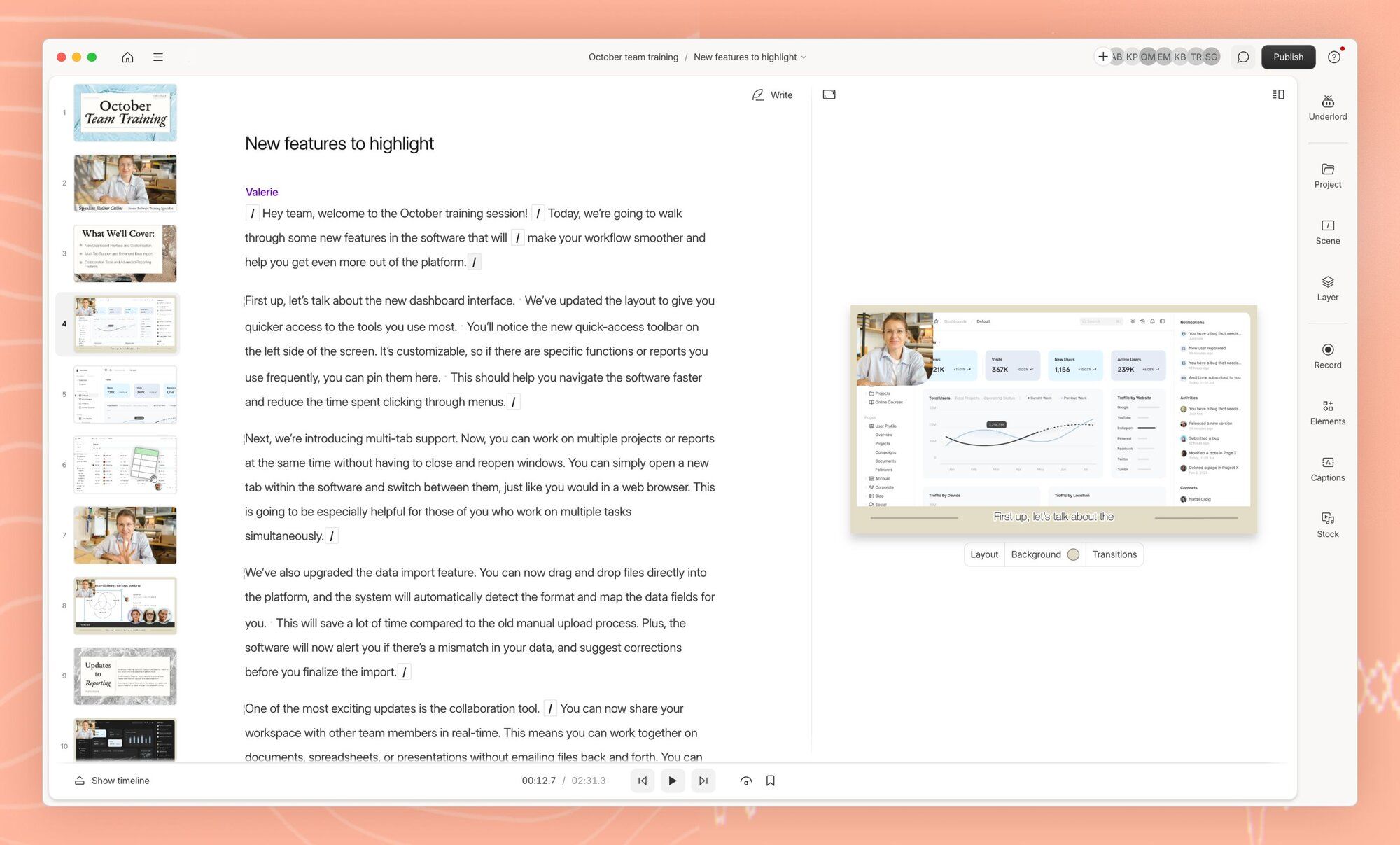
Edit your video by editing text

Change a few words, not the whole video

No need to remake every video every time your product changes. Use Descript’s AI tools to keep your content, and your sales team, up-to-date, and your sanity intact.

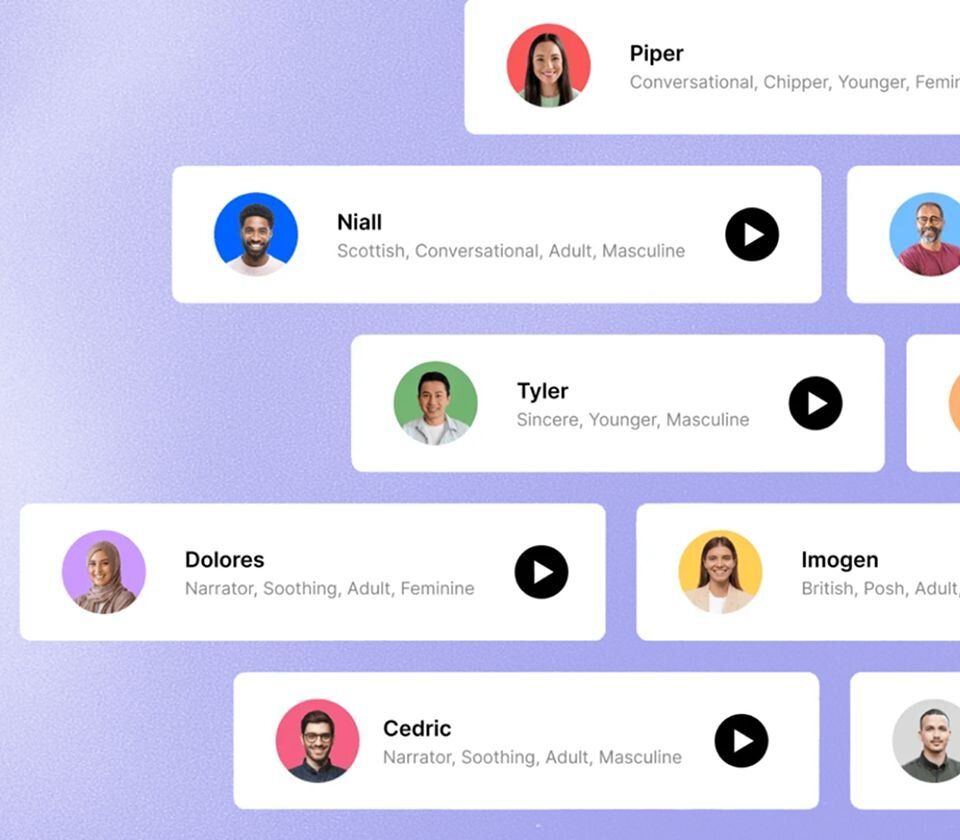
Audio updates, no mic required

Dress it up to (finally) get their attention

It’s hard to get your sales team off their phones. Make your videos more tempting with B-roll, music, and other eye/ear candy—easy as drag-and-drop, click-and-type.

Keep your look consistent

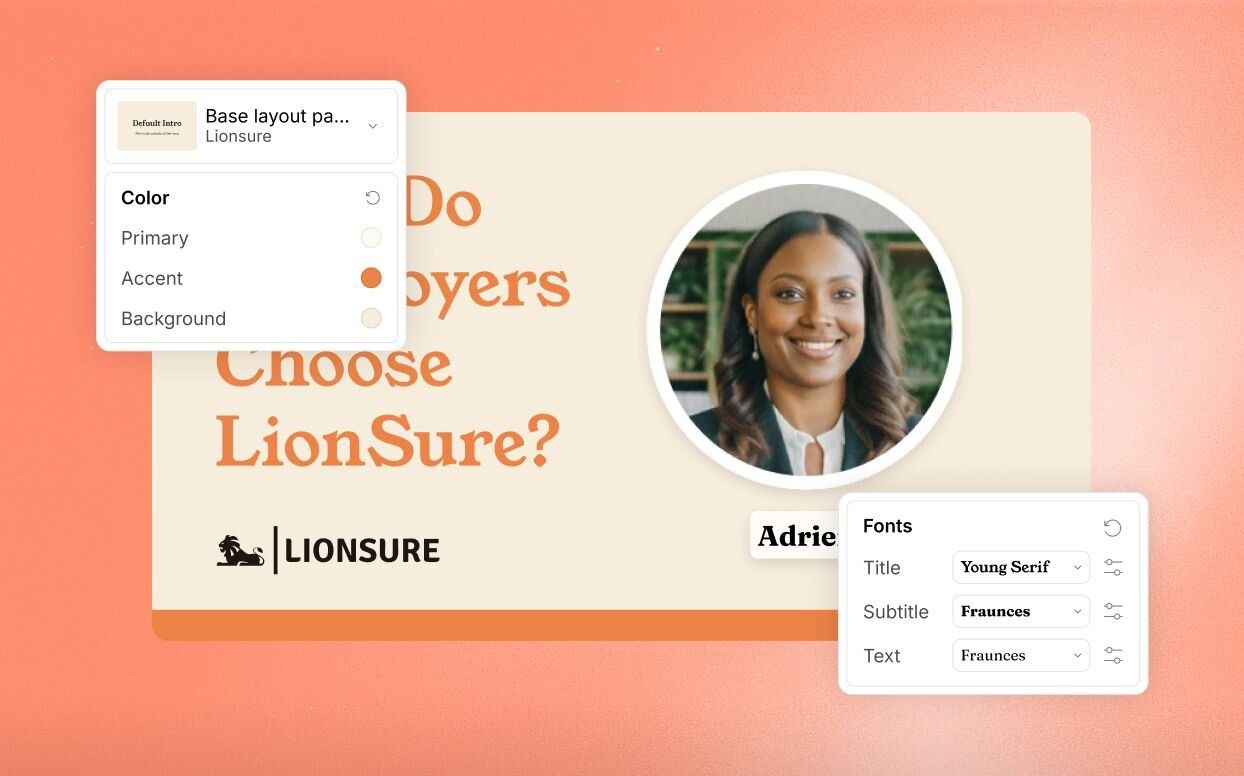
Keep your look consistent

Brand Studio is your team’s central hub for brand assets. No more emailing for the right font file—it’s all there, so everyone can create video that reps your brand the right way. Available for Business and Enterprise customers.

Add some variety with B-roll

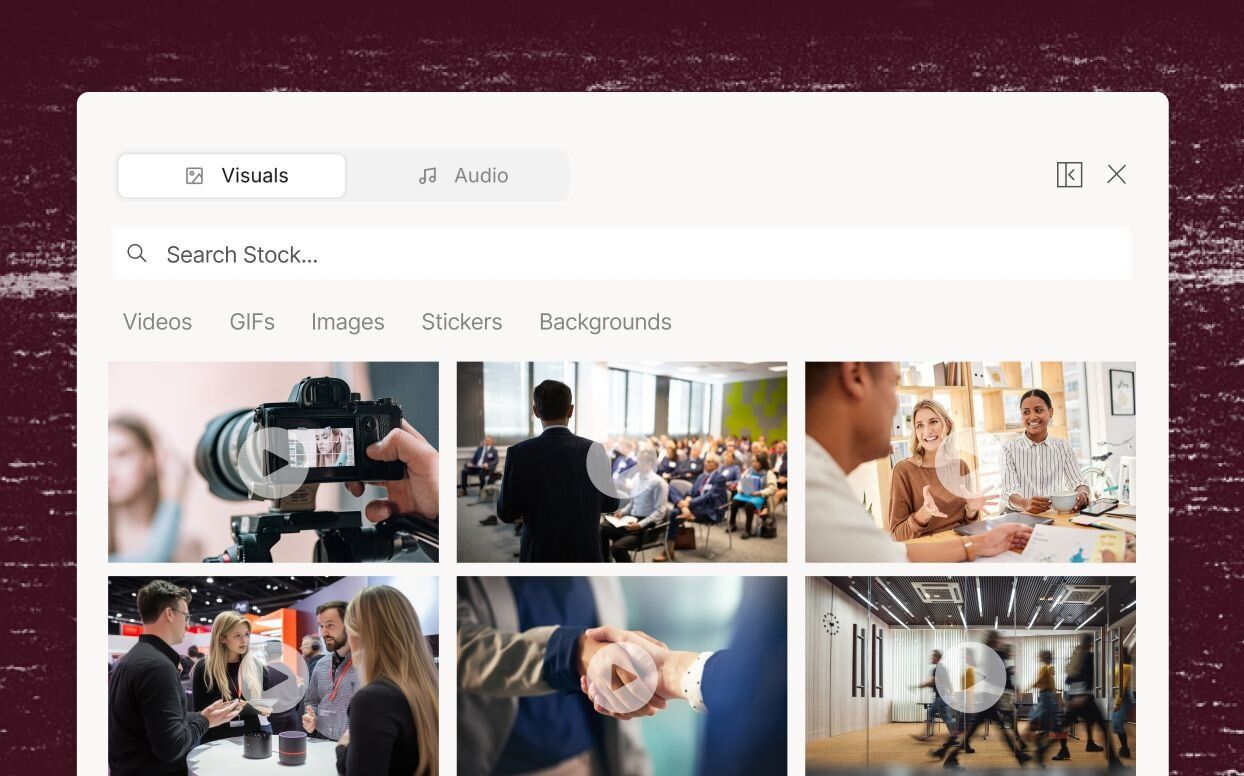
Add some variety with B-roll

Don’t let videos become visually monotonous when there’s nothing to cut to. Just go to Descript’s stock video library and search for relevant footage to break things up. Does it look like stock? Yes. So use it ironically for a laugh.

Video that helps your sales team make it rain

Educational video

Onboard your new reps and keep your sales team up to speed with how-to and tutorial videos that are easy to make, easy to edit, and easy to update. When your strategy shifts or your pricing changes, update the video in minutes.

Learn more
Educational video

Webinar recordings

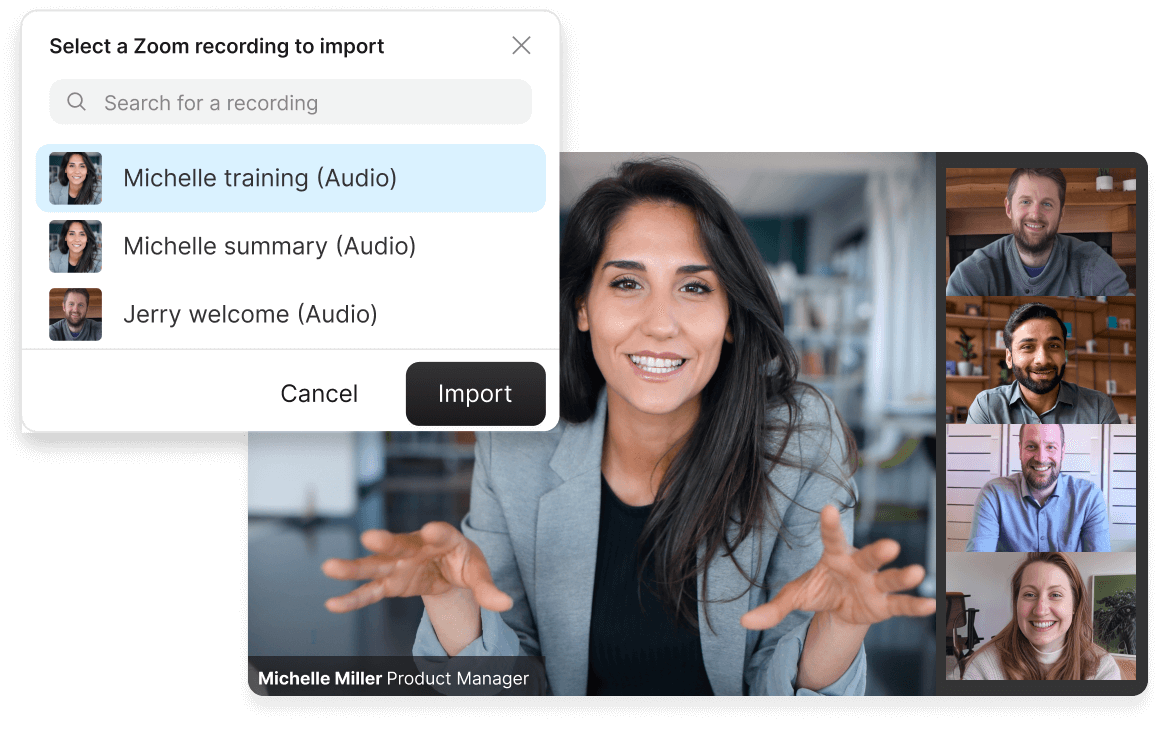
Take your webinar recording and create a polished, watchable edit for your learning library. Import from Zoom in a couple of clicks, then use AI tools like Edit for Clarity to quickly cut out all the stumbling, awkward, boring parts. And you can enhance that shaky Zoom audio in seconds.

Learn more
Webinar recordings

Quick clips

Reinforce key messages from your video with short clips—tell Underlord how many clips you want and on what topic. It picks them and sets them up for you to finish. Add captions or any creative flair you want, and share them as bite-sized reminders, or to generate interest in the full thing.

Learn more
Quick clips

Don’t just take our word for it

With a 4.6-out-of-5-star rating and a bunch of distinctions on G2, Descript’s users have declared it an industry standard in the video & podcasting world.

2026

Best Software

Video EditingAI Video GeneratorsScreen and Video CaptureText to Speech

“Descript has made cleaning up and creating my educational videos into professional presentations without needing extensive technical computer skills.”

Barbara C.

Barbara C.

“Quickly take recorded calls, do some quick edits and clean up, then publish out for distribution to the company.”

Andrew M.

Andrew M.

“Descript simplifies creating, editing, and updating tutorial videos to create and maintain professional content.”

Clella S.

Clella S.

“Descript saves me hours of work every week…Instead of watching hours of pre-recorded webinars, I can simply upload and review the transcript for the exact information I need.”

Alyssa T.

Alyssa T.

“We use Descript to help with our collaborative editing processes. A lot of our internal communications are screened through a series of executives and Descript makes it really easy to share with the review team.”

Ryan G.

Ryan G.

“It is simple to make edits that make me look better than I am…It makes it very simple for me to make technical walkthrough videos for software users.”

Benjamin S.

Benjamin S.

More video, more engagement—faster growth

Descript is the all-in-one video creation platform that enables your whole team to produce high-quality videos, fast, at scale. And they already know how to use it.

Frequently asked questions

  • What is a product demo video?

  • How do you make a demo video?

  • How much does a product demo video cost to make?

  • I think I’m in a cult but I’m not 100% sure yet. What should I do?

PRICING

Surely there’s one for you

Descript’s Business plan is affordable even for most early-stage outfits, and can expand as you (hopefully, for both of us) grow.

Business

$50

per person / month

Scale to a team of 5 (billed separately)

Get started
  • 40 media hours / month

  • 1500 AI credits / month

  • Team-wide access to Brand Studio

  • Translate and dub video in 30+ languages with proofread

  • Generate custom avatars from photo upload or text

  • Priority support (with SLA)

  • Access to top ups for more media hours and AI credits

Enterprise

Custom

For teams with more video to make than editors to make it

Talk to sales
  • Text-based editing: Edit video by editing a doc

  • AI credits and media hours: sized to your team

  • Brand Studio: shared templates and company-wide guardrails

  • AI and data controls: opt-out of training, custom retention

  • SOC 2 Type II: SSO, SCIM, and audit logs

  • Procurement: custom MSA, legal terms, flexible billing

  • Support: dedicated CSM, onboarding, priority response

Trusted by teams at:

  • Shopify
  • BBC
  • Netflix
  • Spotify
  • Siemens