These companies use Descript. Not bad!
Translate video with AI using Descript’s AI Video Translator. Automatically translate voice, captions, and video in 25+ languages, so your content can travel farther without extra production. Try it as a free video translator.
These companies use Descript. Not bad!















Don’t believe AI video translation can sound real? Listen to these voice translation previews — you can hear how the translated voice matches the tone and how lip-sync keeps the video feeling natural. Want more control? Explore voice options in AI voices.

Chinese


English

French

German

Hindi

Italian

Japanese

Korean

Polish

Spanish
With lip-sync viewers of your global versions aren’t distracted by mismatched audio and visuals, so your content doesn’t look dubbed or artificial. Add multilingual captions in the same workflow, so your audience can watch however they want, in their native language.
Need translated subtitles instead of dubbed audio? Use the subtitles generator.
Get professional-grade voice translation that fits the pace and style of your video. It’s not about hiding the translation, it’s about maintaining trust and credibility, so audiences stay focused on your message, not on your voice.
Update on-screen text and visuals so every audience gets a video they relate to.
Translate your message, not your company name. Add product names, brand terms, and people or company names to a Do Not Translate list in Brand Studio to avoid mistakes and keep language consistent across regions. For repeatable global workflows, pair translations with reusable templates.
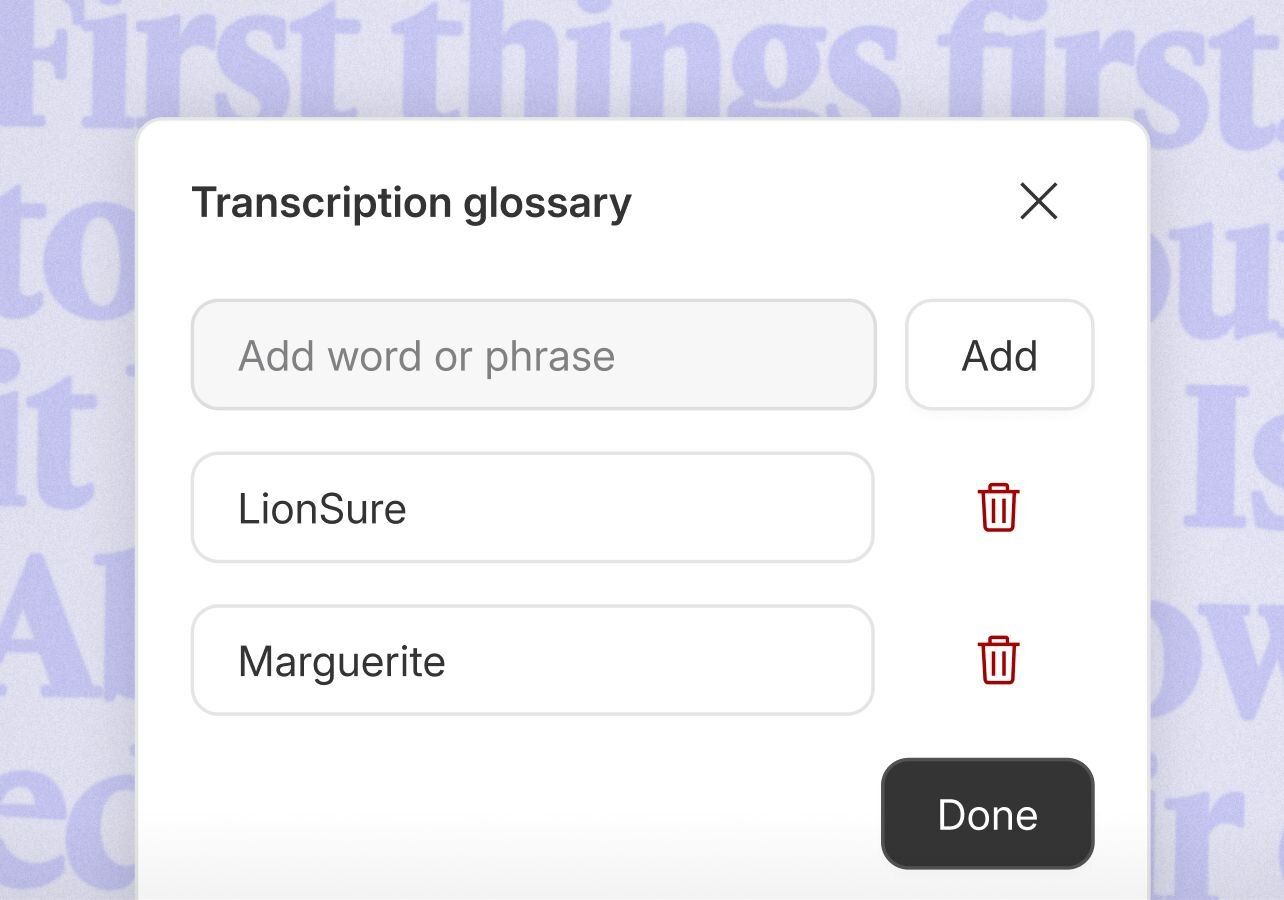
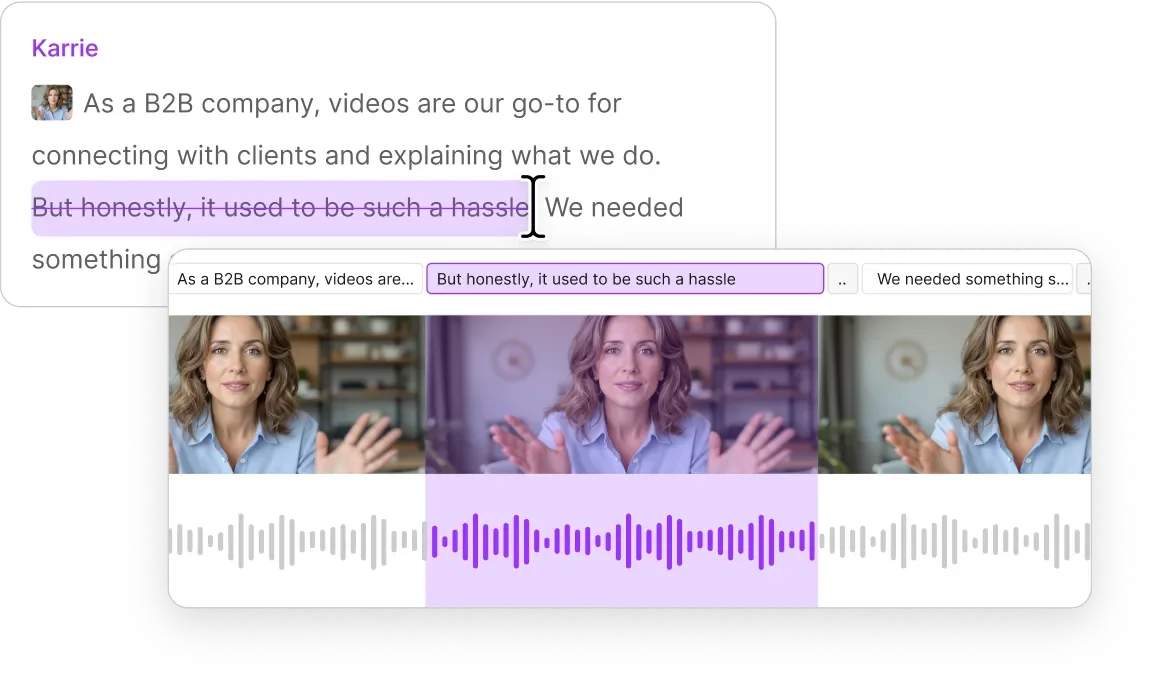
Update translated videos as easily as the original — no reshoots, no re-recording, and no starting over from scratch. Use transcription to refine the text. Then, polish the timing in the video editor. When it’s ready, share a review link with the host video instead of sending large files.
Repurposing translated cuts for global channels? Resize and format versions with the social media video maker.
“If your plan is to scale your academy large and globally, and you have a small team that you need to make mighty, Descript is a really powerful companion to have.”

Gabriel Caudill
Senior Enablement and Digital Customer Success Manager, Algolia

With all the time you save making videos with text-based editing and AI, especially by translating videos with AI, you make more videos. 130% more, according to our customers. And if you translate one video into 30 languages, that’s a 4600% increase in your output.
With a 4.6-out-of-5-star rating and a bunch of distinctions on G2, Descript’s users have declared it an industry standard in the video and podcasting world.
2026




“With Descript I'll be able to at least double my content output since editing is taking one-quarter the time it used to.”

Donna B.
“With Descript we can create videos for our YouTube channel and our LinkedIn page much faster and with high quality.”

Balázs N.
“Descript has made cleaning up and creating my educational videos into professional presentations [possible] without needing extensive technical computer skills.”

Barbara C.
“Descript makes recording and editing audio and video a breeze. It's advanced features have streamlined my workflows, saving me a lot of time usually spent editing.”

Roderick F.
“The collaborative tools streamline teamwork, allowing my team and me to work efficiently together on projects. Overall, Descript enhances productivity and simplifies the editing process.”

Aldrich M.
“Transcription based editing makes the process much faster…All in all, a must have editor for most audiences, especially in SaaS marketing.”

Nidhin M.
“With Descript I'll be able to at least double my content output since editing is taking one-quarter the time it used to.”
Donna B.
“With Descript we can create videos for our YouTube channel and our LinkedIn page much faster and with high quality.”
Balázs N.
“Descript has made cleaning up and creating my educational videos into professional presentations [possible] without needing extensive technical computer skills.”
Barbara C.
“Descript makes recording and editing audio and video a breeze. It's advanced features have streamlined my workflows, saving me a lot of time usually spent editing.”
Roderick F.
“The collaborative tools streamline teamwork, allowing my team and me to work efficiently together on projects. Overall, Descript enhances productivity and simplifies the editing process.”
Aldrich M.
“Transcription based editing makes the process much faster…All in all, a must have editor for most audiences, especially in SaaS marketing.”
Nidhin M.
Never edit alone
Underlord is your AI co-editor. Under your direction it can create a video or edit yours. It can give feedback and make suggestions. And it’s tireless, so you can keep pushing until you’re satisfied.
Surely there’s one for you
$50
per person / month
Scale to a team of 5 (billed separately)


40 media hours / month

1500 AI credits / month

Team-wide access to Brand Studio

Translate and dub video in 30+ languages with proofread

Generate custom avatars from photo upload or text
Priority support (with SLA)

Access to top ups for more media hours and AI credits
Custom
For teams with more video to make than editors to make it

Text-based editing: Edit video by editing a doc

AI credits and media hours: sized to your team

Brand Studio: shared templates and company-wide guardrails

AI and data controls: opt-out of training, custom retention

SOC 2 Type II: SSO, SCIM, and audit logs

Procurement: custom MSA, legal terms, flexible billing

Support: dedicated CSM, onboarding, priority response
Trusted by teams at: