

Continue
You’re going to love Descript.
Descript is a different kind of video & podcast editor that gives creators superpowers like:
Create your next project in Descript. It’s free.
Descript is a different kind of video & podcast editor that gives creators superpowers like:
Get started for free
Oops! Something went wrong while submitting the form.
Continue
You’re going to love Descript.
Descript is a different kind of video & podcast editor that gives creators superpowers like:
Create your next project in Descript. It’s free.
Descript is a different kind of video & podcast editor that gives creators superpowers like:
Get started for free
Oops! Something went wrong while submitting the form.
Continue
You’re going to love Descript.
Descript is a different kind of video & podcast editor that gives creators superpowers like:
Create your next project in Descript. It’s free.
Descript is a different kind of video & podcast editor that gives creators superpowers like:
Get started for free
Oops! Something went wrong while submitting the form.
Continue
You’re going to love Descript.
Descript is a different kind of video & podcast editor that gives creators superpowers like:
Create your next project in Descript. It’s free.
Descript is a different kind of video & podcast editor that gives creators superpowers like:
Get started for free
Oops! Something went wrong while submitting the form.
March 22, 2026

AI-powered media production: the tools every team needs

Using Notion, Canva, Descript, and MASV to speed production and build momentum

Jim Donnelly
,
In this article

AI tools for media production workflows are everywhere right now. From ScriptBook predicting story success to Sora and Seedance generating lifelike videos, the creative landscape is exploding with possibility. 

But most teams don’t need more tools. They need tools that actually work well together to save time, cut costs, and accelerate production cycles.

In this post, we’ll map a modern media workflow by stage – pre‑production, production and post-production, supporting asset design, and distribution – and break down a core stack that does the heavy lifting: 

  • Notion for planning
  • Descript for video and audio editing
  • Canva for visual packaging
  • MASV for delivery


Four AI tools to supercharge your media-production workflow

The goal isn’t complexity. It’s momentum.

Workflow Step Requirement Potential Tools
Asset Audit Visual collaboration, project management Miro/Lucidchart; Asana/Monday
Secure Ingest Secure file ingest to cloud and/or on-prem storage, media asset managers MASV Portals/storage integrations; Dropbox/Google Drive/OneDrive storage; Frame.io/Cantemo
Collaboration A clear review workflow with documented versioning rules Frame.io/Figma; Asana/Monday; MASV
Automated Transfer & Notifications Preconfigured triggers for automated actions MASV automation tools (Watch Folders/API/Agent) and storage integrations; Slack/MS Teams
Secure Distribution Final delivery to social media channels or other platforms, and archive storage MASV secure links and cold storage tiers; Asana/Monday

AI tools for a modern media workflow

Production Phase Tool/Primary Role AI/Automation Features
1. Pre-production Notion: Central source of truth for strategy and scripts. AI brainstorming: Generates topics and angles.
AI writer: Drafts scripts and summarizes content or research.
2. Production/Post Descript: Record, edit, and refine content without switching tools. Underlord: Auto-removes filler words.
Studio Sound: AI audio restoration.
Eye Contact: Fixes gaze direction.
3. Supporting Assets Canva: Create and manage visual assets. Magic Media: Text-to-video/image generation.
Magic Design: Instant presentation decks.
4. Logistics and Distribution MASV: Move heavy media files fast, intelligently, and automatically. Automation: Context-driven, intelligent file movement.
Speed: Automatically chunks files and routes them via fastest connection.
Reliability: Auto-adjusts for congestion; infinite auto-retries.

The AI media production workflow in 4 phases

1. Pre-production and scripting with Notion

Once a simple note-taking tool, Notion has evolved into a powerful and centralized location for creative teams who need ideas, scripts, feedback, and planning to live together. 

For production teams, using Notion during pre-production sets the tone for everything that follows.
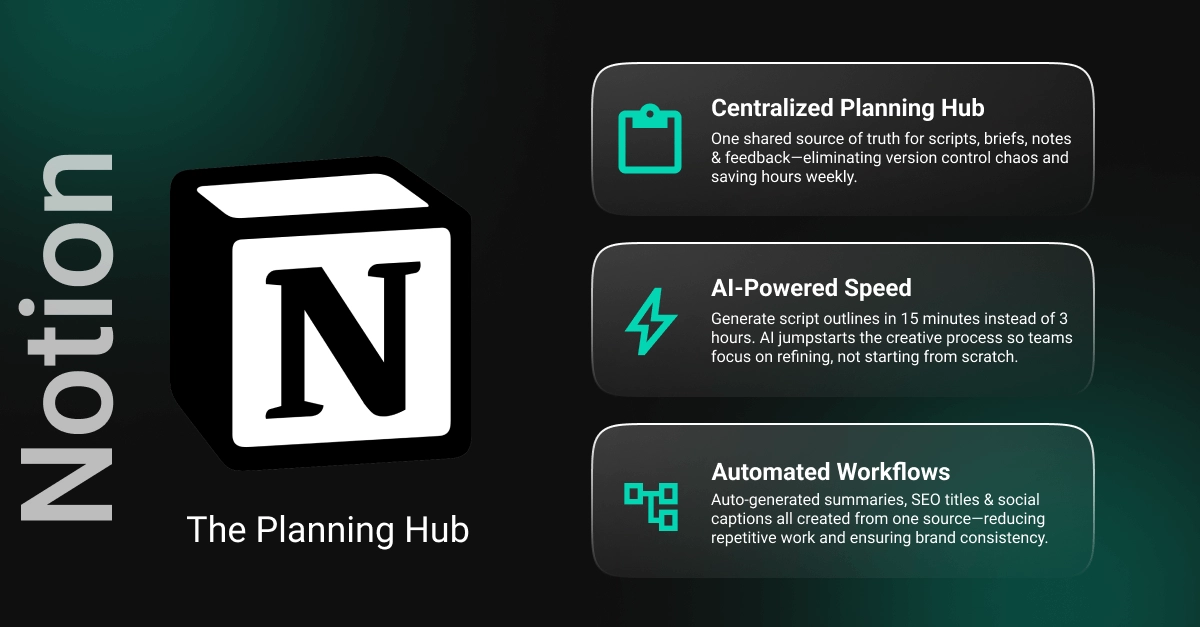

Notion gives you a powerful centralized hub for ideas, scripts, feedback, and planning.

Notion as the planning hub

At the core of the Notion pre-production workflow is the creation of a production database. 

  • Each piece of content exists in this database as a single, structured entry. 
  • Inside that entry live the project brief, script drafts, notes, and references. 
  • Instead of juggling Google Docs, email threads, and Slack messages, the entire team works from one shared source of truth.

This can save production teams hours each week by avoiding version control issues or the hunt for documents in multiple locations. 

Because planning, scripting, and feedback all happen in Notion, collaboration becomes cleaner and faster, from script comment tracking to version control. Everything is visible, searchable, and always up to date.

The AI advantage

A producer or writer can start with a single-sentence premise and ask Notion AI to expand it into a structured video or podcast script or a rough outline.

While it's inadvisable to ask AI to pump out a script without human supervision, these tools can provide a solid jumping-off point in 10 to 15 minutes (instead of two or three hours manually banging out a first draft). This eliminates the hardest part: starting from a blank page. Writers move straight into refining, polishing, and adding voice.

Over the course of a month, these tools can easily save 10 to 20 hours for teams producing content regularly.

Smarter workflows

Within the production database, teams can add AI-powered properties that work quietly in the background, such as:

  • Auto-generated script summaries for quick context.
  • SEO-friendly title suggestions pulled directly from the script.
  • Platform-specific social captions created from the same source.

What used to be separate tasks now happens inside the same workspace, reducing repetitive work and ensuring consistency.

2. Recording and editing with Descript

Once planning and pre‑production are locked, the next potential bottleneck in most media workflows is recording and editing. Traditionally, these stages requires specialized software, technical expertise, and hours of manual toil.

The Descript AI video and podcast editor changes that entirely by enabling creators to edit video and audio just like text. For production teams, it’s a fast way to turn a script into a polished, publish‑ready asset.
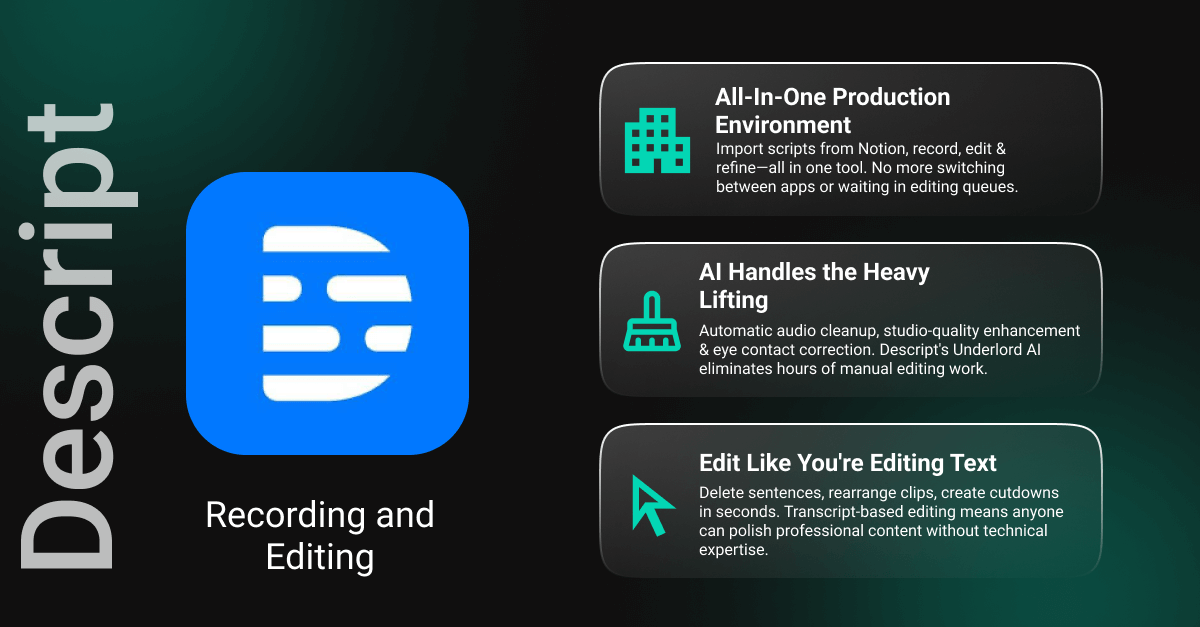

Descript's text-based editing and AI tools give teams the fastest, easiest way to edit video and audio.

Descript as the production workhorse

Scripts developed in the first phase can be imported into Descript, where you can record, edit, and finish your content without switching tools. Descript works closely with Notion and can be integrated with Notion via third-party tools like n8n

You can record your camera, screen, or audio directly in the Descript app, keeping the entire production loop contained in one environment. This is especially powerful for teams producing frequent content where speed is vital. 

The AI advantage

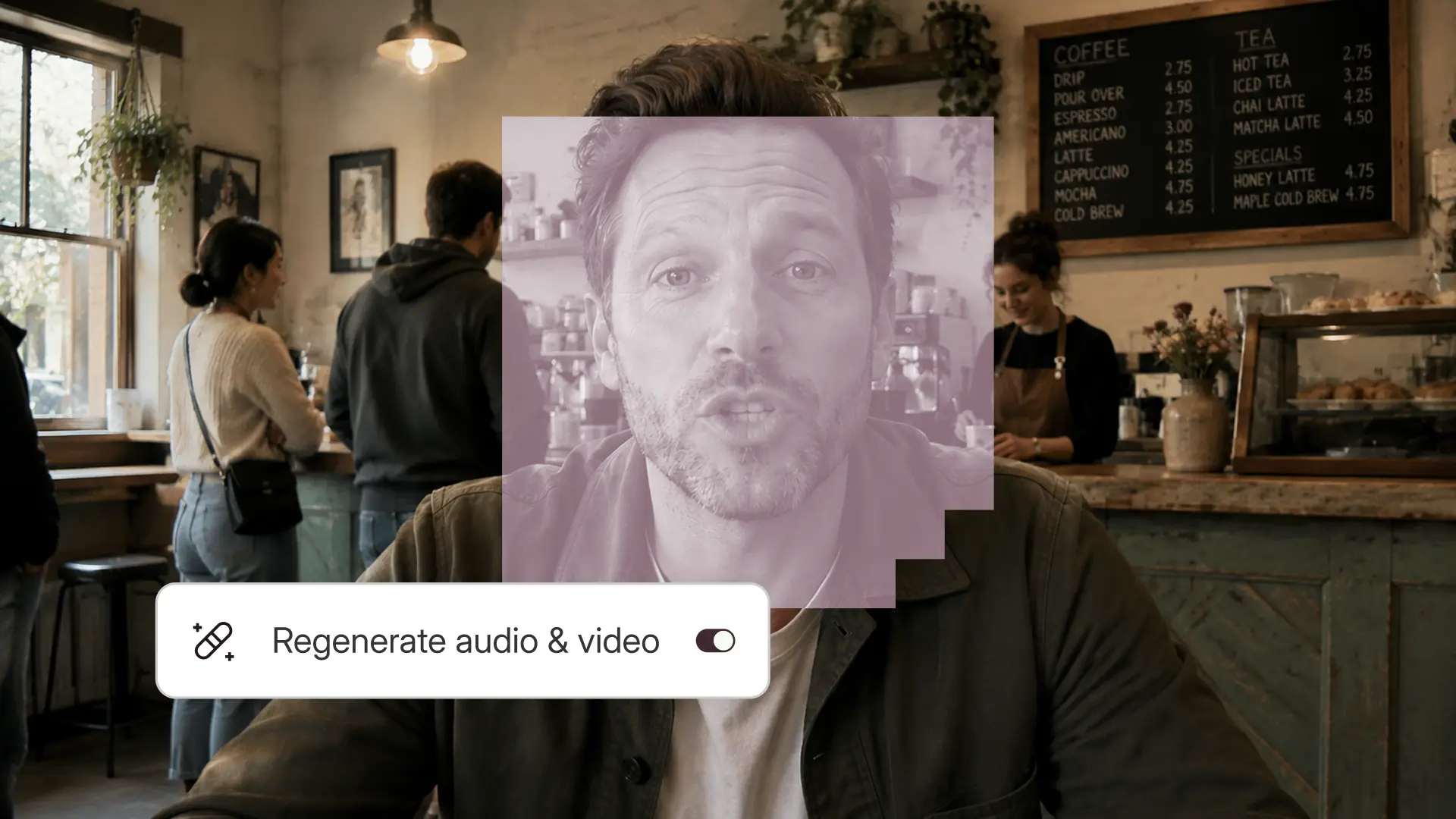
Descript’s AI agent, Underlord, handles the most time‑consuming parts of editing:

  • Audio cleanup and automatic removal of filler words and long pauses
  • Studio‑quality audio enhancement without manual EQ or compression
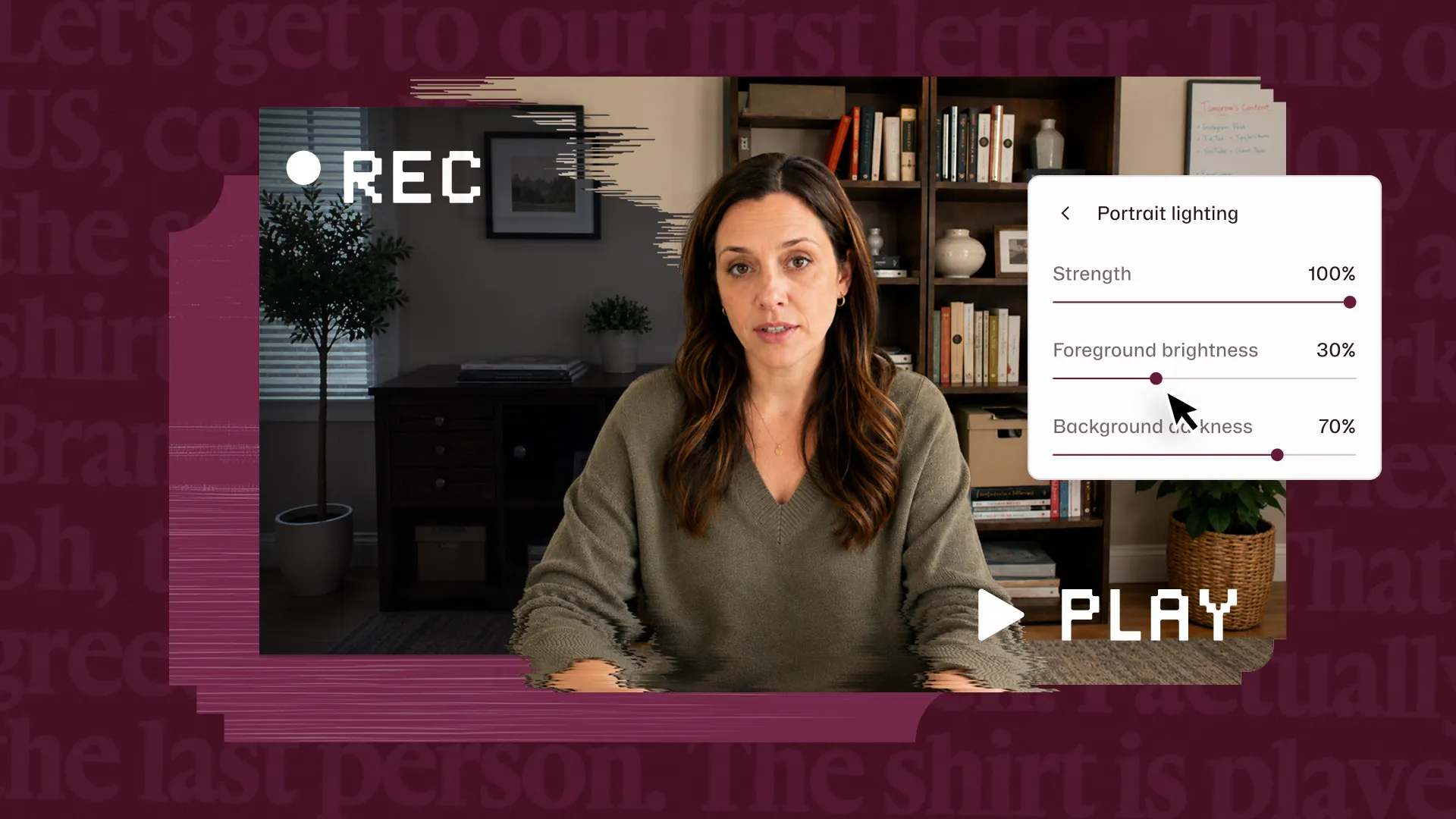
  • Eye Contact, an effect that subtly corrects gaze when talent is reading from a script (Descript also has a built-in teleprompter)

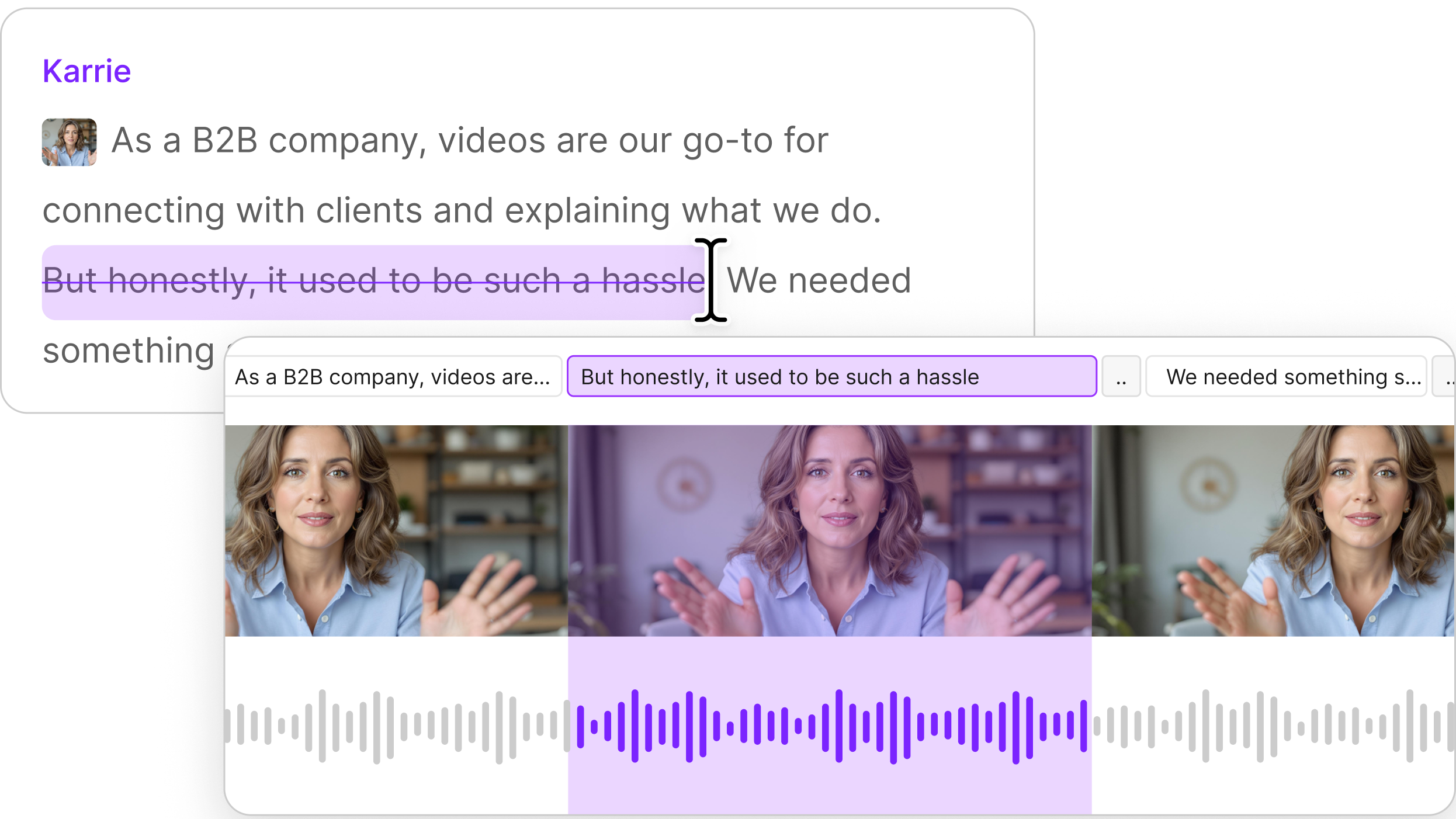
Descript’s defining feature, however, is transcript‑based editing. Once a recording is transcribed, the text becomes the edit:

  • Delete a sentence in the transcript, and it’s removed from the video
  • Rearrange paragraphs to reorder clips
  • Highlight sections to quickly create shorter cutdowns

Fewer handoffs, faster turnaround

Tasks that once took an editor hours or even days now take minutes or even seconds without much technical knowledge. This means marketers, subject‑matter experts, and others can polish their own recordings without waiting in an editing queue.

The technology also requires fewer handoffs, and helps scale professional editors: A 30‑minute video that might have taken two to three hours to clean up without Descript can often be ready to publish in an hour or so.

3. Designing supporting assets with Canva

By the time a video leaves Descript, the content itself is done — but it’s not ready to perform. A video isn't complete without thumbnails, lower-thirds, and promotional graphics, and Canva is the go-to for rapid-fire asset creation.

This stage in traditional workflows often creates friction while teams wait on designers or ship content with rushed, inconsistent visuals. Canva removes that friction by making high‑quality design accessible to everyone.
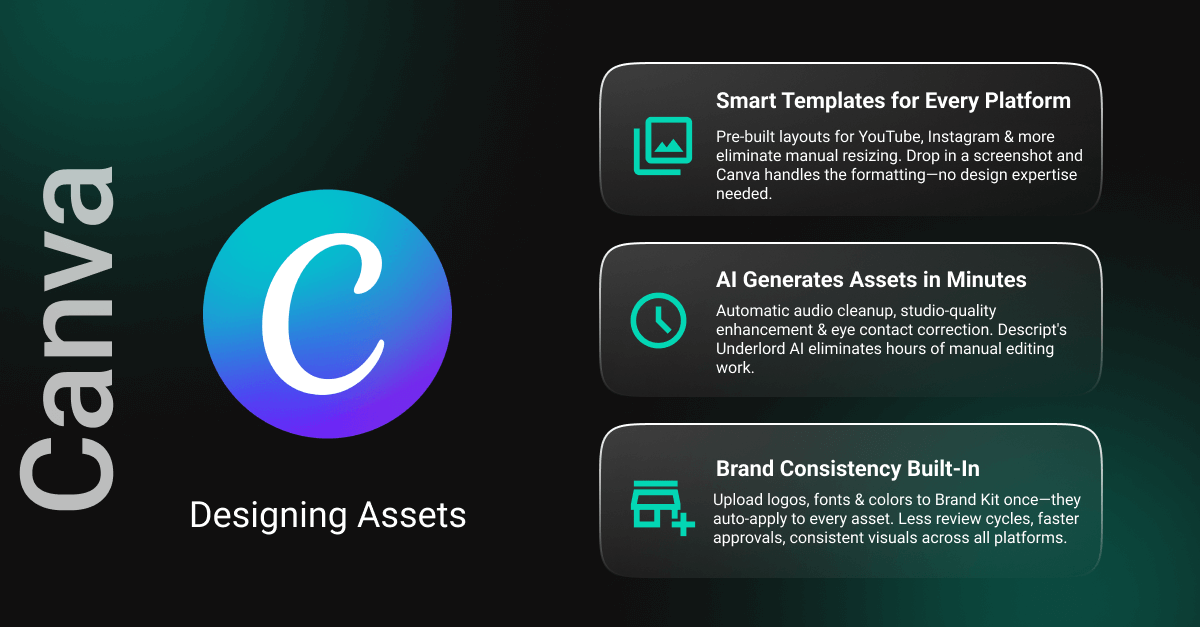

Canva is any team's go-to for creating supporting assets fast, with reliable quality.

Canva as the visual production layer

Canva works best as a dedicated space for all visual assets tied to a piece of content. Once a video is edited, key frames or screenshots are dropped into Canva and used as the foundation for other visual content.

Instead of starting from a blank canvas, teams work from smart templates that already reflect requirements for platforms like YouTube or Instagram, eliminating most manual resizing and reformatting.

The AI advantage

Canva’s Magic Design feature (under its Magic Studio suite of tools) accelerates asset creation. Upload a single frame from your video and Magic Design auto-generates multiple layouts for YouTube thumbnails, social media posts, or promotional graphics.

If you can’t come up with the right visual that way, Magic Media can fill the gap. With a short text prompt teams can generate custom images or backgrounds matching the video’s tone without combing through stock libraries or creating custom designs.

For teams producing multiple assets the time savings can compound quickly, with thumbnails created in minutes instead of hours and social graphics generated in batches.

Brand consistency without policing

One of Canva’s biggest advantages for production teams is its Brand Kit, where teams can upload and automatically apply approved logos, fonts, color palettes, and styles. This injects even more operational efficiency by reducing the amount of review required.

4. Delivery and handoffs with MASV

The last mile of production is often the most stressful: sending massive 4K files to clients or stakeholders without the transfer failing. Large, high‑resolution files need to reach clients, partners, or internal stakeholders intact and on time. 

MASV is purpose-built to remove that stress, making file delivery a reliable, often invisible step rather than a potential crisis.
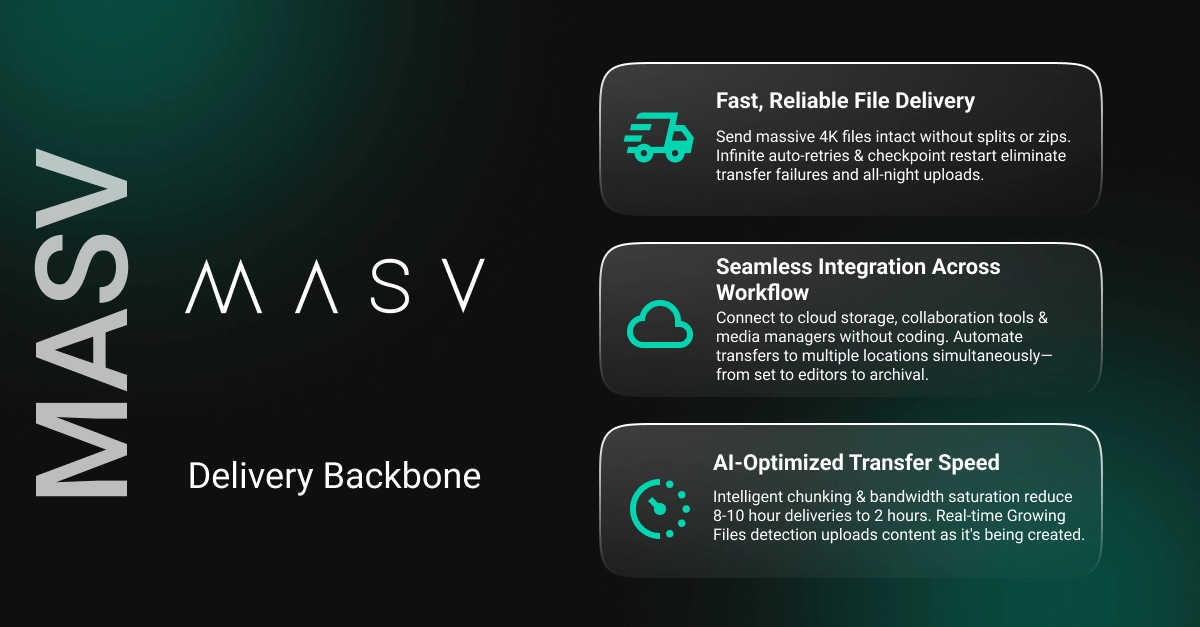
MASV is purpose-built to remove creative stress.

MASV as the delivery backbone

Instead of zipping or splitting files or dealing with grueling all-night uploads, teams can use MASV to send full‑quality deliverables fast and exactly as they were created. 

Entire project folders can be sent together without breaking file or folder structure, with the relentless reliability of infinite auto-retries and checkpoint restart to eliminate file transfer babysitting.

Just as importantly, MASV isn’t limited to final delivery. It can be used as the connective tissue across any production process where handoffs are required, such as sending raw footage from set to editors or sharing Canva exports with partners.

The AI advantage

MASV intelligent managed file transfer (MFT) moves massive files as fast as your internet allows. It splits files into chunks, saturates your bandwidth, automatically optimizes transfer paths, and retries individual chunks if something goes wrong rather than restarting the entire upload.

MASV is designed for a seamless transfer experience:

  • Teams can integrate MASV with cloud and connected on-prem storage, collaboration platforms, and media asset managers without coding. 
  • Set up simultaneous automated transfers to multiple locations – such as fast storage for editing and cold storage for archival – with no scripting. 
  • Context awareness automatically routes files to specific destinations based on rich metadata.  
  • Growing Files capability detects files actively being created and uploads them in real-time as they’re being written.

In real terms, a delivery that might take 8 to 10 hours via traditional MFT can often be completed in a couple of hours with MASV, and with far less babysitting.

A simple, professional workflow

From the user’s perspective, MASV is intentionally minimal. Clients don’t need accounts, special software, or technical knowledge: Just drag-and-drop files or folders, enter recipient details, and send, with all deliveries automatically verified for integrity. 

For those receiving content, just send your collaborators a link to your MASV Portal and they can add files without needing an account. 

Get the right AI tools for your media production workflows

Modern media production moves fastest when each stage flows cleanly into the next. The key isn’t using more tools – it’s using the right tools, each doing what it does best, without friction.

Working together, the above workflow is simple and powerful:

  • Notion creates the script and keeps things organized.
  • Descript creates the content.
  • Canva packages it visually.
  • MASV ensures it arrives safely.

The best workflow isn't about having the most tools; it's about having the right tools that work well with one another. With this workflow teams can save buckets of time while significantly accelerating production cycles.

Even better: All the tools we’ve mentioned here offer generous starter tiers that let you dip your toe in the water with little or no risk: 

  • You can sign up for Notion’s free plan (or other plans) to learn about basic forms, sites, and other tools. 
  • Descript’s Hobbyist plan offers 10 media hours and 400 AI credits per month.
  • Canva’s free trial gets you access to a drag-and-drop editor and 1.6M-plus templates.
  • MASV’s Starter plan gets you 15GB worth of transfers each month for free. 

Ready to start creating and iterating faster and more efficiently? The blueprint is right here. Your team (and your audience) will thank you for it.

Share this article

Get free recording and editing tips delivered to your inbox

Thank you for subscribing!
Oops! Something went wrong while submitting the form.
By subscribing, you consent to receiving marketing emails. You may unsubscribe at any time.

Related articles

Go deeper, make better video

Descript is an all-in-one editing platform that makes creating video as easy as editing text, with AI tools that reduce the drudgery so you can focus on making something good.

Try it free ->

AI-powered media production: the tools every team needs

AI tools for media production workflows are everywhere right now. From ScriptBook predicting story success to Sora and Seedance generating lifelike videos, the creative landscape is exploding with possibility. 

But most teams don’t need more tools. They need tools that actually work well together to save time, cut costs, and accelerate production cycles.

In this post, we’ll map a modern media workflow by stage – pre‑production, production and post-production, supporting asset design, and distribution – and break down a core stack that does the heavy lifting: 

  • Notion for planning
  • Descript for video and audio editing
  • Canva for visual packaging
  • MASV for delivery


Four AI tools to supercharge your media-production workflow

The goal isn’t complexity. It’s momentum.

Workflow Step Requirement Potential Tools
Asset Audit Visual collaboration, project management Miro/Lucidchart; Asana/Monday
Secure Ingest Secure file ingest to cloud and/or on-prem storage, media asset managers MASV Portals/storage integrations; Dropbox/Google Drive/OneDrive storage; Frame.io/Cantemo
Collaboration A clear review workflow with documented versioning rules Frame.io/Figma; Asana/Monday; MASV
Automated Transfer & Notifications Preconfigured triggers for automated actions MASV automation tools (Watch Folders/API/Agent) and storage integrations; Slack/MS Teams
Secure Distribution Final delivery to social media channels or other platforms, and archive storage MASV secure links and cold storage tiers; Asana/Monday

AI tools for a modern media workflow

Production Phase Tool/Primary Role AI/Automation Features
1. Pre-production Notion: Central source of truth for strategy and scripts. AI brainstorming: Generates topics and angles.
AI writer: Drafts scripts and summarizes content or research.
2. Production/Post Descript: Record, edit, and refine content without switching tools. Underlord: Auto-removes filler words.
Studio Sound: AI audio restoration.
Eye Contact: Fixes gaze direction.
3. Supporting Assets Canva: Create and manage visual assets. Magic Media: Text-to-video/image generation.
Magic Design: Instant presentation decks.
4. Logistics and Distribution MASV: Move heavy media files fast, intelligently, and automatically. Automation: Context-driven, intelligent file movement.
Speed: Automatically chunks files and routes them via fastest connection.
Reliability: Auto-adjusts for congestion; infinite auto-retries.

The AI media production workflow in 4 phases

1. Pre-production and scripting with Notion

Once a simple note-taking tool, Notion has evolved into a powerful and centralized location for creative teams who need ideas, scripts, feedback, and planning to live together. 

For production teams, using Notion during pre-production sets the tone for everything that follows.


Notion gives you a powerful centralized hub for ideas, scripts, feedback, and planning.

Notion as the planning hub

At the core of the Notion pre-production workflow is the creation of a production database. 

  • Each piece of content exists in this database as a single, structured entry. 
  • Inside that entry live the project brief, script drafts, notes, and references. 
  • Instead of juggling Google Docs, email threads, and Slack messages, the entire team works from one shared source of truth.

This can save production teams hours each week by avoiding version control issues or the hunt for documents in multiple locations. 

Because planning, scripting, and feedback all happen in Notion, collaboration becomes cleaner and faster, from script comment tracking to version control. Everything is visible, searchable, and always up to date.

The AI advantage

A producer or writer can start with a single-sentence premise and ask Notion AI to expand it into a structured video or podcast script or a rough outline.

While it's inadvisable to ask AI to pump out a script without human supervision, these tools can provide a solid jumping-off point in 10 to 15 minutes (instead of two or three hours manually banging out a first draft). This eliminates the hardest part: starting from a blank page. Writers move straight into refining, polishing, and adding voice.

Over the course of a month, these tools can easily save 10 to 20 hours for teams producing content regularly.

Smarter workflows

Within the production database, teams can add AI-powered properties that work quietly in the background, such as:

  • Auto-generated script summaries for quick context.
  • SEO-friendly title suggestions pulled directly from the script.
  • Platform-specific social captions created from the same source.

What used to be separate tasks now happens inside the same workspace, reducing repetitive work and ensuring consistency.

2. Recording and editing with Descript

Once planning and pre‑production are locked, the next potential bottleneck in most media workflows is recording and editing. Traditionally, these stages requires specialized software, technical expertise, and hours of manual toil.

The Descript AI video and podcast editor changes that entirely by enabling creators to edit video and audio just like text. For production teams, it’s a fast way to turn a script into a polished, publish‑ready asset.


Descript's text-based editing and AI tools give teams the fastest, easiest way to edit video and audio.

Descript as the production workhorse

Scripts developed in the first phase can be imported into Descript, where you can record, edit, and finish your content without switching tools. Descript works closely with Notion and can be integrated with Notion via third-party tools like n8n

You can record your camera, screen, or audio directly in the Descript app, keeping the entire production loop contained in one environment. This is especially powerful for teams producing frequent content where speed is vital. 

The AI advantage

Descript’s AI agent, Underlord, handles the most time‑consuming parts of editing:

  • Audio cleanup and automatic removal of filler words and long pauses
  • Studio‑quality audio enhancement without manual EQ or compression
  • Eye Contact, an effect that subtly corrects gaze when talent is reading from a script (Descript also has a built-in teleprompter)

Descript’s defining feature, however, is transcript‑based editing. Once a recording is transcribed, the text becomes the edit:

  • Delete a sentence in the transcript, and it’s removed from the video
  • Rearrange paragraphs to reorder clips
  • Highlight sections to quickly create shorter cutdowns

Fewer handoffs, faster turnaround

Tasks that once took an editor hours or even days now take minutes or even seconds without much technical knowledge. This means marketers, subject‑matter experts, and others can polish their own recordings without waiting in an editing queue.

The technology also requires fewer handoffs, and helps scale professional editors: A 30‑minute video that might have taken two to three hours to clean up without Descript can often be ready to publish in an hour or so.

3. Designing supporting assets with Canva

By the time a video leaves Descript, the content itself is done — but it’s not ready to perform. A video isn't complete without thumbnails, lower-thirds, and promotional graphics, and Canva is the go-to for rapid-fire asset creation.

This stage in traditional workflows often creates friction while teams wait on designers or ship content with rushed, inconsistent visuals. Canva removes that friction by making high‑quality design accessible to everyone.


Canva is any team's go-to for creating supporting assets fast, with reliable quality.

Canva as the visual production layer

Canva works best as a dedicated space for all visual assets tied to a piece of content. Once a video is edited, key frames or screenshots are dropped into Canva and used as the foundation for other visual content.

Instead of starting from a blank canvas, teams work from smart templates that already reflect requirements for platforms like YouTube or Instagram, eliminating most manual resizing and reformatting.

The AI advantage

Canva’s Magic Design feature (under its Magic Studio suite of tools) accelerates asset creation. Upload a single frame from your video and Magic Design auto-generates multiple layouts for YouTube thumbnails, social media posts, or promotional graphics.

If you can’t come up with the right visual that way, Magic Media can fill the gap. With a short text prompt teams can generate custom images or backgrounds matching the video’s tone without combing through stock libraries or creating custom designs.

For teams producing multiple assets the time savings can compound quickly, with thumbnails created in minutes instead of hours and social graphics generated in batches.

Brand consistency without policing

One of Canva’s biggest advantages for production teams is its Brand Kit, where teams can upload and automatically apply approved logos, fonts, color palettes, and styles. This injects even more operational efficiency by reducing the amount of review required.

4. Delivery and handoffs with MASV

The last mile of production is often the most stressful: sending massive 4K files to clients or stakeholders without the transfer failing. Large, high‑resolution files need to reach clients, partners, or internal stakeholders intact and on time. 

MASV is purpose-built to remove that stress, making file delivery a reliable, often invisible step rather than a potential crisis.

MASV is purpose-built to remove creative stress.

MASV as the delivery backbone

Instead of zipping or splitting files or dealing with grueling all-night uploads, teams can use MASV to send full‑quality deliverables fast and exactly as they were created. 

Entire project folders can be sent together without breaking file or folder structure, with the relentless reliability of infinite auto-retries and checkpoint restart to eliminate file transfer babysitting.

Just as importantly, MASV isn’t limited to final delivery. It can be used as the connective tissue across any production process where handoffs are required, such as sending raw footage from set to editors or sharing Canva exports with partners.

The AI advantage

MASV intelligent managed file transfer (MFT) moves massive files as fast as your internet allows. It splits files into chunks, saturates your bandwidth, automatically optimizes transfer paths, and retries individual chunks if something goes wrong rather than restarting the entire upload.

MASV is designed for a seamless transfer experience:

  • Teams can integrate MASV with cloud and connected on-prem storage, collaboration platforms, and media asset managers without coding. 
  • Set up simultaneous automated transfers to multiple locations – such as fast storage for editing and cold storage for archival – with no scripting. 
  • Context awareness automatically routes files to specific destinations based on rich metadata.  
  • Growing Files capability detects files actively being created and uploads them in real-time as they’re being written.

In real terms, a delivery that might take 8 to 10 hours via traditional MFT can often be completed in a couple of hours with MASV, and with far less babysitting.

A simple, professional workflow

From the user’s perspective, MASV is intentionally minimal. Clients don’t need accounts, special software, or technical knowledge: Just drag-and-drop files or folders, enter recipient details, and send, with all deliveries automatically verified for integrity. 

For those receiving content, just send your collaborators a link to your MASV Portal and they can add files without needing an account. 

Get the right AI tools for your media production workflows

Modern media production moves fastest when each stage flows cleanly into the next. The key isn’t using more tools – it’s using the right tools, each doing what it does best, without friction.

Working together, the above workflow is simple and powerful:

  • Notion creates the script and keeps things organized.
  • Descript creates the content.
  • Canva packages it visually.
  • MASV ensures it arrives safely.

The best workflow isn't about having the most tools; it's about having the right tools that work well with one another. With this workflow teams can save buckets of time while significantly accelerating production cycles.

Even better: All the tools we’ve mentioned here offer generous starter tiers that let you dip your toe in the water with little or no risk: 

  • You can sign up for Notion’s free plan (or other plans) to learn about basic forms, sites, and other tools. 
  • Descript’s Hobbyist plan offers 10 media hours and 400 AI credits per month.
  • Canva’s free trial gets you access to a drag-and-drop editor and 1.6M-plus templates.
  • MASV’s Starter plan gets you 15GB worth of transfers each month for free. 

Ready to start creating and iterating faster and more efficiently? The blueprint is right here. Your team (and your audience) will thank you for it.

Featured articles:

AI for Creators

How to make AI-generated video

Create pro-quality AI-generated videos that aren't slop. Tips on prompts, styles, and troubleshooting with Descript's AI video generator.

AI for Creators

14 best AI video generator tools: 2025 guide

Compare the 14 best AI video generators of 2025. Find out which tools offer the best features, pricing, and workflow for creators and marketers.

AI for Creators

Cloning customers: A marketer’s shortcut to better decisions

When you need a gut check now, you can't afford to wait weeks to schedule a user interview. Instead, clone your customers. Here's how.

Articles you might find interesting

AI for Creators

Personas: The best way to get better results from AI

Unlock the potential of AI with personas. Learn how to improve performance, collaboration, and problem-solving using different persona types.

AI for Creators

How to make AI-generated video

Create pro-quality AI-generated videos that aren't slop. Tips on prompts, styles, and troubleshooting with Descript's AI video generator.

AI for Creators

The slop-free guide to AI content repurposing

Most AI-repurposed content is obvious and generic. Here's how to repurpose your content without creating slop or exhausting yourself.

Video

5 enterprise video editing software features that actually matter

Enterprise teams need more than creator tools; they need scalable, secure, and collaborative video editing platforms. Discover the 5 essential features every enterprise should look for.

Related articles:

Share this article

Get started for free →