An MP4-to-MP3 converter converts the audio in an MP4 video into an MP3 file you can save, share, or reuse. With Descript, you can extract the audio, trim the start and end, clean up spoken sections, and then export a compressed MP3 in a few clicks. MP3 is smaller than a video, making it handy for listening, reviewing, or publishing without the video.
Convert MP4 to MP3These companies use Descript. Not bad!
01
Create a free Descript project, sign in if prompted, and drag your MP4 into the workspace. Descript processes project media in the cloud, so this MP4-to-MP3 online workflow works in your browser as well as in the app. Larger files can take longer to upload and process. Descript currently supports common video imports, including MP4, M4V, and MOV.
02
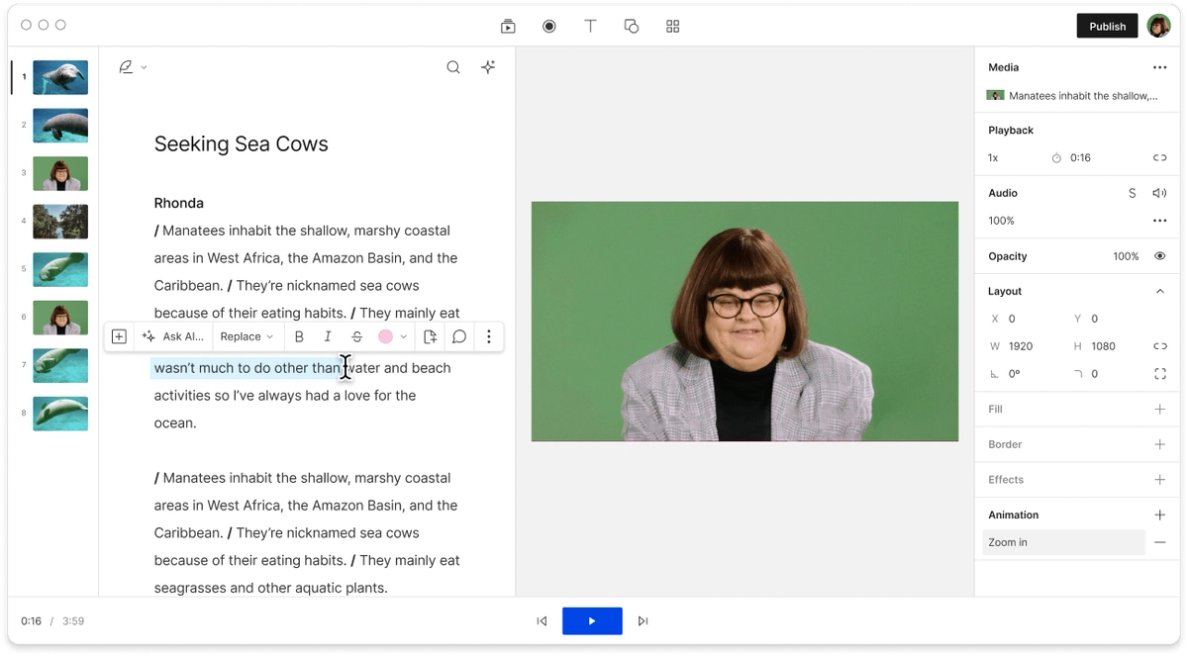
Before export, trim the start and end, remove sections you do not need, and tighten the spoken content. Descript's text-based workflow lets you delete words to remove them from the timeline, making it easy to remove filler and shape the final audio. You can also use Studio Sound to improve voice clarity before you export the MP3.
03
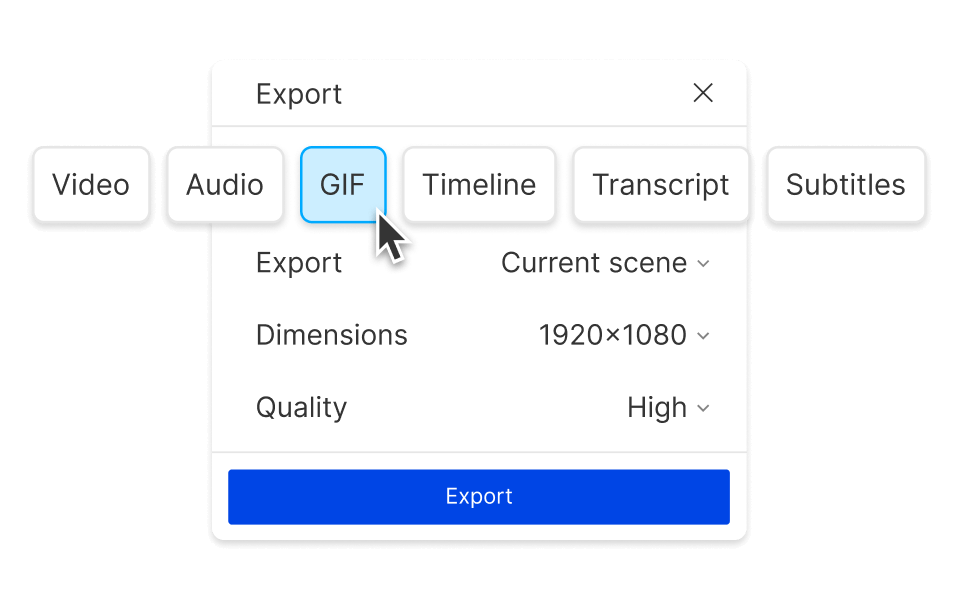
Click Export, choose the Audio tab, and select MP3. Descript also offers bitrate options from 32 kbps to 256 kbps, so you can balance file size against sound quality. Higher bitrate usually means better audio quality and a larger file; lower bitrate makes the file smaller and faster to share. If you need uncompressed audio instead, Descript also exports WAV and M4A.
Need the audio from a webinar replay, lecture, or interview? Descript makes it easy to extract audio from MP4 and keep working in the same project. If your source is not MP4, you can also extract audio from video without switching to a different workflow.
Bitrate is the simplest way to think about MP3 quality: a lower bitrate yields a smaller file, while a higher bitrate preserves more detail. For spoken voice, a moderate bitrate is often enough. For music-heavy audio, a higher bitrate usually yields better sound quality. If you want a non-compressed option for editing, Descript can export WAV instead.
This workflow starts with MP4, but Descript also supports other common video inputs, including M4V and MOV. That gives you a simple way to bring in the source video, make edits, and export the audio you need without bouncing between separate tools.
When you upload a file to Descript, the project saves and syncs your work to the cloud, so you can edit and export across devices. If you no longer need the file, you can permanently delete the project from the editor or from Drive view.
Descript is a text-based audio and video editor, so it does more than just strip audio from a file. You can refine the recording, tighten the timing, and export a cleaner MP3 without leaving the same project.
Transcription helps you find the exact moments you want faster. Once the MP4 is transcribed, you can scan the text, quickly cut sections, and shape the audio before export.
Use Studio Sound to clean up extracted voice audio before exporting MP3. It is a practical way to reduce background noise and improve clarity when the source recording is good enough to keep, but could sound more polished.
Tighten spoken audio pulled from video by removing filler words and extra pauses before export. This is especially useful for interviews, webinars, and solo explainers that need a cleaner listen without a full re-record.
Trim the start and end, remove sections, and shape the final MP3 by deleting text in the transcript. If you want more ideas for a broader convert video to audio workflow, Descript also has a guide on how to turn video into an audio file.
With a 4.6-out-of-5-star rating and a bunch of distinctions on G2, Descript’s users have declared it an industry standard in the video and podcasting world.
2026
“With Descript I'll be able to at least double my content output since editing is taking one-quarter the time it used to.”
Donna B.
“With Descript we can create videos for our YouTube channel and our LinkedIn page much faster and with high quality.”
Balázs N.
“Descript has made cleaning up and creating my educational videos into professional presentations [possible] without needing extensive technical computer skills.”
Barbara C.
“Descript makes recording and editing audio and video a breeze. It's advanced features have streamlined my workflows, saving me a lot of time usually spent editing.”
Roderick F.
“The collaborative tools streamline teamwork, allowing my team and me to work efficiently together on projects. Overall, Descript enhances productivity and simplifies the editing process.”
Aldrich M.
“Transcription-based editing makes the process much faster…All in all, a must have editor for most audiences, especially in SaaS marketing.”
Nidhin M.
Surely there’s one for you
$0
$0
per person / month
Start your journey with text-based editing
1 media hour / month
100 AI credits / month
Export 720p, watermark-free
Limited use of Underlord, our agentic video co-editor and AI tools
Limited trial of AI Speech
$24
$16
per person / month
1 person included
Elevate your projects, watermark-free
10 media hours / month
400 AI credits / month
Export 1080p, watermark-free
Access to Underlord, our AI video co-editor
AI tools including Studio Sound, Remove Filler Words, Create Clips, and more
AI Speech with custom voice clones and video regenerate
Most Popular
$35
$24
per person / month
Scale to a team of 3 (billed separately)
Unlock advanced AI-powered creativity
30 media hours / month
+5 bonus hours
800 AI credits / month
+500 bonus credits
Export 4k, watermark-free
Full access to Underlord, our AI video co-editor and 20+ more AI tools
Generate video with the latest AI models
Unlimited access to royalty-free stock media library
Access to top ups for more media hours and AI credits