Descript Lecture Recorder simplifies capturing and transcribing lectures, making it easy for educators and students to revisit and share content. Record, edit, and organize lectures seamlessly with built-in transcription and collaboration tools.
Get startedThese companies use Descript. Not bad!
01
Create an Account and Start Recording
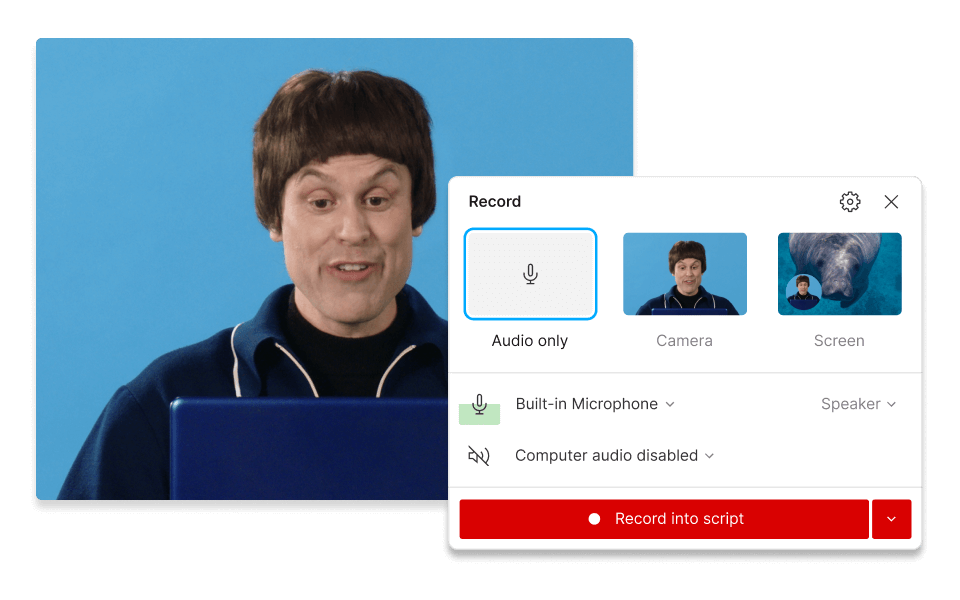
Sign up for Descript, create a new project, and click the "Record" button to start capturing from your camera. This intuitive process ensures you can begin recording your lecture effortlessly, allowing you to focus on delivering your content without any technical hassles.
02
Select Recording Area and Start Capturing
Use the "Screen sharing" feature to select your recording area, then begin recording. Descript will automatically record you, capture your screen, and transcribe the audio. This ensures you have a comprehensive record of your lecture, making it easy to review and share with your audience.
03
Trim, Edit, and Export Your Lecture
After recording, trim, cut, or remove filler words as needed. Click "Publish" and select the "Export" tab. Choose your desired file type, configure settings, and click "Export" to save the file. This streamlined process ensures your lecture is polished and ready for distribution.
Built-in recording studio for capturing tutorials and demos
Descript's built-in recording studio simplifies capturing tutorials and demos, making it perfect for lecture recording. Seamlessly create high-quality content, edit on the fly, and ensure your audience gets the best learning experience. Save time and effort by producing polished, professional videos without needing additional software.
Fast, accurate AI transcription that learns how you talk
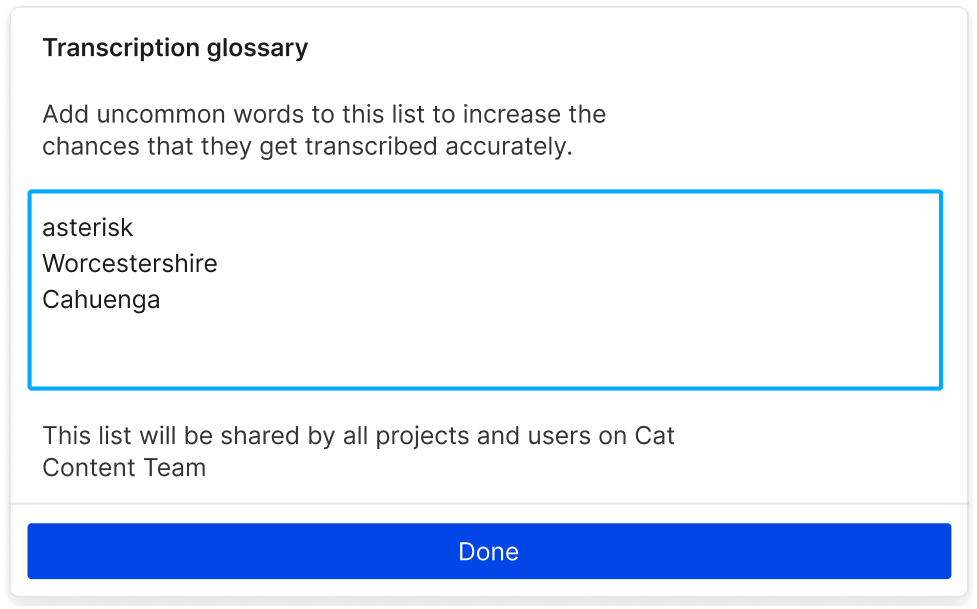
Enhance your lecture recordings with Descript's fast, accurate AI transcription. This feature adapts to your speaking style, ensuring precise transcriptions. Save time on manual edits and focus on delivering engaging content. Perfect for educators aiming to streamline their workflow and provide students with clear, accessible lecture notes.

Instant narration with AI voices & voice cloning
Enhance your lecture recordings with Descript's instant narration using AI voices and voice cloning. Seamlessly generate professional-quality audio, ensuring your content is engaging and clear. Save time and effort by automating voiceovers, allowing you to focus on delivering impactful educational experiences.
Descript is an AI-powered audio and video editing tool that lets you edit podcasts and videos like a doc.
Screen recording
Effortlessly capture your lectures with Descript's screen recording feature, ensuring every detail is preserved for future reference.
Transcription
Effortlessly transcribe your recorded lectures with Descript, turning spoken words into editable text for easy review and sharing.
Captions & subtitles
Automatically generate accurate captions and subtitles for your recorded lectures, enhancing accessibility and engagement for all students.
Remove filler words
Effortlessly remove filler words from your recorded lectures, ensuring a polished and professional presentation every time.
Donna B.
Surely there’s one for you
Free
per person / month
Start your journey with text-based editing
1 media hour / month
100 AI credits / month
Export 720p, watermark-free
Limited use of Underlord, our agentic video co-editor and AI tools
Limited trial of AI Speech
Hobbyist
per person / month
1 person included
Elevate your projects, watermark-free
10 media hours / month
400 AI credits / month
Export 1080p, watermark-free
Access to Underlord, our AI video co-editor
AI tools including Studio Sound, Remove Filler Words, Create Clips, and more
AI Speech with custom voice clones and video regenerate
Most Popular
Creator
per person / month
Scale to a team of 3 (billed separately)
Unlock advanced AI-powered creativity
30 media hours / month
800 AI credits / month
Export 4k, watermark-free
Full access to Underlord, our AI video co-editor and 20+ more AI tools
Generate video with the latest AI models
Unlimited access to royalty-free stock media library
Access to top ups for more media hours and AI credits
What audio formats does the Lecture Recorder support for recording lectures?
Can I edit my recorded lectures directly within the Lecture Recorder tool?
What pricing plans does Descript offer for individual users and teams?
Does Descript provide any collaboration features for team projects?