Product Demo Video Creator
Let your product speak for itself with an engaging, easily edited demo video—even if you’re a one-person show.
Get started
Let your product speak for itself with an engaging, easily edited demo video—even if you’re a one-person show.
Get startedThese companies use Descript. Not bad!















01
Begin by crafting a simple script of the key talking points you want to cover, or pull in an existing document. Keep it authentic—call out benefits without burying them under hype.
02
Use your webcam and mic to capture footage, or turn your text into a voiceover with AI voices. You can always polish and rearrange the footage later, so keep rolling even if you flub a line.
03
Review your transcript to remove unneeded sections—every unnecessary word or ‘um’ can be trimmed without harming the flow. Add music, text overlays, or transitions, then export or share a link to your final product demo video.
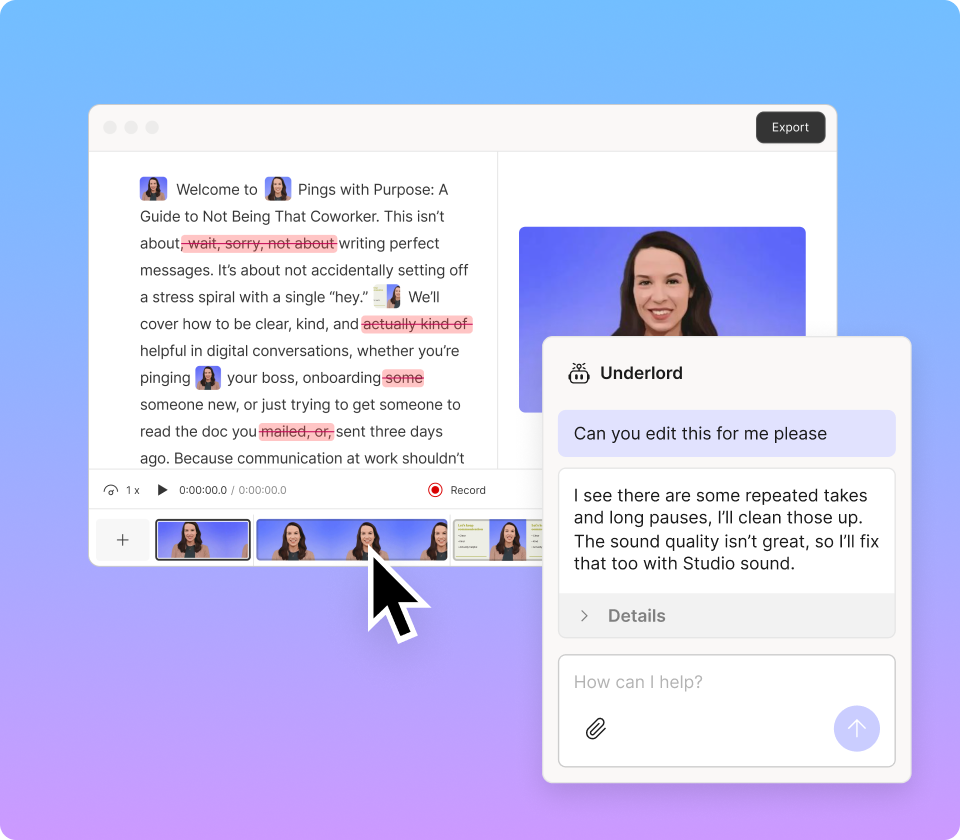
Automatic transcripts, easy rearranging, and AI-based voice cleanup let you focus on delivering a great product tour instead of wrestling with complex editing software.
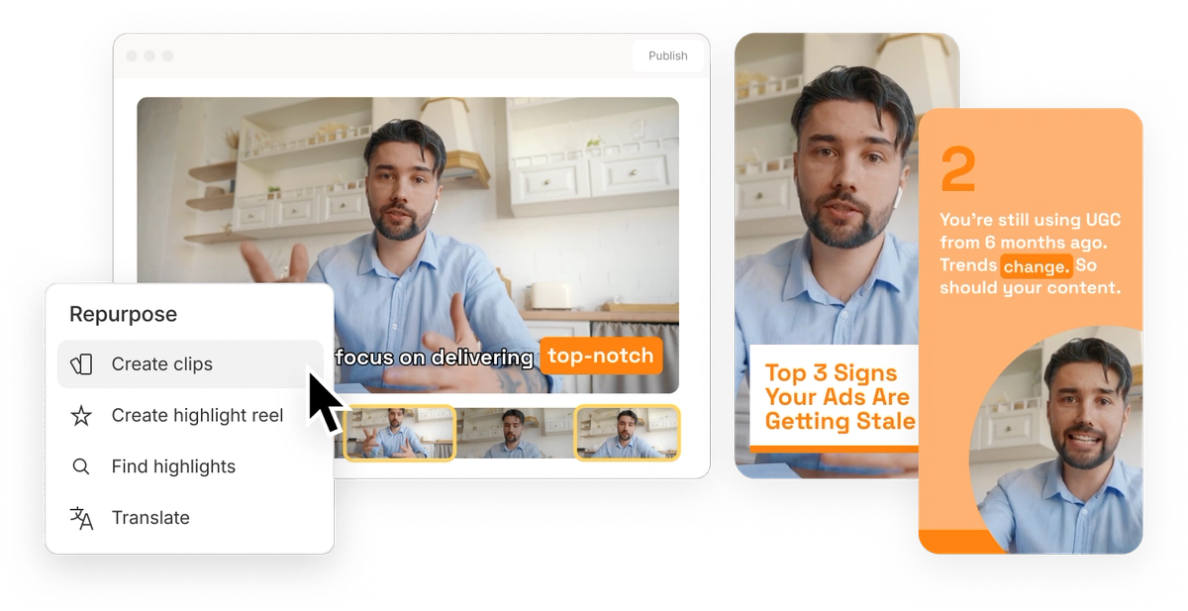
Whether your audience hangs out on YouTube, LinkedIn, or your website, quickly resize and repurpose your product demo for every channel instead of making different videos from scratch.
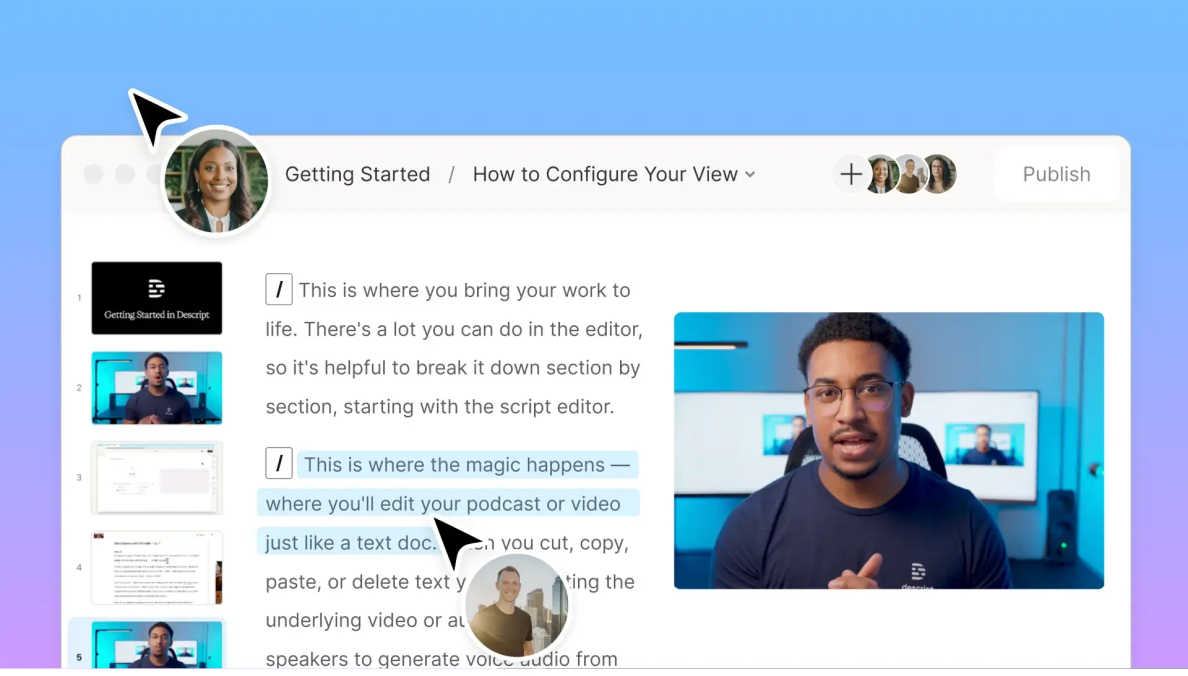
Need input from a teammate? Invite them to comment, change copy, or approve final touches. Crowdsource feedback on your product demo video creator project in real time before hitting publish.
Make your product easy to understand with a single stream of powerful tools.

Demonstrate software features or capture your webcam and mic without juggling confusing add-ons.
Type out your script and use AI-based narration to transform your text into a polished voiceover.
Clean up background hum, reduce ‘uhs’ and ‘ums,’ and trim dead air to make your product demo video flow.
Export the final demo video or share a link so viewers can access your product story with zero hoops to jump through.
With a 4.6-out-of-5-star rating and a bunch of distinctions on G2, Descript’s users have declared it an industry standard in the video and podcasting world.
2026





“With Descript I'll be able to at least double my content output since editing is taking one-quarter the time it used to.”

Donna B.
“With Descript we can create videos for our YouTube channel and our LinkedIn page much faster and with high quality.”

Balázs N.
“Descript has made cleaning up and creating my educational videos into professional presentations [possible] without needing extensive technical computer skills.”

Barbara C.
“Descript makes recording and editing audio and video a breeze. It's advanced features have streamlined my workflows, saving me a lot of time usually spent editing.”

Roderick F.
“The collaborative tools streamline teamwork, allowing my team and me to work efficiently together on projects. Overall, Descript enhances productivity and simplifies the editing process.”

Aldrich M.
“Transcription-based editing makes the process much faster…All in all, a must have editor for most audiences, especially in SaaS marketing.”

Nidhin M.
Surely there’s one for you
$0
$0
per person / month
Start your journey with text-based editing


1 media hour / month

100 AI credits / month

Export 720p, watermark-free

Limited use of Underlord, our agentic video co-editor and AI tools

Limited trial of AI Speech
$24
$16
per person / month
1 person included
Elevate your projects, watermark-free
10 media hours / month
400 AI credits / month
Export 1080p, watermark-free
Access to Underlord, our AI video co-editor

AI tools including Studio Sound, Remove Filler Words, Create Clips, and more
AI Speech with custom voice clones and video regenerate
Most Popular
$35
$24
per person / month
Scale to a team of 3 (billed separately)
Unlock advanced AI-powered creativity
30 media hours / month
800 AI credits / month
Export 4k, watermark-free
Full access to Underlord, our AI video co-editor and 20+ more AI tools

Generate video with the latest AI models

Unlimited access to royalty-free stock media library

Access to top ups for more media hours and AI credits