December 8, 2025

How we built Video Regenerate & Translation

We built AI video tools that work instantly on any speaker. Here's what it took to solve lip sync, handle messy real-world footage, and ship to thousands of users
December 8, 2025

How we built Video Regenerate & Translation

We built AI video tools that work instantly on any speaker. Here's what it took to solve lip sync, handle messy real-world footage, and ship to thousands of users
December 8, 2025
Ashley Hamer Pritchard
In this article
Start editing audio & video
This makes the editing process so much faster. I wish I knew about Descript a year ago.
Matt D., Copywriter
Sign up

What type of content do you primarily create?

Videos
Podcasts
Social media clips
Transcriptions
Start editing audio & video
This makes the editing process so much faster. I wish I knew about Descript a year ago.
Matt D., Copywriter
Sign up

What type of content do you primarily create?

Videos
Podcasts
Social media clips
Transcriptions

Video editing has a jump cut problem. You know the one—you delete part of your video and suddenly your head snaps from one position to another. It looks terrible. Viewers get distracted, possibly irritated.

For years, the only fix was to cover it with B-roll, or re-record the whole thing. Or just live with it because, honestly, re-recording is a pain and who has time for that?

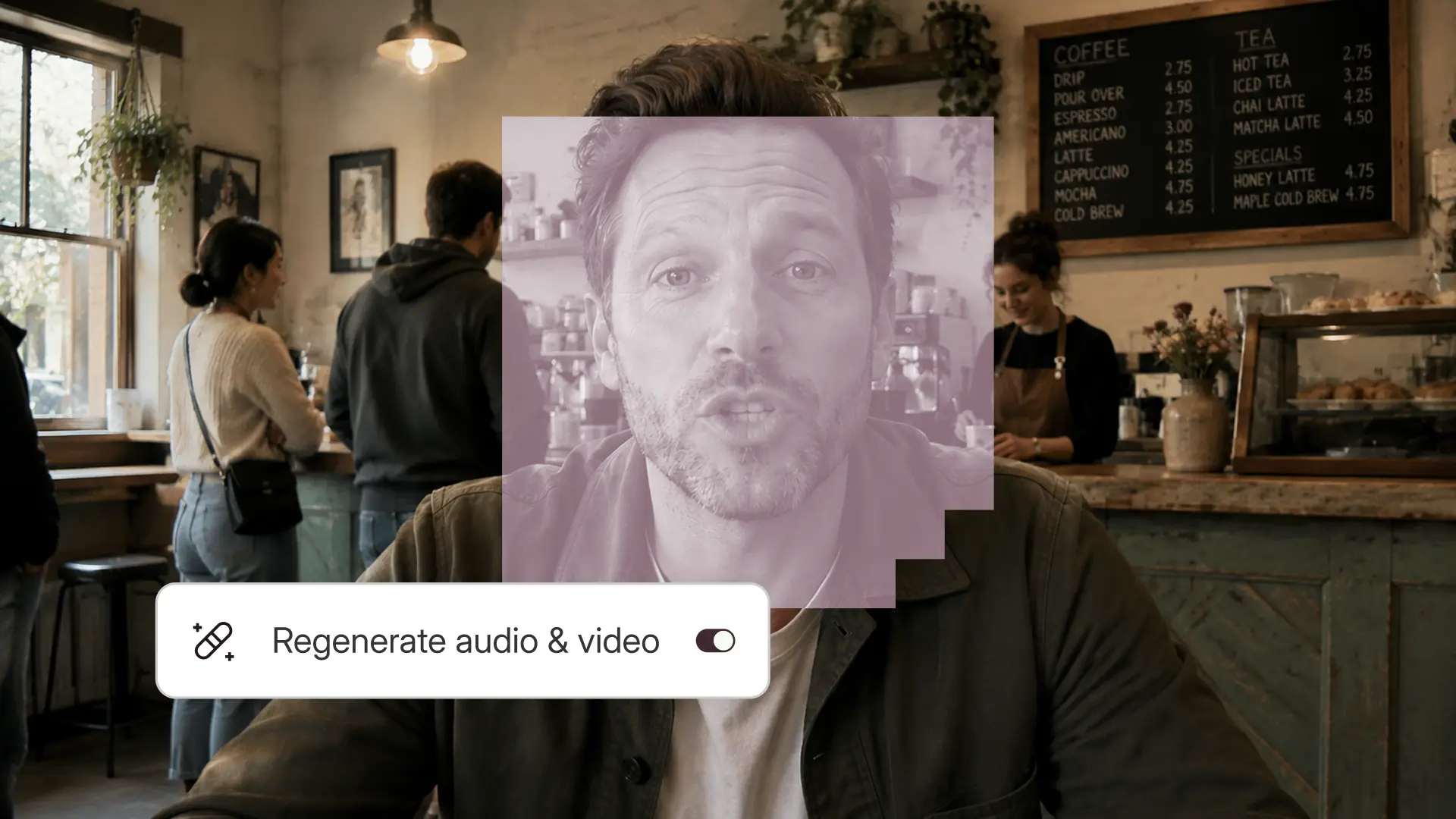
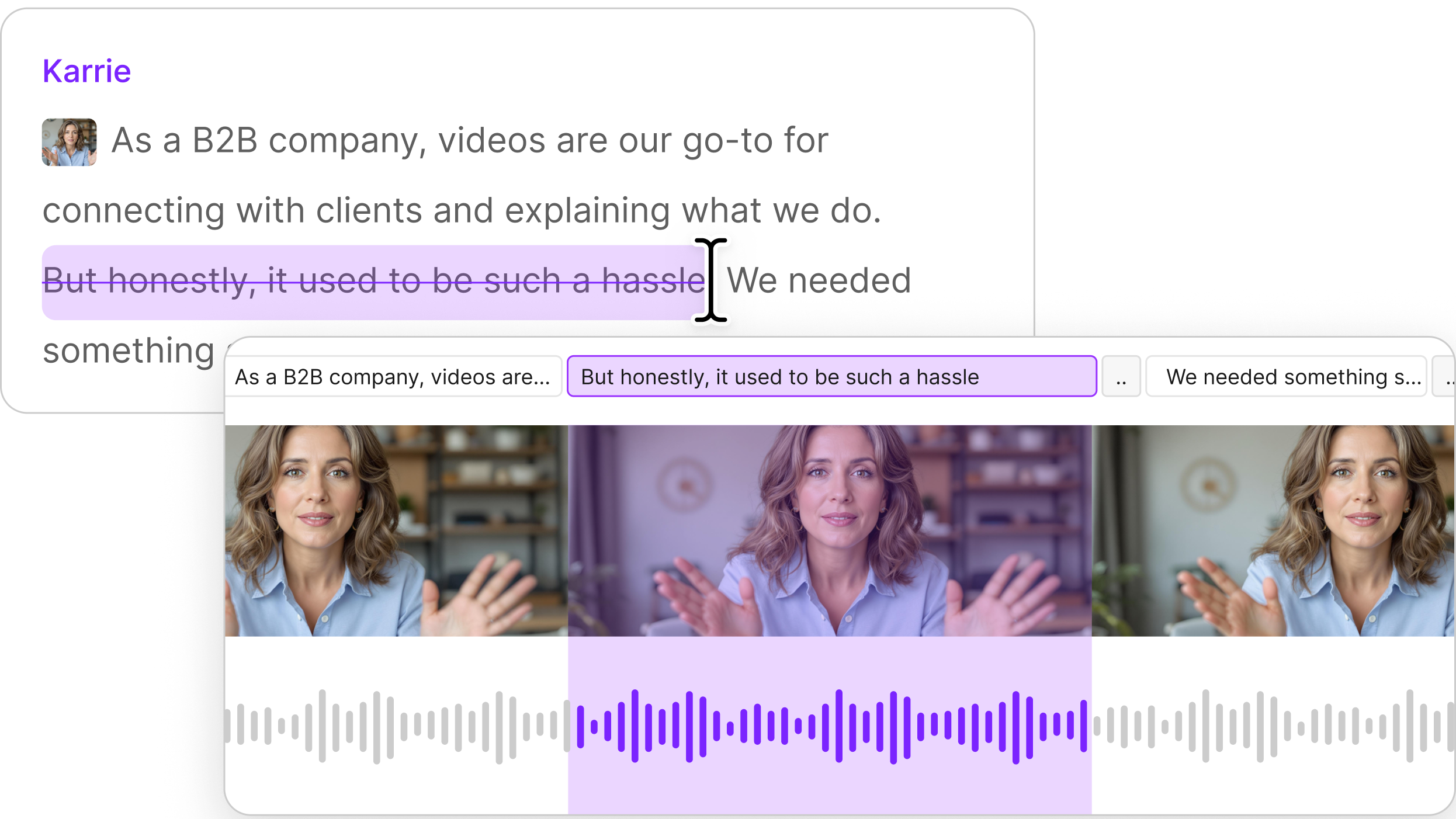
We built Video Regenerate to fix this. Edit your video, then regenerate the words around the cut, and the tool smoothes the edit so it’s undetectable. Change the words in your transcript—say, to correct a mistake or to update old facts—and Regenerate changes the audio and video. Either way, it keeps your lips synced to the changes so it looks like you recorded it that way.

We also built video translation, which does something similar: it translates what you said, regenerates your video in that language, and syncs your lips to match. So you can make a video once, then publish localized versions for audiences around the world—and none of them will be able to tell you recorded in a different language. 

"It helps reduce your editing time and it also helps you in reaching a larger number of people," said Sumukh Badam, a research engineer at Descript who built these features. That's the simple version. The complicated version involves a lot of things that can go wrong.

The thing nobody talks about with AI video

Most generative-video tools work like this: you give them hours of footage of someone talking, they train a model on that specific person, and then—maybe, if you're lucky—they can generate new video of that person saying different things. It takes time. Often a full day. And it only works for that one person.

Descript’s works instantly. You edit the text in your transcript, hit Regenerate, and it creates new video in your voice without any training. Using your video as context, the model can figure it out on the spot. 

"Initially in Descript when we had a voice model, we used to collect like 10 minutes of our user's data. We used to take like a day and then we say your model is ready and then you can use it," Sumukh said. "But now it's not like that. You don’t need to train a separate model for every user. It works instantaneously."

This is called "zero-shot" generation, which in Descript's terms means the model works on people it's never seen before, using only the video you give it right then. It works because it's been trained on massive amounts of video, so when you give it a few seconds of your face, it already knows enough about how faces and voices work to regenerate new sections. (If you were a technical wiz like Sumukh you might be confused here: true zero-shot would mean the model could do this with almost no training data at all—but that’s basically impossible, so we’re calling ours zero-shot.) 

Why this is hard (the actual reasons)

There are three problems that make AI video editing difficult to get right:

The jump cut problem

When you replace speech with more speech, you need more video frames. When you replace it with less text, you need fewer frames. Either way, you can't just paste the new section in—the motion and expression have to flow naturally from before the edit to after. If the start and end frames don't connect smoothly, you get a jump cut. Which is exactly what we're trying to solve.

The lip sync problem

Getting audio and video to match is harder than it sounds. If they're off by more than 50 milliseconds, your brain notices. A lot of the video you find online—the stuff you'd use to train a model—already has sync issues. Train on bad data, get bad results.

We built a model that scores how well the lips match the audio. We use it to clean our training data and test our output. It can tell if your lips are moving the wrong way for the sounds you're making, or if the timing is off even slightly.

The identity problem

People know what they look like. If the AI changes that, they’ll notice immediately. Viewers will notice too. The whole thing falls apart.

"You notice things like the color of the teeth or the way the teeth look, or a change in jawline,” Sumukh said. “When the model can’t generate that accurately, it breaks the experience."

This is especially tricky with things like facial hair and complex textures—they're "high frequency" details that change quickly from frame to frame. Our current model handles them but can show some degradation in pixel quality. The next version will be better at this.

What it actually takes to ship this

Building something that works in a lab is different from building something that works for thousands of people making all kinds of video. 

"User data in the wild, it's not as clean as what we think," Sumukh said. "Because users would've added layouts or captions; those things wouldn't exist in research data. If a user had captions near their face, when we translate or Regenerate, those captions have to look the same [afterward]."

If someone imports a video from another editor with everything flattened into one layer, the model has to deal with that. If they're moving around the frame or the background is changing, it has to handle that—or at least not make it worse.

"Sometimes there are occlusions, like your hand moves over your face," Sumukh explained. "That wouldn't happen in the training data but you need to make sure it handles those things."

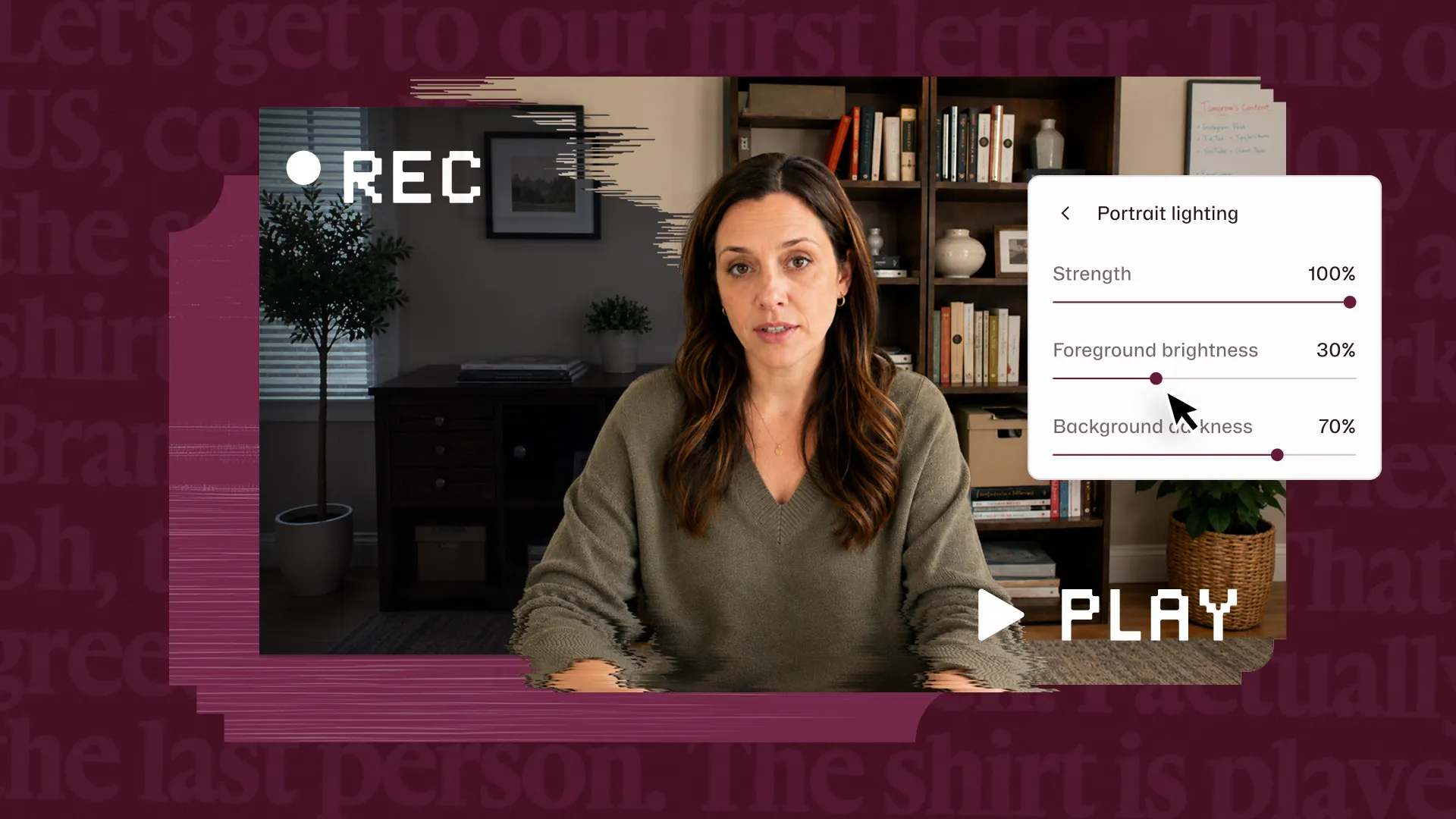
Some things it still can't do well: dynamic backgrounds where stuff is moving around make it hard to generate natural-looking frames. Very high-motion videos where you're moving in and out of frame. Extreme lighting changes. We're working on these too, but they're legitimately difficult problems.

Video translation uses the same tech for a different problem

Video translation takes everything we just described and adds another layer: translating your audio into another language, then regenerating your video so your lips match the new language.

The pipeline goes: speech-to-text → translation → new AI speech → lip-synced video. Each step has to work well or the whole thing falls apart. And it has to preserve your voice characteristics, your speaking style, your facial expressions—everything that makes it clearly you, but speaking Spanish instead of English.

"Before, if content creators wanted to translate a video to other languages, they had to be proficient in that language and they needed to do the translations of what they wanted to say," Sumukh said. "Now we have a pipeline that does that whole thing.”

We can do this in 30+ languages now. The speech part is relatively solved. The lip sync part is where most other tools show their limitations—lips that don't quite match, unnatural mouth movements, the uncanny valley feeling of something being almost right. We think Descript’s does this better than anyone else.

How all this AI is actually useful 

Video Regenerate helps when you need to fix errors or outdated info without re-recording. Or when you realize you forgot to mention something and need to add a sentence. Or when you’ve cut something out and you want to smooth over what would otherwise be a jump cut.

It works best on talking head videos where you're relatively static. It gets more complicated if you're moving around a lot or if your background is changing. Traditional editing is still better in those cases—at least for now.

Video translation helps if you want to reach people who speak other languages but you don’t speak all those languages, and even if you did, you wouldn’t want to make multiple videos. The use case that makes the most sense: you have a one-hour tutorial video in English and you want to offer it in the 10 other countries where people use your product.

The limitations we're still working through

The model sometimes struggles with lip sync quality. If it's not perfect the first time, undo and try again—that often helps.

High-frequency details like beards can look slightly degraded. We're training newer models that handle this better. 

Moving backgrounds and dynamic scenes are hard. The model has to guess what the background should look like in the generated frames, and sometimes it guesses wrong—like a car that moves out of frame and then suddenly reappears.

If you have a complex video with a lot of motion, traditional editing is probably still your best bet. 

What we learned building this

The biggest thing: real-world video data is messy. Clean lab conditions are easy. User videos with captions overlaid on faces, weird lighting, random occlusions, moving cameras—that's where you find out if your model actually works.

The model is trained on relatively clean video, but real users give you everything from 4k perfection to webcam chaos. So you need a pipeline that processes incoming video to make it look more like what the model expects—without that, the output quality tanks.

Also, compute (what we laypeople might call processing power) is expensive and scale matters. If you have a hundred users generating hour-long videos in 10 languages each, your backend needs to handle that without melting down. This means making hard choices about model size, processing speed, and cost per generation.

And honestly? The lip sync is really good. Like, surprisingly good. You probably won't be able to tell it's AI-generated—most people can't. That's the part we're genuinely proud of.

The rest of AI video generation is still kind of in the "this is impressive but not quite there yet" phase. Background handling, complex motion, some edge cases—those we're still working on. But the core thing, the lip sync that makes or breaks the whole experience? That actually works.

The team’s goal: close that gap. Make something that just works when you need it to. We're not there yet on everything, but we're getting closer.

"Our models are becoming better and better every day," Sumukh said.

Ashley Hamer Pritchard
Managing Editor at Descript. Musician, podcaster, writer, science nerd.
Share this article

Related articles

No items found.
Start creating—for free
Sign up
Join millions of others creating with Descript

How we built Video Regenerate & Translation

Video editing has a jump cut problem. You know the one—you delete part of your video and suddenly your head snaps from one position to another. It looks terrible. Viewers get distracted, possibly irritated.

For years, the only fix was to cover it with B-roll, or re-record the whole thing. Or just live with it because, honestly, re-recording is a pain and who has time for that?

We built Video Regenerate to fix this. Edit your video, then regenerate the words around the cut, and the tool smoothes the edit so it’s undetectable. Change the words in your transcript—say, to correct a mistake or to update old facts—and Regenerate changes the audio and video. Either way, it keeps your lips synced to the changes so it looks like you recorded it that way.

We also built video translation, which does something similar: it translates what you said, regenerates your video in that language, and syncs your lips to match. So you can make a video once, then publish localized versions for audiences around the world—and none of them will be able to tell you recorded in a different language. 

"It helps reduce your editing time and it also helps you in reaching a larger number of people," said Sumukh Badam, a research engineer at Descript who built these features. That's the simple version. The complicated version involves a lot of things that can go wrong.

The thing nobody talks about with AI video

Most generative-video tools work like this: you give them hours of footage of someone talking, they train a model on that specific person, and then—maybe, if you're lucky—they can generate new video of that person saying different things. It takes time. Often a full day. And it only works for that one person.

Descript’s works instantly. You edit the text in your transcript, hit Regenerate, and it creates new video in your voice without any training. Using your video as context, the model can figure it out on the spot. 

"Initially in Descript when we had a voice model, we used to collect like 10 minutes of our user's data. We used to take like a day and then we say your model is ready and then you can use it," Sumukh said. "But now it's not like that. You don’t need to train a separate model for every user. It works instantaneously."

This is called "zero-shot" generation, which in Descript's terms means the model works on people it's never seen before, using only the video you give it right then. It works because it's been trained on massive amounts of video, so when you give it a few seconds of your face, it already knows enough about how faces and voices work to regenerate new sections. (If you were a technical wiz like Sumukh you might be confused here: true zero-shot would mean the model could do this with almost no training data at all—but that’s basically impossible, so we’re calling ours zero-shot.) 

Why this is hard (the actual reasons)

There are three problems that make AI video editing difficult to get right:

The jump cut problem

When you replace speech with more speech, you need more video frames. When you replace it with less text, you need fewer frames. Either way, you can't just paste the new section in—the motion and expression have to flow naturally from before the edit to after. If the start and end frames don't connect smoothly, you get a jump cut. Which is exactly what we're trying to solve.

The lip sync problem

Getting audio and video to match is harder than it sounds. If they're off by more than 50 milliseconds, your brain notices. A lot of the video you find online—the stuff you'd use to train a model—already has sync issues. Train on bad data, get bad results.

We built a model that scores how well the lips match the audio. We use it to clean our training data and test our output. It can tell if your lips are moving the wrong way for the sounds you're making, or if the timing is off even slightly.

The identity problem

People know what they look like. If the AI changes that, they’ll notice immediately. Viewers will notice too. The whole thing falls apart.

"You notice things like the color of the teeth or the way the teeth look, or a change in jawline,” Sumukh said. “When the model can’t generate that accurately, it breaks the experience."

This is especially tricky with things like facial hair and complex textures—they're "high frequency" details that change quickly from frame to frame. Our current model handles them but can show some degradation in pixel quality. The next version will be better at this.

What it actually takes to ship this

Building something that works in a lab is different from building something that works for thousands of people making all kinds of video. 

"User data in the wild, it's not as clean as what we think," Sumukh said. "Because users would've added layouts or captions; those things wouldn't exist in research data. If a user had captions near their face, when we translate or Regenerate, those captions have to look the same [afterward]."

If someone imports a video from another editor with everything flattened into one layer, the model has to deal with that. If they're moving around the frame or the background is changing, it has to handle that—or at least not make it worse.

"Sometimes there are occlusions, like your hand moves over your face," Sumukh explained. "That wouldn't happen in the training data but you need to make sure it handles those things."

Some things it still can't do well: dynamic backgrounds where stuff is moving around make it hard to generate natural-looking frames. Very high-motion videos where you're moving in and out of frame. Extreme lighting changes. We're working on these too, but they're legitimately difficult problems.

Video translation uses the same tech for a different problem

Video translation takes everything we just described and adds another layer: translating your audio into another language, then regenerating your video so your lips match the new language.

The pipeline goes: speech-to-text → translation → new AI speech → lip-synced video. Each step has to work well or the whole thing falls apart. And it has to preserve your voice characteristics, your speaking style, your facial expressions—everything that makes it clearly you, but speaking Spanish instead of English.

"Before, if content creators wanted to translate a video to other languages, they had to be proficient in that language and they needed to do the translations of what they wanted to say," Sumukh said. "Now we have a pipeline that does that whole thing.”

We can do this in 30+ languages now. The speech part is relatively solved. The lip sync part is where most other tools show their limitations—lips that don't quite match, unnatural mouth movements, the uncanny valley feeling of something being almost right. We think Descript’s does this better than anyone else.

How all this AI is actually useful 

Video Regenerate helps when you need to fix errors or outdated info without re-recording. Or when you realize you forgot to mention something and need to add a sentence. Or when you’ve cut something out and you want to smooth over what would otherwise be a jump cut.

It works best on talking head videos where you're relatively static. It gets more complicated if you're moving around a lot or if your background is changing. Traditional editing is still better in those cases—at least for now.

Video translation helps if you want to reach people who speak other languages but you don’t speak all those languages, and even if you did, you wouldn’t want to make multiple videos. The use case that makes the most sense: you have a one-hour tutorial video in English and you want to offer it in the 10 other countries where people use your product.

The limitations we're still working through

The model sometimes struggles with lip sync quality. If it's not perfect the first time, undo and try again—that often helps.

High-frequency details like beards can look slightly degraded. We're training newer models that handle this better. 

Moving backgrounds and dynamic scenes are hard. The model has to guess what the background should look like in the generated frames, and sometimes it guesses wrong—like a car that moves out of frame and then suddenly reappears.

If you have a complex video with a lot of motion, traditional editing is probably still your best bet. 

What we learned building this

The biggest thing: real-world video data is messy. Clean lab conditions are easy. User videos with captions overlaid on faces, weird lighting, random occlusions, moving cameras—that's where you find out if your model actually works.

The model is trained on relatively clean video, but real users give you everything from 4k perfection to webcam chaos. So you need a pipeline that processes incoming video to make it look more like what the model expects—without that, the output quality tanks.

Also, compute (what we laypeople might call processing power) is expensive and scale matters. If you have a hundred users generating hour-long videos in 10 languages each, your backend needs to handle that without melting down. This means making hard choices about model size, processing speed, and cost per generation.

And honestly? The lip sync is really good. Like, surprisingly good. You probably won't be able to tell it's AI-generated—most people can't. That's the part we're genuinely proud of.

The rest of AI video generation is still kind of in the "this is impressive but not quite there yet" phase. Background handling, complex motion, some edge cases—those we're still working on. But the core thing, the lip sync that makes or breaks the whole experience? That actually works.

The team’s goal: close that gap. Make something that just works when you need it to. We're not there yet on everything, but we're getting closer.

"Our models are becoming better and better every day," Sumukh said.

Featured articles:

No items found.

Articles you might find interesting

No items found.

Related articles:

Share this article

Get started for free →