

The reality of video editing is that it’s mostly just the unglamorous work of making recorded footage good enough to ship. You shoot a few minutes of video then spend hours trying to fix the litany of problems with the way it looks and sounds.
Maybe your lighting is worse than you thought it’d be. Maybe cutting all your filler words left you with a relentless barrage of jump cuts. Maybe you stumbled over a single word in what’s otherwise a perfect take. Maybe your dog wandered into the frame, and not in a cute way.
We’ve spent the past five years building toward a place where you can fix all of that, not by laboring over a timeline but by clicking features built to fix all of the most common video imperfections with any video.
With today’s release, we’re mostly there. Descript now works like a true AI video enhancer — for your full workflow. Combined with existing features like filler-word removal and Studio Sound, Descript now gives everyone all the AI video editing tools they need to make a video that’s not only good enough to ship, but that they can feel proud of.
Here's a look at all the new AI video editing tools we've shipped, and a few we're about to.
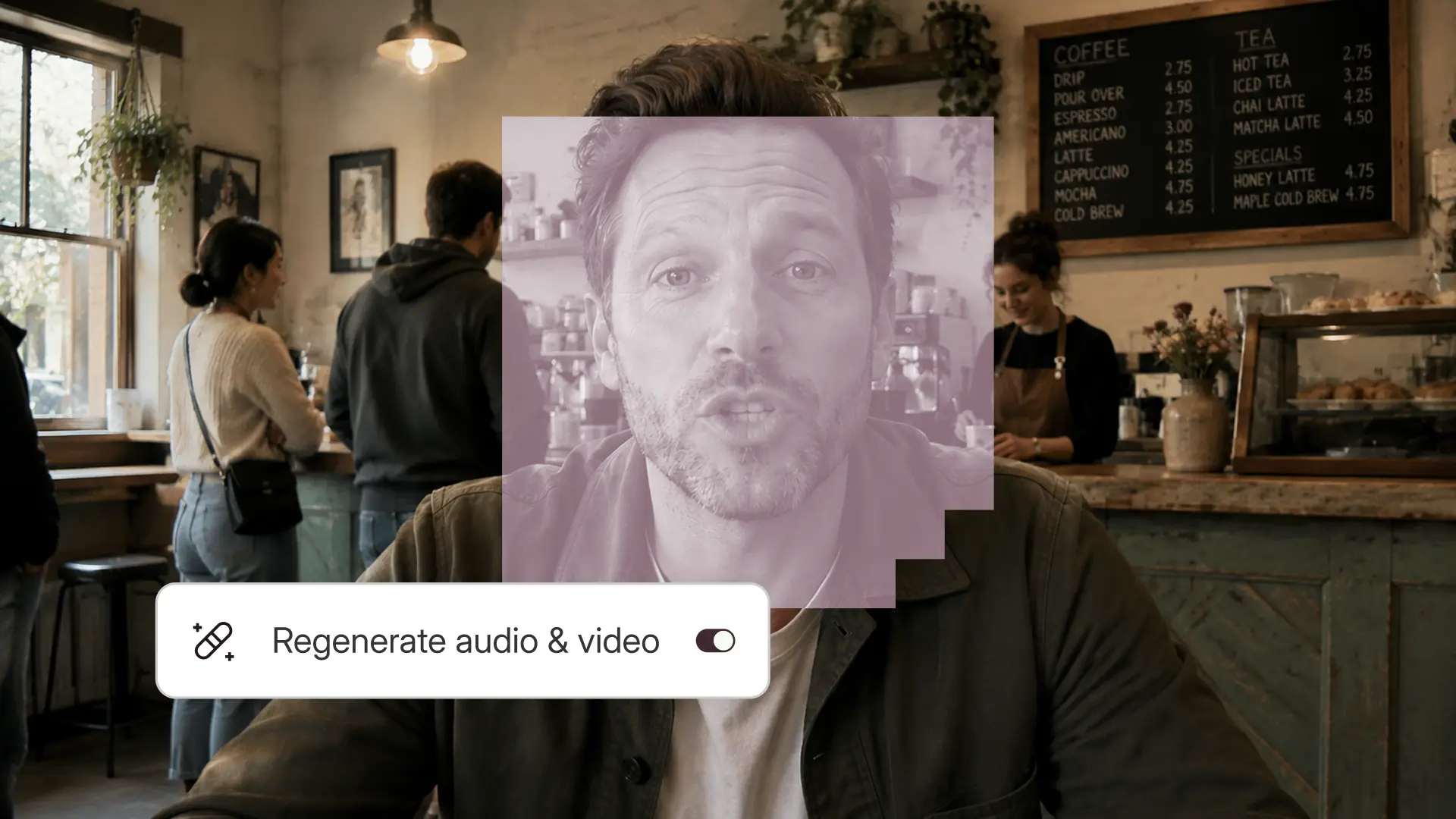
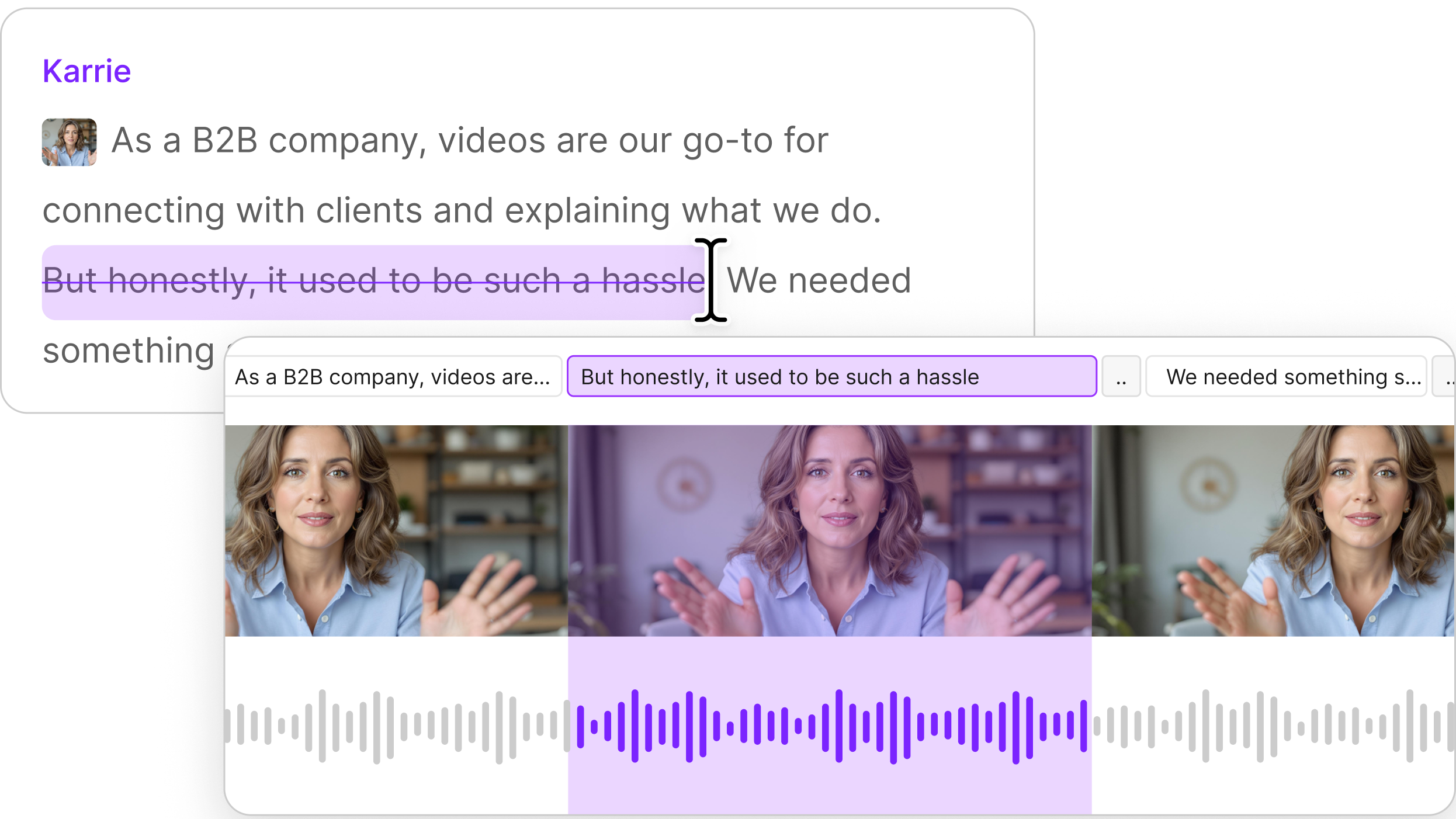
Smooth all your jump cuts with Regenerate
Every time you remove a filler word, cut a retake, or trim a pause, you leave a jump cut. Your head snaps. Your position shifts. The viewer notices, even if they can't name it. Jump cut smoothing fixes this at the source. Instead of masking the cut with a transition or covering it with B-roll, it uses AI video generation to synthesize a natural bridge between the two clips, so the edit is erased, not just disguised. Select a cut boundary in the timeline or script, click Regenerate, and the jump cut disappears.
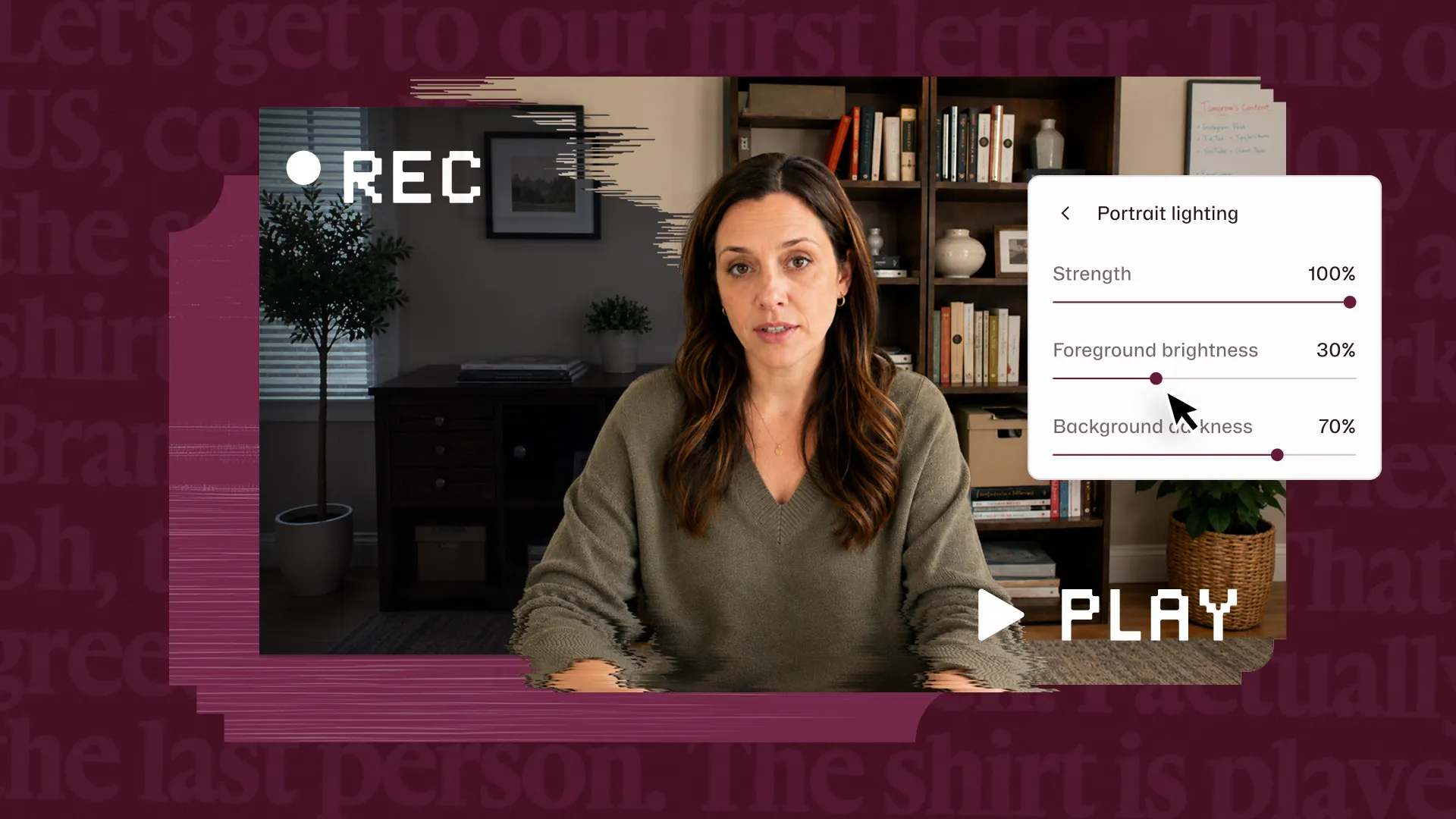
Fix dim or backlit video with Uplighting & Portrait Lighting
Most creators don't record in perfect conditions, and few own proper lighting rigs. Our new lighting features automatically correct for flat or unflattering light conditions. We offer two options: Portrait Lighting, which lightly dims the background so your face pops in the foreground; and Uplighting, which brightens your whole video when you shot in a low-light spot.
Give your video a unique look with new visual effects
Not everything is about correction. Sometimes you have footage that looks fine and you want it to look moody, stylized, or on-brand. Now you can, with a new library of visual effects you can apply to any layer in your video, with a redesigned effects drawer that shows you visual previews before you commit. We’ve got Vignette for a cinematic edge blur, Invert for a high-contrast negative effect, ASCII for brand styling, VHS for a retro look, and a bunch more. Apply one, stack a few, or let Underlord decide when you ask it to make your video more social-media ready.
Clean up images with AI editing tools
You're using an image in your video and there's something in it that shouldn't be there. A power outlet. A person in the background. A prop that doesn't fit your narrative anymore. Until now, your options were to find a different image or open a separate photo editor. With Edit with AI, you circle the thing you want gone, and Descript removes it by filling the region with contextually appropriate background that matches the surrounding textures, lighting, and perspective. Or you circle a region and describe what you want instead, and the edit blends seamlessly with the rest of the image, with no visible seams or artifacts at the edges.
Create better YouTube thumbnails with AI
Your video is edited, polished, and ready to publish. Now you have to make the thing that determines whether anyone will watch: the thumbnail.
Our new Generate YouTube Thumbnail feature can take a frame from your video and transform it into a designed thumbnail ready for YouTube. You pick your style, provide a title, and get a thumbnail that looks like the kind of thing people click on. No Canva detour required.
Coming soon: more AI editing tools
We're not finished. In the next few weeks we'll be releasing three features that solve even more of the everyday problems you face in creating video.
Skin Smoothing for a quick glow-up
Looking your best on camera used to require either makeup and expensive lighting setups or post-production work that took time and skill to get right. Skin Smoothing brings that capability directly into the editor: we automatically reduce the appearance of fine lines and fatigue in your footage, by adding natural-looking skin smoothing to targeted regions of the face (the forehead, under the eyes, and around the mouth), so you look natural rather than filtered.
Fill with AI to change aspect ratio
Changing aspect ratio is one of the most common friction points in video editing. You have horizontal footage from your phone, but you need vertical for social media, and you end up with the dreaded black bars.
We’re solving this with a new feature called Fill with AI. It will intelligently extend the existing scene to match the lighting and content of the original image. The result looks like the photo was shot at the target aspect ratio to begin with. Look for Fill with AI next month; it will live in the crop tool.
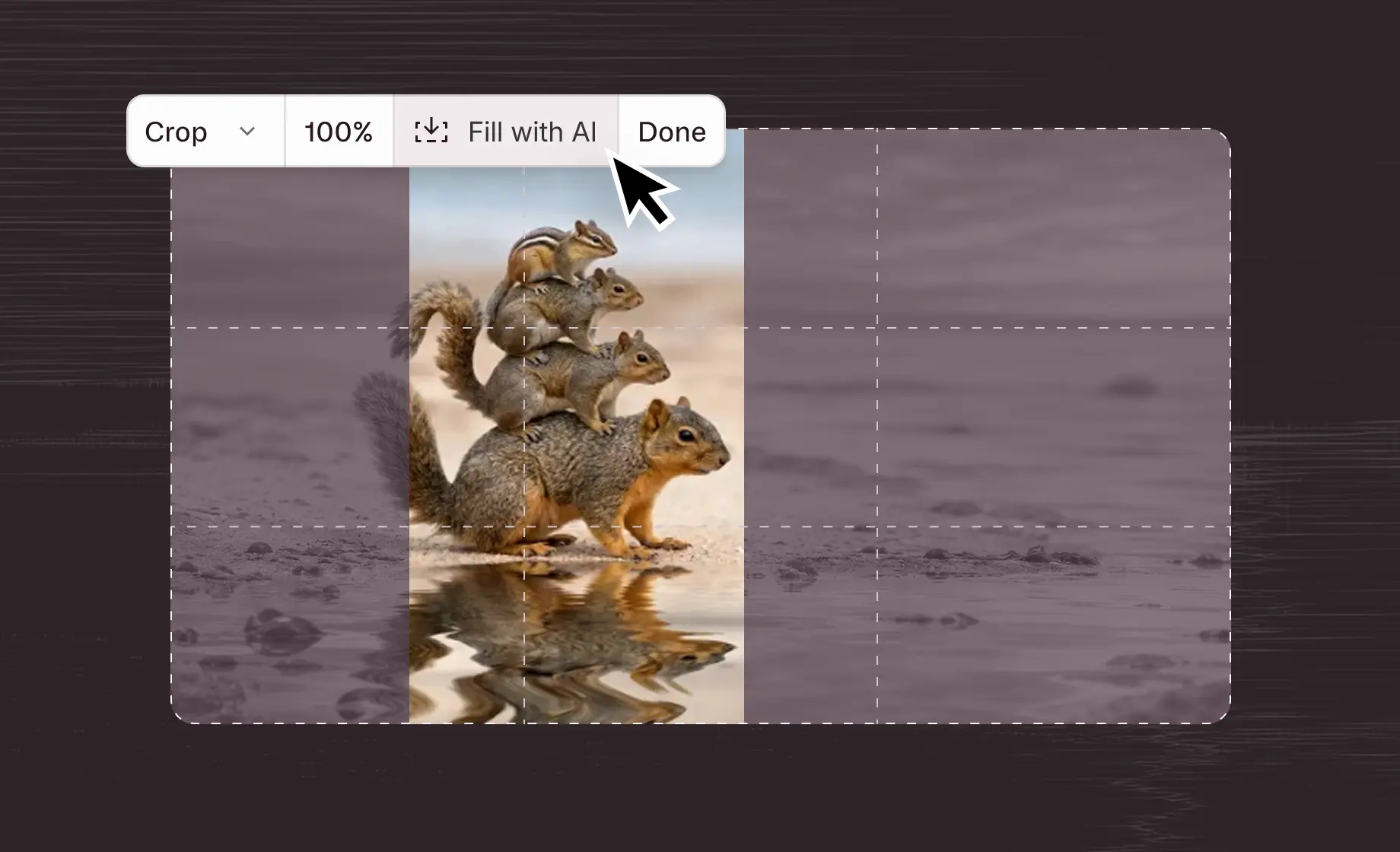
AI will turn a portrait image like this into a landscape image. Also, look at that chipmunk!
Add music and sound effects with generative AI
Background music and sound effects are what separate a video that feels produced from one that feels raw. But you need to find the right track — and stock libraries don’t always have it, so you settle. With Generate Audio, there’s no settling. Describe the music you want, and customize it with lyrics or a specific tempo, and Descript will generate a custom track you can tailor to your video. Need a quick sound effect for a transition or a UI moment? Describe the sound, and drop in the one that fits.
You'll see each of these in Descript soon. And all the stuff above is in there now. We hope you'll go try it, and take full advantage: next time you sit down to make a video, just relax, hit record, and go. Descript's got the rest.