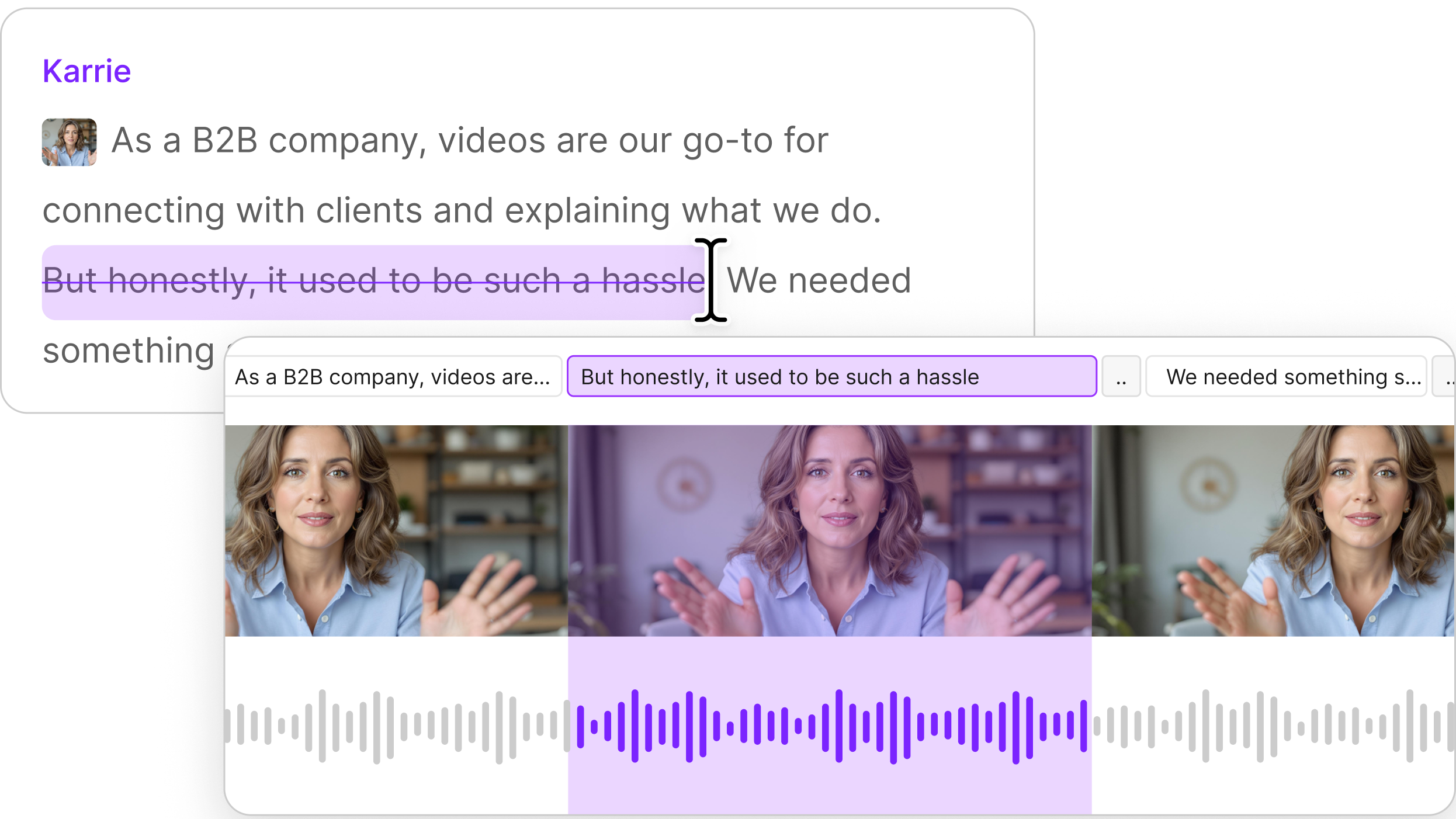


Transcription software converts recorded speech into text, and the real difference between options is how they handle multiple speakers, accents, and background noise. Speaker labels and timestamps matter more than the headline accuracy number, since that is what makes a transcript usable. Descript transcribes on upload and ties every word to the audio, so editing the text edits the recording.
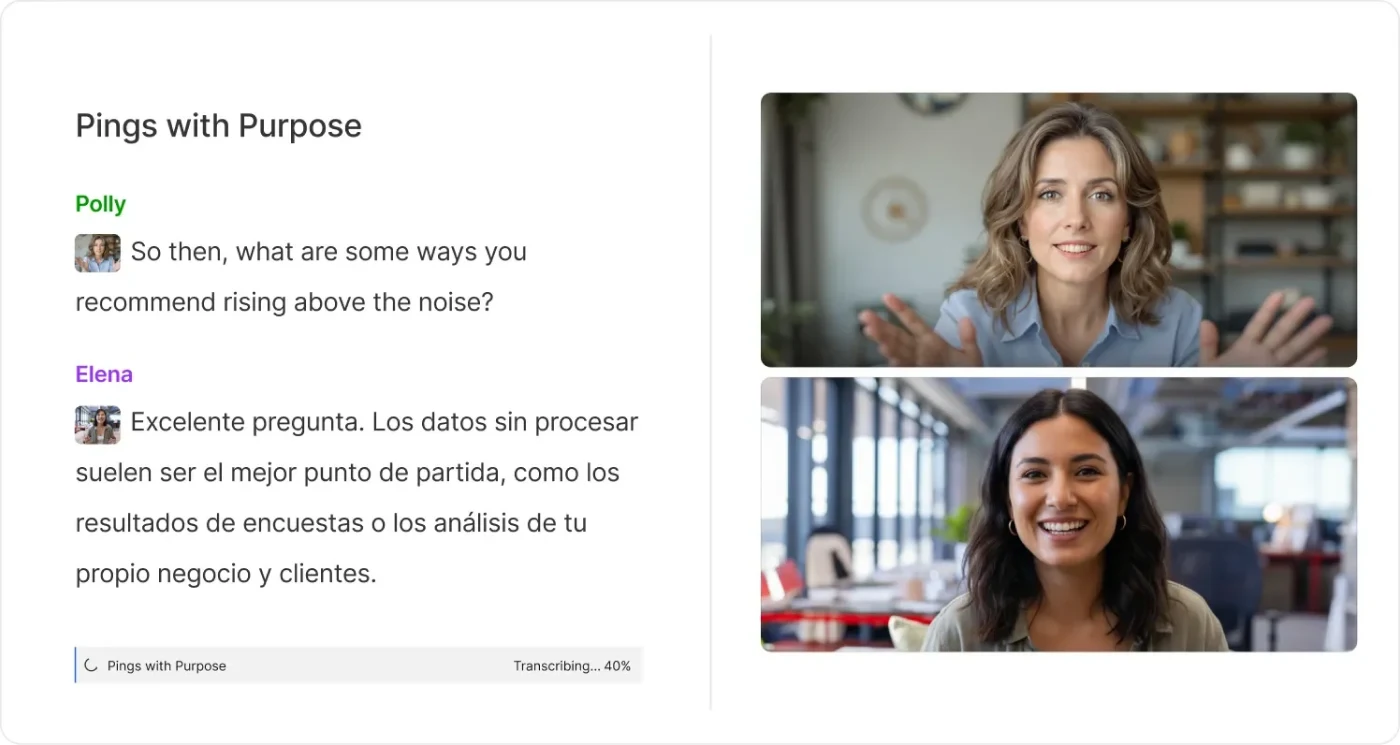
The best transcription software isn’t always the one with the highest accuracy percentage on its homepage. Multiple speakers, accents, crosstalk, background noise, and unfamiliar terminology can all change the result. Speaker labels and timestamps may matter more than squeezing another percentage point out of clean demo audio.
The bigger question is what happens around the transcript. Some tools are AI-only. Others let you pay for human review.
Pricing ranges from free plans and per-minute billing to recurring subscriptions, while language and speaker support vary widely.
The right choice also depends on the job. Meeting notes, qualitative research interviews, lectures, and podcast production all need slightly different things.
We compared 11 current transcription tools on accuracy, free access, language support, speaker identification, pricing, and the workflow after transcription.
Key takeaways
- Best for creators who transcribe to edit: Descript. The transcript becomes the editing surface for the underlying audio or video
- Best for live meeting transcription: Otter.ai. Its free plan includes 300 monthly transcription minutes, live transcription, and speaker identification
- Best when human verification matters: Rev. It combines AI transcription with a 99%+ guaranteed human service
- Best for multilingual file transcription: Sonix. It supports more than 54 languages and offers pay-as-you-go pricing
- Best free meeting options: Fathom, Fireflies, and tl;dv. All three offer substantial no-cost transcription for meetings
- Best free option for technical users: Whisper. The open-source model costs nothing to download, but you have to run and manage it yourself
What is transcription software?
Transcription software uses automatic speech recognition to turn recorded or live speech into searchable, editable text. Depending on the product, you may be able to upload audio or video files, record conversations directly, transcribe meetings in real time, identify speakers, add timestamps, translate transcripts, or export captions.
Transcription software is usually self-serve and AI-driven. Transcription services add a human transcriber or reviewer when the extra accuracy justifies the added cost and turnaround time.
Rev, for example, offers both AI transcription and human transcription. Its human service currently starts at $1.99 per minute and guarantees 99%+ accuracy.
Best transcription software at a glance
Accuracy numbers deserve some skepticism. Vendors test different languages, recording conditions, models, and datasets, so don’t read the percentages below as a head-to-head benchmark.
Your own audio is the better test.
The 11 best transcription software
1. Descript: Best for creators who transcribe to edit
Descript is built for people who need the transcript because they are still working on the recording.
Upload or record audio or video, and Descript creates an automatic transcription. From there, deleting words in the transcript also edits the underlying media. You can also search the text, identify speakers, add captions, and clean up the recording without exporting the transcript into a separate editing tool.
The Free plan includes one media hour per month. Hobbyist starts at $16 per person per month when billed annually.
Considerations: If you only need a TXT file, Descript’s editing workflow may be more than you need. Its advantage becomes clearer when transcription starts the production process rather than ending it.
2. Otter.ai: Best for live meeting transcription
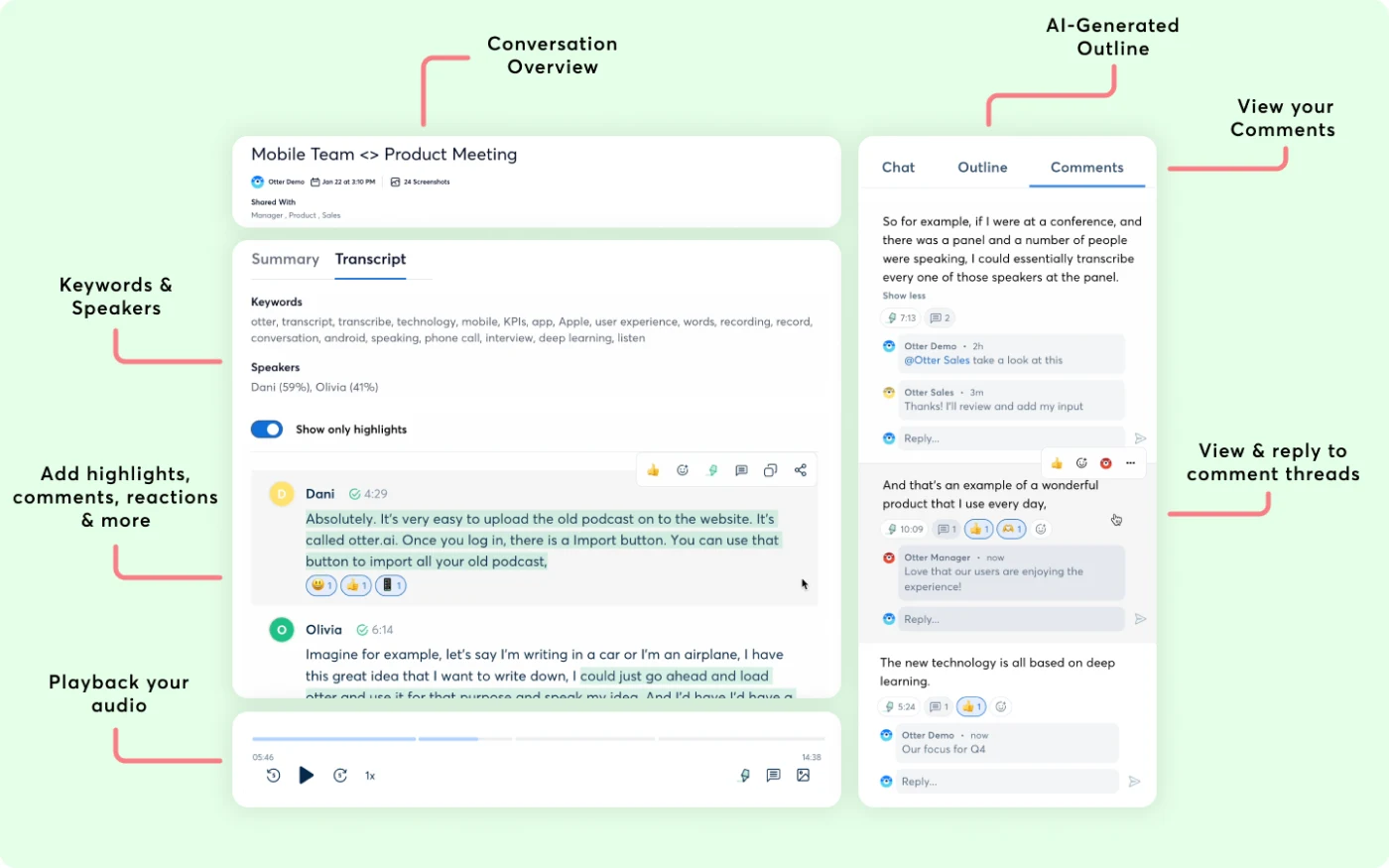
Otter focuses on conversations in Zoom, Microsoft Teams, Google Meet, or the Otter app. It can transcribe meetings live, identify speakers, create summaries, and make past conversations searchable.
The Free Basic plan includes 300 monthly transcription minutes and three lifetime audio or video file imports. Otter currently supports English, Spanish, French, German, Japanese, and Simplified Chinese. Pro adds more minutes, imports, vocabulary, search, and integrations.
Considerations: Otter’s strongest workflow is meetings. If most of your work starts as prerecorded interviews, podcasts, or production audio, file-oriented tools may be a better fit.
3. Rev: Best when human verification matters
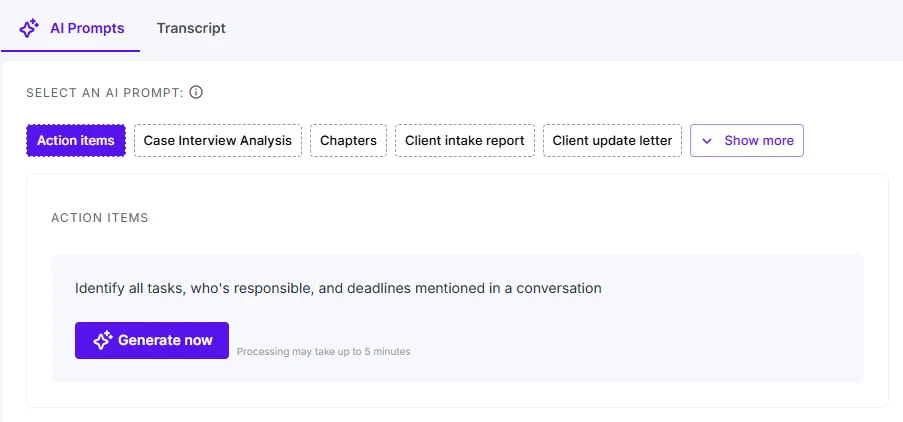
Rev is unusual because you do not have to choose between an AI platform and a human transcription service.
Its AI service currently starts at $0.25 per minute, and Rev reports 95%+ accuracy. When the transcript needs another level of review, human transcription starts at $1.99 per minute with 99%+ accuracy guaranteed. Rev also offers a permanent Free plan that includes 45 minutes of AI transcription per month.
Considerations: Human review quickly becomes expensive for long recordings. Decide which files genuinely need that level of verification, rather than paying for it by default.
4. Sonix: Best for multilingual file transcription
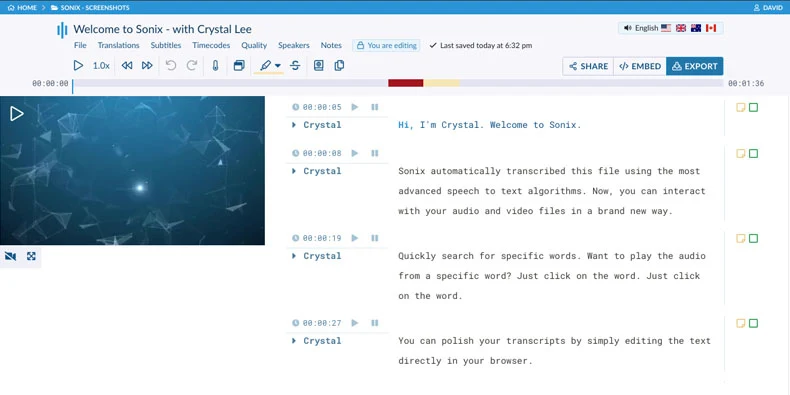
Sonix is built around uploading audio or video, receiving a transcript, and reviewing it in a browser-based editor.
It supports 54+ transcription languages, word-level timestamps, and speaker identification. New accounts get 30 free minutes. After that, occasional users can pay $10 per audio hour, while Core starts at $25 per month and includes five hours of transcription and translation.
Considerations: Sonix makes more sense for file-based transcription than live meeting capture. Translation and additional services can also increase the per-hour cost.
5. Trint: Best for journalists and collaborative research teams
Trint combines automatic transcription with an editor designed for reviewing, searching, and collaborating on source material. Its current tools can also turn transcript moments into articles, scripts, captions, and other editorial outputs.
Trint supports more than 40 languages for transcription and offers Starter, Advanced, and Enterprise plans. New users get a seven-day Advanced trial, but it only transcribes the first 5 minutes of up to 3 uploaded files.
Considerations: Trint is built around a broader editorial workflow, so occasional users who just need a few cheap transcripts may find simpler options more justifiable.
6. Notta: Best for multilingual meetings and interviews
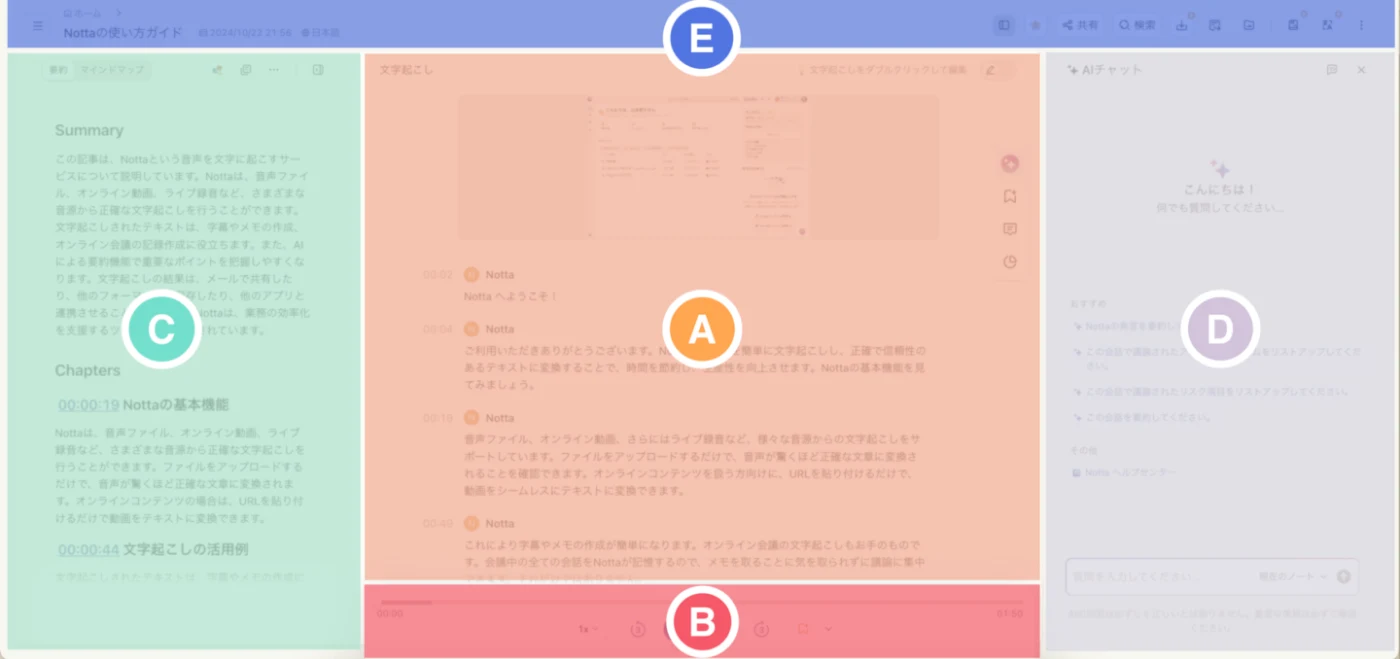
Notta covers both live conversations and uploaded files. You can record in-person speech, bring it into Zoom, Teams, Google Meet, or Webex workflows, identify speakers, search transcripts, and export them on paid plans.
It currently supports 58 transcription languages. The Free plan includes 120 minutes per month, although each Free conversation is limited to three minutes. Pro starts at $8.17 per month when billed annually and raises the allowance to 1,800 minutes.
Considerations: The headline “Free allowance” sounds generous, but the three-minute-per-conversation limit makes it better for testing than for transcribing full interviews.
7. Happy Scribe: Best for transcription plus subtitles and translation
Happy Scribe spans several jobs: meeting notes, uploaded-file transcription, subtitles, translation, and optional human proofreading.
Its current plans support automatic speaker detection and broad multilingual transcription. The Free plan allows unlimited meeting recordings up to 45 minutes each, but uploaded-file transcription gets only a 10-minute AI trial. Basic starts at $8.50 per month, billed annually. Human proofreading starts at $2 per minute.
Considerations: Pay attention to the distinction between meeting recording and uploaded-file transcription. The Free plan treats them very differently.
8. Fireflies.ai: Best for meeting workflows and integrations
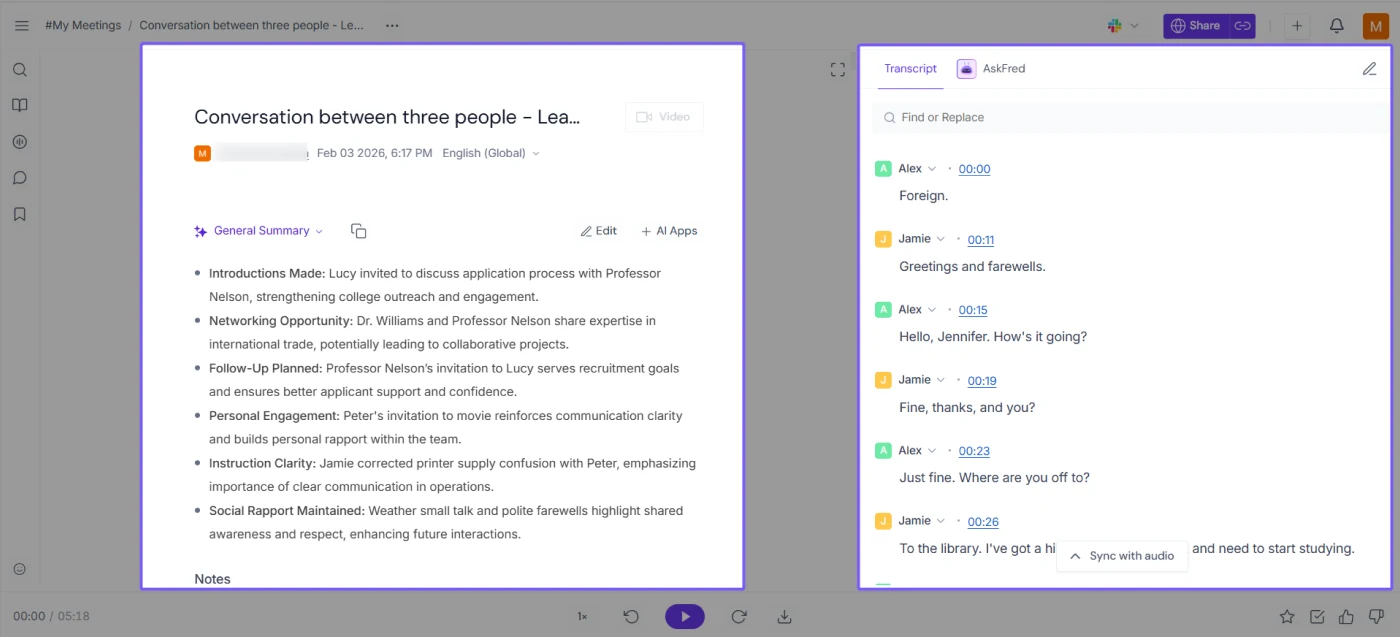
Fireflies is less about producing a standalone transcript and more about putting meeting conversations to work.
Its Free plan includes unlimited transcription and AI summaries, support for 100+ languages, and integrations with Zoom, Google Meet, Microsoft Teams, and other meeting tools. The main Free limitation is storage, currently capped at 400 minutes per team. Pro costs $10 per seat per month when billed annually.
Considerations: Free users cannot download transcripts, and advanced automation, video recording, and broader workflow features require paid tiers.
9. Fathom: Best free meeting transcription
Fathom stands out because its individual Free plan does not meter transcription minutes.
Free users currently get unlimited recordings, storage, and transcriptions in 38 languages. Paid Premium primarily expands the AI layer to include additional summaries, action items, follow-up emails, and other post-meeting features.
That makes Fathom especially attractive when the main goal is simply making meetings searchable without watching a transcription meter.
Considerations: Fathom is purpose-built for meetings. It is not a general-purpose transcription workspace for a folder full of field recordings, podcast episodes, or research files.
10. tl;dv: Best for multilingual team meetings
tl;dv records and transcribes Zoom, Google Meet, and Microsoft Teams conversations, then layers summaries, highlights, and meeting analysis on top.
Its Free Forever plan currently includes unlimited meeting recordings and transcription across 30+ languages. The restrictions are more heavily applied to AI usage, uploads, storage, and data retention. Pro starts at $18 per seat per month with annual billing.
Considerations: As with Fathom and Fireflies, this is fundamentally a meeting tool. Researchers importing many existing interviews should carefully compare file upload limits.
11. Whisper: Best for technical users who want open-source transcription
Whisper is different from every other entry on this list because it is an open-source speech-recognition model, not a finished SaaS transcription workspace.
OpenAI releases the code and model weights for Whisper under the MIT License. It can handle multilingual speech recognition, language identification, and speech translation, but running the official version requires a technical setup that includes Python dependencies and FFmpeg.
Considerations: Whisper gives developers more control and can be run locally, but you are responsible for the surrounding workflow. It doesn’t provide a ready-made meeting library, collaborative editor, billing dashboard, or native speaker-diarization experience.
Best free transcription software
Free transcription has become good enough that many people should start there.
The catch is that the limits show up in different places. One product caps minutes. Another caps storage. Another is unlimited only for meetings.
Google Live Transcribe is a free Android accessibility tool that turns nearby speech and sounds into text in real time. It is already installed on Pixel and select Android phones, or you can download it from Google Play.
If you regularly exceed the free limits, compare the paid plan to your actual monthly audio usage, not the lowest advertised price.
Best transcription software by use case
Different recording types produce different shortlists.
For podcast production specifically, see our guide to podcast editing software.
Researchers should also think beyond raw transcription accuracy. Search, highlighting, speaker labels, exports, and collaboration matter when you need to return to dozens of interviews rather than reading a single transcript once.
How to choose transcription software
A feature matrix will only get you so far. Before committing to a plan, run the tool through your actual workflow.
1. Test accuracy with your own recordings
Vendor percentages are useful context, not a promise about your interview. Test a recording with:
- Your normal microphone
- The accents you regularly encounter
- More than one speaker
- Real background noise
- Industry names, acronyms, and jargon
- Interruptions and crosstalk
Audio quality matters too. If a recording is hard to understand, transcription software starts at a disadvantage. When possible, clean up background noise first.
2. Check language and speaker support
“Multilingual” can mean six languages or more.
Check the exact language, accent, or dialect you need rather than comparing headline counts. For interviews and meetings, verify that the tool can distinguish speakers and lets you correct speaker names afterward.
3. Compare the real pricing model
Transcription pricing now falls into several buckets:
- Free monthly allowances
- Per-minute or per-hour transcription
- Per-user subscriptions
- Human-review charges
- Open-source software you run yourself
Calculate your likely monthly audio before deciding which model is cheapest. A $10-per-hour service can make sense for occasional interviews, while a subscription may work better for weekly meetings.
4. Decide what needs to happen after transcription
A transcript rarely exists in isolation.
Maybe you need to analyze interviews, write meeting follow-ups, create captions and subtitles, edit a podcast, or repurpose the transcript into other formats.
That downstream job often matters more than the first few minutes of transcription.
Can I use ChatGPT for transcription?
Yes, in some workflows.
ChatGPT Record can currently transcribe and summarize meetings, brainstorms, and voice notes. It can distinguish multiple speakers, and Record sessions can run for up to four hours.
Record is available in the ChatGPT macOS desktop app for Plus, Pro, Business, Enterprise, and Edu workspaces. OpenAI also notes that transcription can contain mistakes and that Record works best in English today.
That makes it useful when the transcript is immediately followed by another task: summarizing the conversation, extracting action items, drafting an email, or turning notes into a plan.
But ChatGPT Record and Whisper are not the same thing.
- ChatGPT Record is a user-facing meeting and voice-note workflow inside ChatGPT
- Whisper is an open-source speech-recognition model developers can install and build around
- Dedicated transcription software usually adds file libraries, caption exports, speaker tools, collaboration, meeting integrations, or media-editing workflows
If transcription itself is the product you rely on every day, those surrounding tools are worth comparing too.
Optimize your transcribe-and-edit workflow with Descript
Getting a transcript is useful. Getting one that lets you edit the recording is a different workflow.
With Descript, you can record remote interviews or import existing audio and video, then create an automatic transcription. The transcript stays linked to the media, so deleting or rearranging text also edits the recording.
That means a podcast or video workflow can move from: record → transcribe → edit → repurpose without exporting the transcript into a separate editing app.
From the transcript, you can:
- Remove filler words such as “um” and “uh”
- Turn the transcript into synchronized captions and subtitles
- Pull clips from a transcript when one long recording needs to become social content
- Ask Underlord to help with repetitive editing tasks
- Turn a transcript into podcast show notes
- Generate a YouTube description from the finished content
- Connect Descript to tools such as Slack, YouTube, Premiere, and Final Cut through its integrations
Descript’s Free plan includes one media hour per month. Hobbyist starts at $16 per person per month with annual billing and includes 10 media hours plus additional AI editing access. See the current free plan and paid tiers.
For deeper production comparisons, see our guides to audio editing software and AI video editors.
Frequently asked questions
What is the best transcribing software?
The best transcribing software depends on the job. Descript is a strong choice for podcasters and video creators; Otter and Fathom suit meetings; Sonix and Notta offer broad multilingual support; and Rev is useful when human verification matters. Test any shortlist with your own accents, speakers, jargon, and recording conditions.
Can I use ChatGPT for transcription?
Yes. ChatGPT Record can transcribe meetings and voice notes on supported plans in the macOS desktop app. It can distinguish multiple speakers and create summaries afterward. OpenAI warns that transcripts can contain mistakes, and Record currently works best in English, so check important information against the original recording.
Is Google Transcribe free?
If you mean Google’s Live Transcribe Android app, yes. It provides free real-time speech-to-text and is built into Pixel and some other Android phones. Google Cloud Speech-to-Text is different: it is a paid developer API, although the V1 API currently includes up to 60 free minutes per month.
Is there free software to transcribe audio?
Yes. Whisper is free and open source if you are comfortable setting it up yourself. Fathom and Fireflies offer generous free meeting transcription; Otter includes 300 minutes per month; and Descript includes 1 media hour per month when you also need to edit the underlying audio or video.