


Claude MCP servers are tools that Claude can call during a conversation to read data and take actions in outside services. Public registries now contain thousands of them.
Most roundups still rank familiar names by popularity. This one looks at ten by usefulness: what each server exposes, what job it is suited for, and where its documented capabilities stop.
Search for the best MCP servers for Claude, and a pattern emerges pretty quickly. You find a list. Then another list. Then another list suspiciously similar to the first, except GitHub and Notion have switched places.
The category is young enough that popularity is a pretty weak signal. A server can appear on every recommendation list and still be completely wrong for the job you need done.
So rather than treat popularity as a proxy for usefulness, this guide explains what each server actually gives Claude access to. What can it read? What actions can it take? What permissions or setup does it require? And where does it fit into a real workflow?
What makes a good Claude MCP server?
A good Claude MCP server makes it clear what Claude can access, what actions it can take, and where those capabilities end. More tools are not automatically better. The useful ones are clearly named, specific enough for Claude to choose correctly, and connected to a job someone actually wants finished.
There are a few practical things worth looking for:
- Clear tools: Each available action should have a distinct purpose rather than overlap with five similarly named options.
- Appropriate authentication: The server should use a trustworthy authentication method and respect the permissions of the connected account.
- Reasonable scope: Claude should have access only to what the task requires, rather than an unnecessarily broad slice of the service.
- Useful actions: Retrieval is helpful, but a server becomes more valuable when it can also create, update, organize, or otherwise act on the information it finds.
- Visible boundaries: A good server makes it possible to understand what belongs in Claude and what still belongs in the full application.
Those are the criteria used below. The Pass / Partial / Fail column is not a benchmark or performance score. It indicates whether the server’s documented capabilities fully support the specific use case described here, support part of it, or do not support it at all.
The 10 Claude MCP servers by use case
Here is the short version.
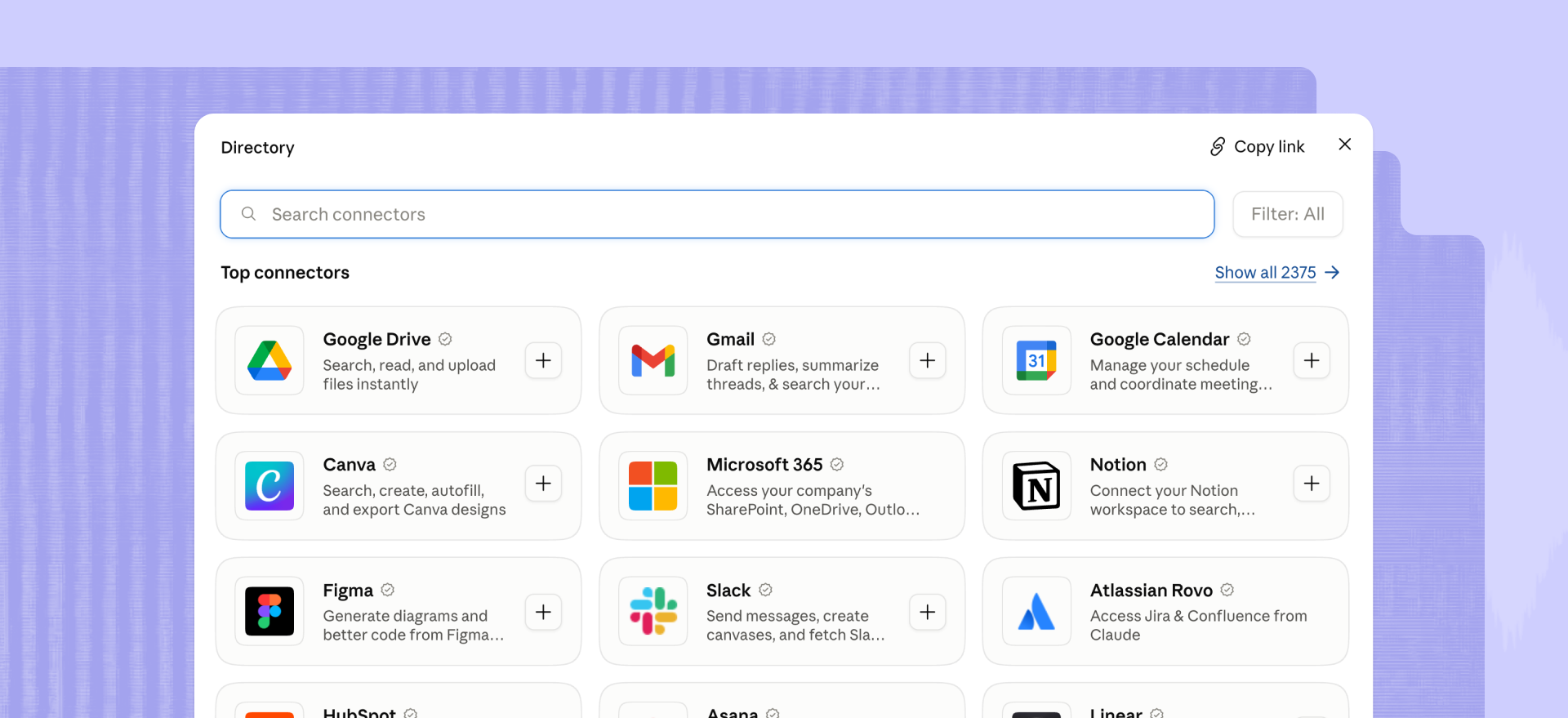
1. Google Drive: for finding and working with files
Google now offers an official remote Google Drive MCP server. It can search Drive, retrieve file metadata, read file contents, create files, and download content. It also inherits the connected user’s Drive permissions.
For marketers and operators, the obvious use case is retrieval. Claude can find the campaign brief you vaguely remember naming “Q3-final-FINAL,” read it, and use that context elsewhere.
The catch is setup. Google currently labels the Drive MCP server a Developer Preview, and connecting it to Claude requires configuring OAuth credentials rather than simply clicking Connect.
2. Notion: for turning workspace knowledge into work
Notion MCP is a hosted remote server that can search workspace content, read pages, create or update content, build databases, query data sources, and work with comments.
That makes it useful when the source material already lives in Notion. Think campaign plans, research, meeting notes, launch checklists, and editorial calendars.
The useful part is that Claude does not have to stop after finding the page called “Launch Plan FINAL v3.” It can also turn that information into new workspace content while everyone debates whether v3 is, in fact, final.
There are limits. Notion applies both general and tool-specific rate limits, and permissions still determine what Claude can reach.
3. Slack: for searching conversations and taking communication actions
The official Slack MCP server gives outside AI assistants access to permitted Slack content. Claude can search messages, read channels or threads, send messages, and create canvases.
That can save a lot of archaeology when the answer lies somewhere between a six-month-old launch thread and someone saying, “I think Jess has the final version.”
Access still follows Slack permissions. Connecting the server does not magically give Claude every conversation in the company.
4. Linear: for turning plans into tracked work
Linear’s remote MCP server exposes tools for finding, creating, and updating objects such as issues, projects, and comments. Linear also offers a read-only connection option if you want Claude to inspect work without changing it.
One especially useful workflow is turning a planning document into a structured project with issues and milestones. Instead of ending a planning conversation with “great, someone should put this in Linear,” Claude can help with the putting-it-in-Linear part too.
Authentication and workspace context matter, though. Multiple Linear workspaces require separate authentication contexts.
5. Atlassian Rovo: for Jira and Confluence work
The Atlassian Rovo MCP server connects AI assistants to Jira, Confluence, and Compass. Atlassian documents use cases including finding work items, summarizing pages, and creating content from natural-language instructions.
This is the enterprise-flavored option on the list. Existing user permissions still apply, and organizations can add domain restrictions, authentication policies, and IP allowlists. That is useful when “find the project plan” means searching years of Confluence pages rather than asking whoever happens to be online where it lives.
Those same controls can narrow what Claude is allowed to reach or change, which is generally preferable to discovering after the fact that your AI assistant had opinions about the Jira backlog.
6. Descript: for audio and video work already in your drive
Disclosure: Descript published this article and operates the Descript MCP server.
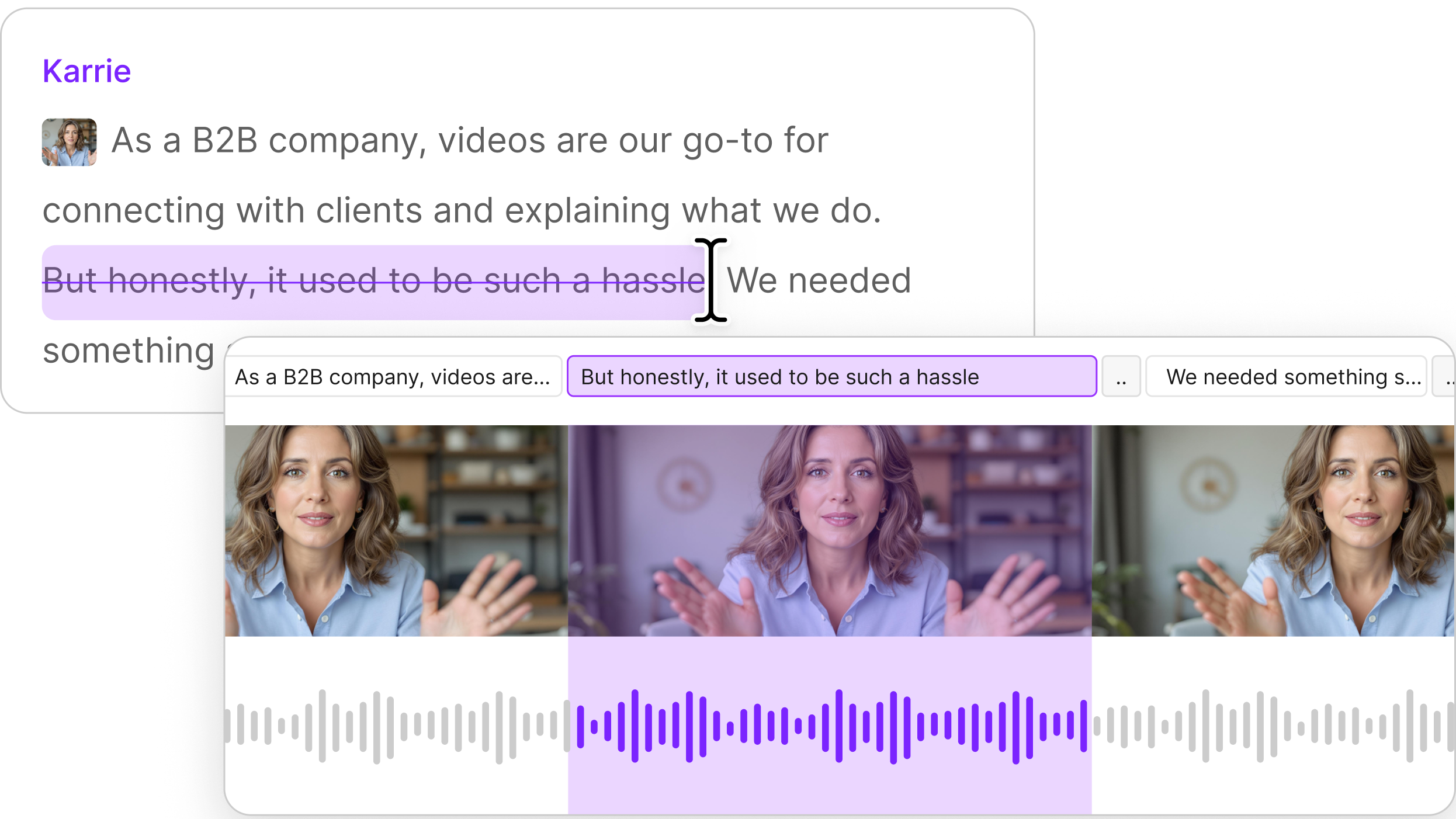
The Descript connector is a remote MCP server that works with the video and audio projects already in your Descript drive (transcribing, trimming, removing filler words, captioning and publishing) from inside a Claude or ChatGPT conversation, with nothing to upload.
You can also import media from a URL or local file, find projects and compositions, create highlight reels or scenes, apply Studio Sound, remove transcript sections, write scripts, and export transcripts or timelines. The connection uses your Descript login rather than an API token.
The Claude connector is designed around working with existing audio and video: finding it, importing it, editing it, captioning it, cleaning it up, and moving it toward publication.
Media generation and audio synthesis features such as AI video, text-to-speech, avatars, dubbing, voice cloning, and rerecording remain outside that Claude workflow, as does speaker assignment.
7. Canva: for design tasks
The official Canva MCP server exposes design creation and editing, library search, asset and brand management, exports, and comments to compatible AI assistants.
For a marketing team, that puts creative work into the same conversational workflow as briefs, messages, and project data. Claude can go from “we need a version of this for LinkedIn” to working with the actual design instead of leaving you with a paragraph describing what the LinkedIn version might look like.
Available tools, rate limits, and plan access can vary, so it's worth checking before assuming a particular action is available. Canva explicitly recommends listing the currently exposed tools rather than assuming a fixed set. Apparently even AI still has to check which buttons it has before clicking them.
8. GitHub: for repository work
The GitHub MCP server is maintained by GitHub and can provide compatible AI tools with access to GitHub Actions and repository context. The remote version supports OAuth, with access limited to the scopes and organization policies you approve.
This is one of the more developer-oriented entries here, but it matters for technical marketers and operators working closely with product teams, documentation, or release workflows.
If your launch copy depends on what actually shipped rather than what the roadmap said would ship, repository context becomes surprisingly relevant to marketing.
Some MCP tools inherit the access requirements of the GitHub features they support, so availability varies across accounts. Claude still cannot read a repository your account cannot see, which is probably for the best.
9. Stripe: for payment and account operations
Stripe’s MCP server lets AI agents interact with Stripe APIs and search Stripe documentation and support content. Its exposed tools include account, balance, customer, product, payment, and related operations. Stripe currently labels the MCP offering as a public preview.
This is a good example of why permissions and confirmation matter. A server that can merely read a balance is one thing. A server that can create or modify financial objects deserves a little more ceremony.
Stripe recommends human confirmation for tool use, especially when other servers are connected simultaneously.
10. Snowflake: for querying governed business data
The Snowflake-managed MCP server can expose Snowflake data and tools such as Cortex Search, Cortex Analyst, Cortex Agents, SQL executions, and custom functions to MCP clients. Access remains governed through Snowflake authentication and role-based permissions.
This is less of a click-and-go consumer connector. Someone has to configure the server and decide which Snowflake tools it exposes.
For organizations that already run analytics in Snowflake, though, it gives Claude a governed route into business data without handing the model a mystery CSV and hoping for the best.
Where Claude MCP servers can fall short
Claude MCP servers tend to become less useful when their tools are hard to distinguish, their permissions are broader than the job requires, or they expose access without helping the user take the next useful action.
There is a technical reason that pattern would make sense. The MCP specification allows servers to expose tools and descriptions that the host and model use to decide which action to call. The current MCP architecture guidance also favors focused server responsibilities and simple interfaces.
More tools do not automatically mean more useful tools. Give a model five similarly named ways to update something, and now tool selection becomes part of the problem.
We ran into the same design question while building Descript’s own server. As we wrote in “Don’t ship your API as an MCP”, “a good MCP isn’t the API in a different hat.” The useful part is deciding what belongs in a conversational interface, what context the model needs, and where the product should get out of the way.
A limitation also does not automatically make an MCP server bad. Authentication may intentionally restrict an action. A server may expose only the part of a product that makes sense in conversation. Or a task may simply belong in the full application, where a person can see more context and make a better decision.
Those distinctions are much more useful than another ten-logo collage.
Claude MCP servers versus Claude connectors
Claude MCP servers and Claude connectors use the same underlying technology. “Connector” is mainly the packaged Claude experience: a service you can discover, authenticate, and manage through Claude’s connector interface. “MCP server” is the broader term and also includes remote servers you configure yourself.
Claude also supports local MCP servers through desktop extensions. Other AI platforms also use MCP, so the server itself is not necessarily Claude-specific. The MCP specification is open, and the ecosystem extends well beyond one assistant.
For the media-specific version of this comparison, see our guide to Claude connectors for video and podcast teams, or the full category overview in our guide to MCP connectors.
How to add an MCP server to Claude
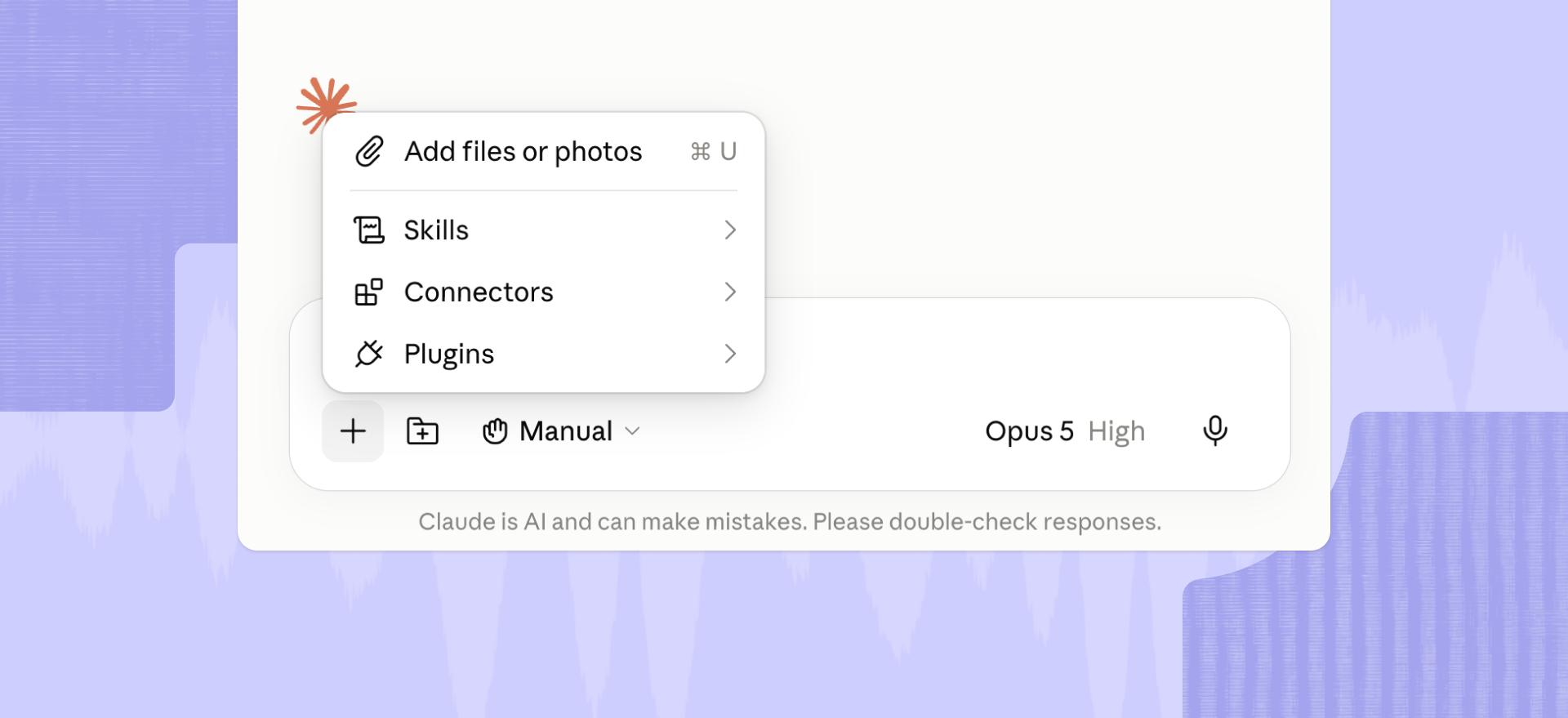
For a directory connector in Claude Desktop:
- Install and open Claude Desktop.
- Select Customize, then Connectors.
- Click the + button and browse the connector directory.
- Choose the service you want, click Connect, and complete its authentication flow.
- Review the permissions before allowing access.
Anthropic’s current connector documentation also lets you add compatible remote servers as custom connectors by entering their URLs. Local servers can use Claude Desktop extensions or manual configuration, depending on the server.
For Descript specifically, you need Claude Desktop installed. Search for Descript in the connector directory, connect your account, and choose the Descript drive you want Claude to access.
Optimize your Descript video work with a Claude MCP server
The MCP category will probably consolidate around servers that clearly do a manageable number of useful things. A long tool list looks impressive until Claude has to decide which of eight nearly identical actions you meant.
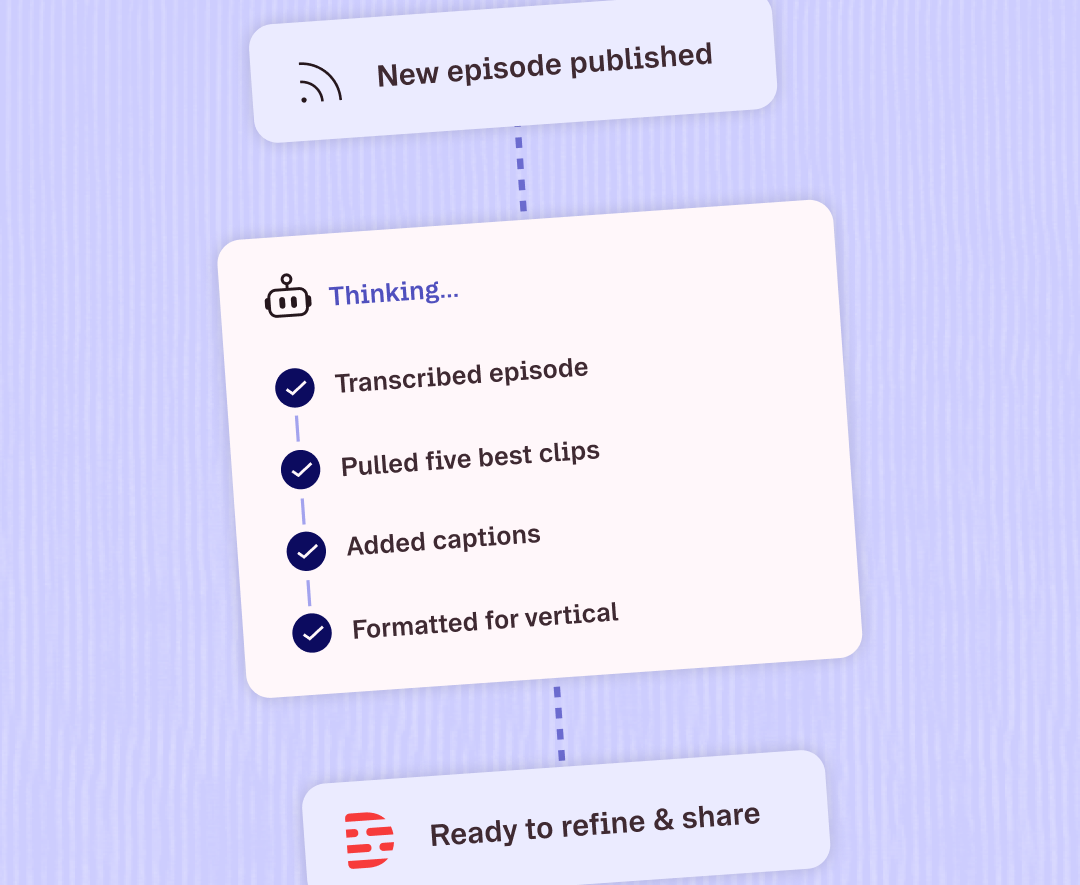
For Descript, the useful part is straightforward: your audio and video work can become one step in a larger Claude workflow. Claude can find an existing project, import media, remove filler words, add captions or Studio Sound, create a highlight reel, and publish a shareable Descript link without turning the conversation into a video editor made of text.
If you want to build repeatable automated workflows instead, the Descript API is the better place to start. And if your workflow crosses more of the tools you already use, see Descript integrations.
The useful question for any MCP server is simple: does it give Claude access to the right information and the right actions for the job at hand?
That is what this list is meant to answer.
FAQ
Are MCP servers safe to connect to Claude?
Yes. With a caveat worth taking seriously.
An MCP server can access or change whatever its granted permissions and exposed tools allow. Before connecting one, check who operates it, how it authenticates, what permissions it requests, and whether you trust the service handling the data.
Anthropic recommends extra care with custom connectors it has not verified, while the MCP specification emphasizes user consent, access controls, and review of tool actions.
What is the difference between an MCP server and an API?
An API is an interface a service exposes so software can interact with it. An MCP server adds a standardized description layer that lets an AI model discover available tools and choose among them during a conversation.
An MCP server often sits in front of existing APIs, but good MCP design involves more than simply exposing every endpoint with a new label. The tools and descriptions need to make sense to the model using them.
How many MCP servers are there?
Public registries now index thousands of MCP servers, and the total continues to change.
The official MCP Registry is a centralized metadata registry for publicly available servers and is currently in preview.
The raw count is not especially helpful. You probably do not need 4,000 MCP servers. You need the handful that can reliably finish the work in front of you.
Do I need to code to use an MCP server with Claude?
No. Many servers in Claude’s connector directory can be added and authenticated through the interface without writing code.
Custom remote servers may require you to enter a server URL or configure OAuth. Local or less packaged servers can still require a desktop extension or manual configuration.
What's the difference between a Claude MCP server and a Claude connector?
A Claude MCP server exposes data and actions over MCP. A Claude connector is the packaged way you connect that server or service to Claude. Same underlying technology, different setup experience.
Can I use MCP servers with the free version of Claude?
Yes. Claude supports connectors on the Free plan, including one custom remote MCP connector. Pro, Max, Team, and Enterprise plans support additional custom connectors.
What's the best MCP server for Claude?
There is no single best MCP server. The right choice depends on the job: Drive for files, Slack for communication, Descript for audio and video, or another server whose tools match the work you need done.
Can Claude connect to multiple MCP servers at once?
Yes. Claude can use multiple connected services in the same conversation and choose relevant tools based on your request.
Do MCP servers work with ChatGPT and other AI assistants, or only Claude?
Yes. MCP is an open protocol, so an MCP server can work with Claude, ChatGPT, and other compatible AI clients. Availability and supported actions can still vary by assistant.
What can go wrong when Claude uses an MCP server?
Claude can choose the wrong tool, hit a permissions or authentication limit, or encounter an action the server does not expose. Clear tool descriptions and narrow permissions help reduce those problems.
How do I remove or disconnect an MCP server from Claude?
Go to Customize > Connectors, find the connected service, and disconnect it. You can also turn a connector off for a single conversation without removing it entirely.