


MCP connectors are integrations built on the Model Context Protocol that enable an AI assistant to read data and take actions both within and outside services during a conversation.
The protocol is shared so that the same connector can work across Claude, ChatGPT, and other assistants. Connector refers to the packaged, few-click version listed in an assistant's directory.
Search for the best MCP connectors, and something funny happens. Nearly every company publishing a list has somehow concluded that its own connector deserves the top spot.
Convenient.
That is not a scandal. It is just not especially useful if you are trying to decide what to connect.
This list works the other way around. We looked at what each connector actually exposes, whether it can take useful actions or mostly retrieve information, how it handles access, and which job it fits best.
The right MCP connector depends on what you want finished.
What are MCP connectors?
MCP connectors let AI assistants work with outside tools and data without requiring a separate custom integration for every assistant-service combination.
They are built on the Model Context Protocol, an open protocol for connecting AI applications to external data sources, tools, and services.
The terminology gets messy because four related things often get called “MCP.” They are not quite the same thing.
The MCP specification describes a host-client-server architecture. The AI application acts as the host, while clients connect it to individual servers that expose specific capabilities.
A simple MCP connector example is Google Drive. Connect Drive to a compatible assistant, and the model can search files, read their contents, retrieve metadata, create files, or download content using the permissions already associated with your account.
The benefit becomes clearer when the connector can act. Reading your campaign brief is useful. Finding the brief, turning its contents into a project, creating the tasks, and posting the next steps somewhere your team will see them is where MCP starts earning the extra plumbing.

How to choose the right MCP connector for you
Start with the job, then check whether the connector has enough access to finish it.
A giant MCP server list or MCP marketplace can tell you what exists. It cannot tell you whether connecting something will improve your particular workflow.
Before adding one, check five things:
- Who operates it? Prefer an official server from the company whose service you are connecting, especially when sensitive company data is involved.
- How does it authenticate? Look for established authentication such as OAuth rather than handing credentials to an unknown third-party server.
- What scope does it request? A connector should have access to what it needs, not everything it can ask for.
- What tools does it expose? A smaller set of clearly defined actions can be easier for a model to choose between than a pile of overlapping tools.
- Can it finish work? Retrieval is useful. Read-and-write access can be much more useful when your goal is to update a project, send a message, organize a file, or edit media.
Both Anthropic and OpenAI warn users to consider the operator, permissions, and available actions when connecting to remote MCP services. Claude also lets users review and disable individual tools, while OpenAI recommends connecting to official servers where possible.
The installation path depends on your assistant.
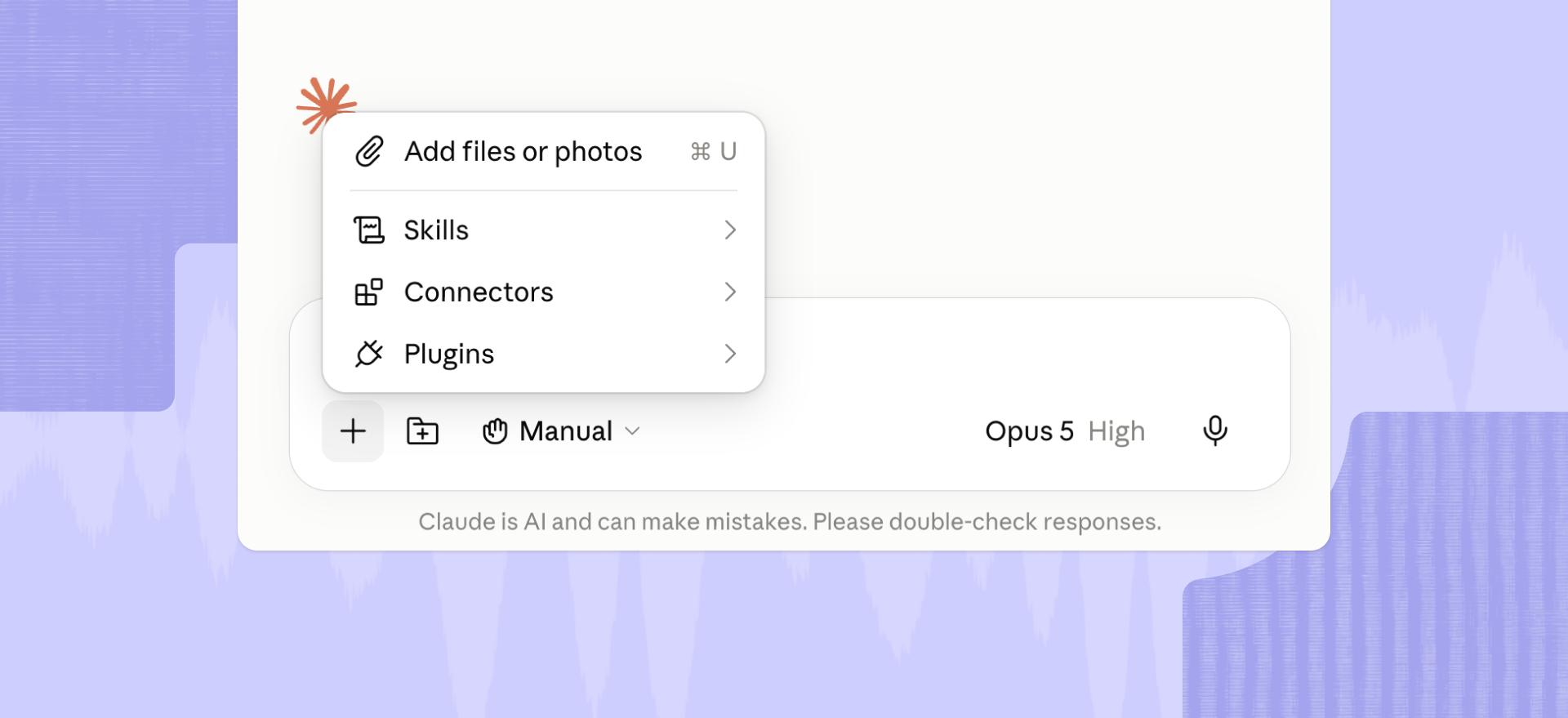
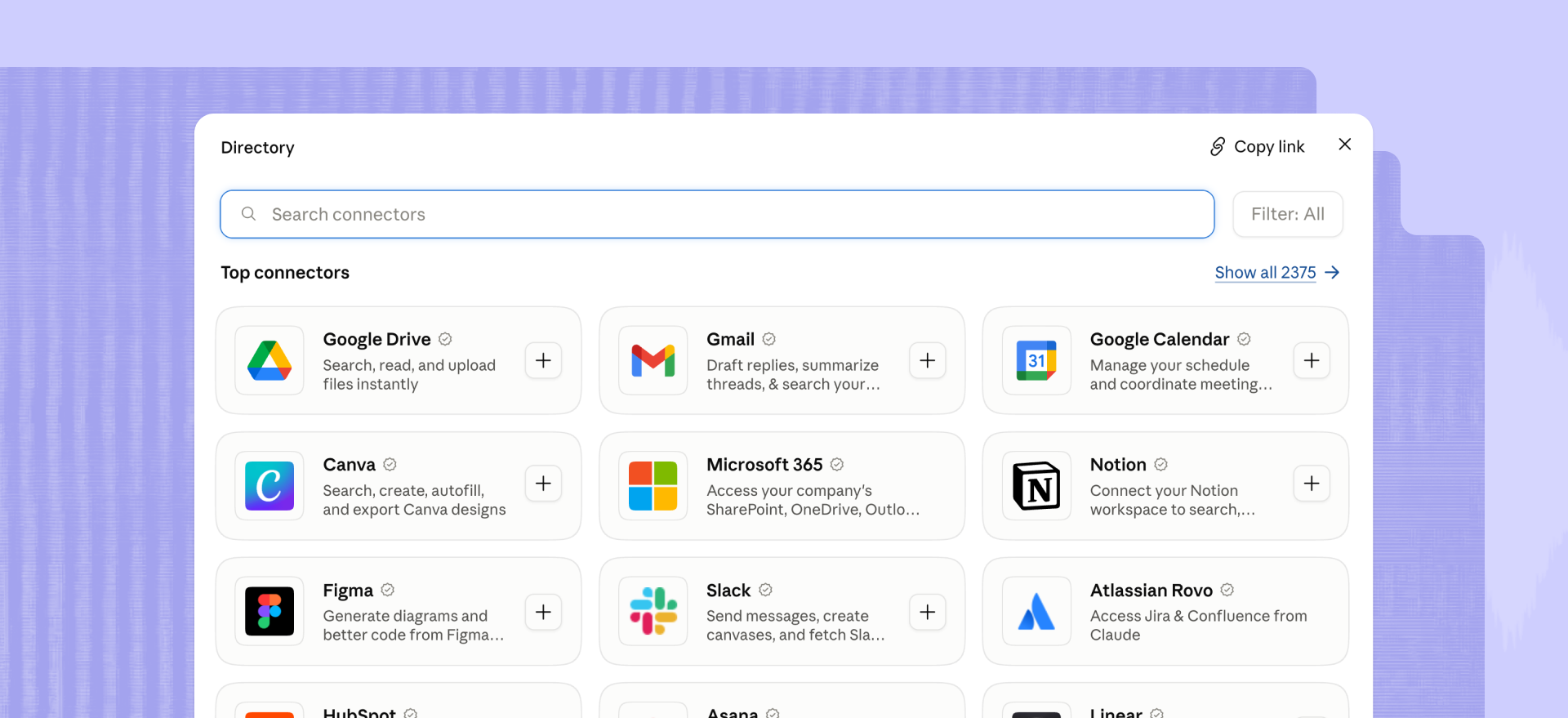
For Claude, open Customize > Connectors, browse the Connectors Directory, choose a service, and complete its authentication flow. Claude also supports custom remote MCP connectors when a service is not in the directory. For the media-specific version of this, see our guide to Claude connectors for video and podcast teams.
For ChatGPT, integrations now appear as apps distributed through the Plugin Directory. You select the relevant plugin, review the included app and connection requirements, then authenticate the service if required. See our guide to ChatGPT connectors for social teams.
Connectors versus servers versus apps versus plugins
The words are often used interchangeably. They mostly should not be.
The underlying MCP technology can be the same even when each AI platform puts a different label on the thing you install.
OpenAI’s API documentation also uses “connector” more narrowly to refer to OpenAI-maintained MCP wrappers for services such as Google Drive, Gmail, Dropbox, and Microsoft products. Remote MCP servers are treated separately.
Claude uses connectors as the user-facing packaging for remote MCP services and maintains a Connectors Directory. It separately supports local MCP servers through desktop extensions.
So yes, the vocabulary is annoying. You are not imagining it.
The practical question is still the same: what can the assistant access, and what can it do once connected?
The 10 MCP connectors actually worth connecting
There is no useful way to rank Snowflake against Canva on one universal scale. One answers questions about governed business data—the other works on designs. Making them fight for fourth place would mostly reveal that we know how numbered lists work.
Here are 10 worth considering, organized by the jobs they actually handle.
Files and storage
Google Drive
Google Drive’s official remote MCP server can search files, read content, retrieve metadata and permissions, create files, copy files, and download content. It inherits the connected user’s existing Drive permissions. Google currently labels the server a Developer Preview.
Best at: Finding and retrieving existing files when you know roughly what you need but not where anyone put it.
Wrongly recommended for: Full document editing. The current Drive MCP toolset is much better suited to retrieval and file operations than replacing the editing experience inside Docs.
Verdict: A strong connector for getting company files into the conversation. Setup is currently more involved than the most consumer-friendly directory connectors.
Box
Box’s hosted MCP server can search files and folders, read content and metadata, work with Box AI, create folders, upload files, manage properties, add comments, check tasks, and work with Box Hubs. Those actions continue to follow the user’s existing Box permissions and organizational controls.
Best at: Working with enterprise content already governed inside Box.
Wrongly recommended for: Someone who just needs an AI assistant to find three personal PDFs once a month.
Verdict: Broad content capabilities make Box interesting for larger organizations. The administrative setup is part of the deal, which is either reassuring or Tuesday, depending on your job.
Notion
Notion runs its own hosted remote MCP server. Connected clients can search workspace content, read pages, create and update content, and create pages and databases using OAuth-authorized workspace access. Notion documents connections for Claude Desktop, ChatGPT, Codex, Cursor, and other MCP clients.
Best at: Turning knowledge already stored in Notion into new pages, databases, and structured work.
Wrongly recommended for: General-purpose file storage or large binary asset workflows.
Verdict: One of the more natural MCP use cases because the source material and the resulting work often live in the same place.
Communication
Slack
Slack’s MCP server is generally available and lets compatible AI assistants search messages, files, members, and channels; retrieve channel and thread history; send messages; and read or create canvases. Access follows the connected user’s Slack permissions.
Best at: Recovering context buried in conversations, then putting a useful answer or update back where the team works.
Wrongly recommended for: Acting as your project-management source of truth because somebody once mentioned a deadline in #launch-general.
Verdict: Strong when communication itself is the source material. Less convincing when the information should have lived somewhere more structured in the first place.
Gmail
Google’s official Gmail MCP server can search email threads, retrieve messages and threads, list labels, apply or remove labels, list drafts, and create email drafts. Like Google Drive’s current MCP offering, Gmail is in Developer Preview.
Best at: Finding inbox context and turning it into an organized draft response.
Wrongly recommended for: Fully autonomous outbound email. The current official toolset includes draft creation, not a general-purpose send-email action.
Verdict: Useful precisely because it stops short of pretending every email should leave your account without you looking at it.
Project and task management
Linear
Linear’s authenticated remote MCP server lets compatible assistants find, create, and update issues, projects, and comments. Linear also provides a read-only MCP endpoint for teams that want access without write permissions.
Best at: Turning planning documents or meeting context into actual tracked project work.
Wrongly recommended for: Broad company search across every document, message, and stray thought.
Verdict: A focused connector with a clear job. That is a compliment in MCP land.
Atlassian Rovo
Atlassian Rovo MCP connects AI clients to products including Jira, Confluence, and Bitbucket. It can search and summarize existing work, then create or update items and pages using the user’s existing access controls. Atlassian supports OAuth 2.1 and administrative controls around permitted connections.
Best at: Workflows that cross project tracking and organizational knowledge inside the Atlassian ecosystem.
Wrongly recommended for: Teams that do not already run their work in Atlassian. A connector cannot organize a system you do not use.
Verdict: Broad enough to be useful across several related jobs without requiring teams to abandon the permissions and structures they already rely on.
Data and analytics
Snowflake
Snowflake’s managed MCP server is generally available and can expose Cortex Analyst, Cortex Search, Cortex Agents, custom functions, and SQL execution as tools. Authentication and role-based access controls remain managed through Snowflake.
Best at: Letting an AI assistant query governed business data through tools an organization deliberately exposes.
Wrongly recommended for: Casual analysis of a spreadsheet sitting on your desktop.
Verdict: More infrastructure than convenience connector, and that is exactly why it belongs here. The valuable part is controlled access to the data that already matters to the business.
Media
Descript
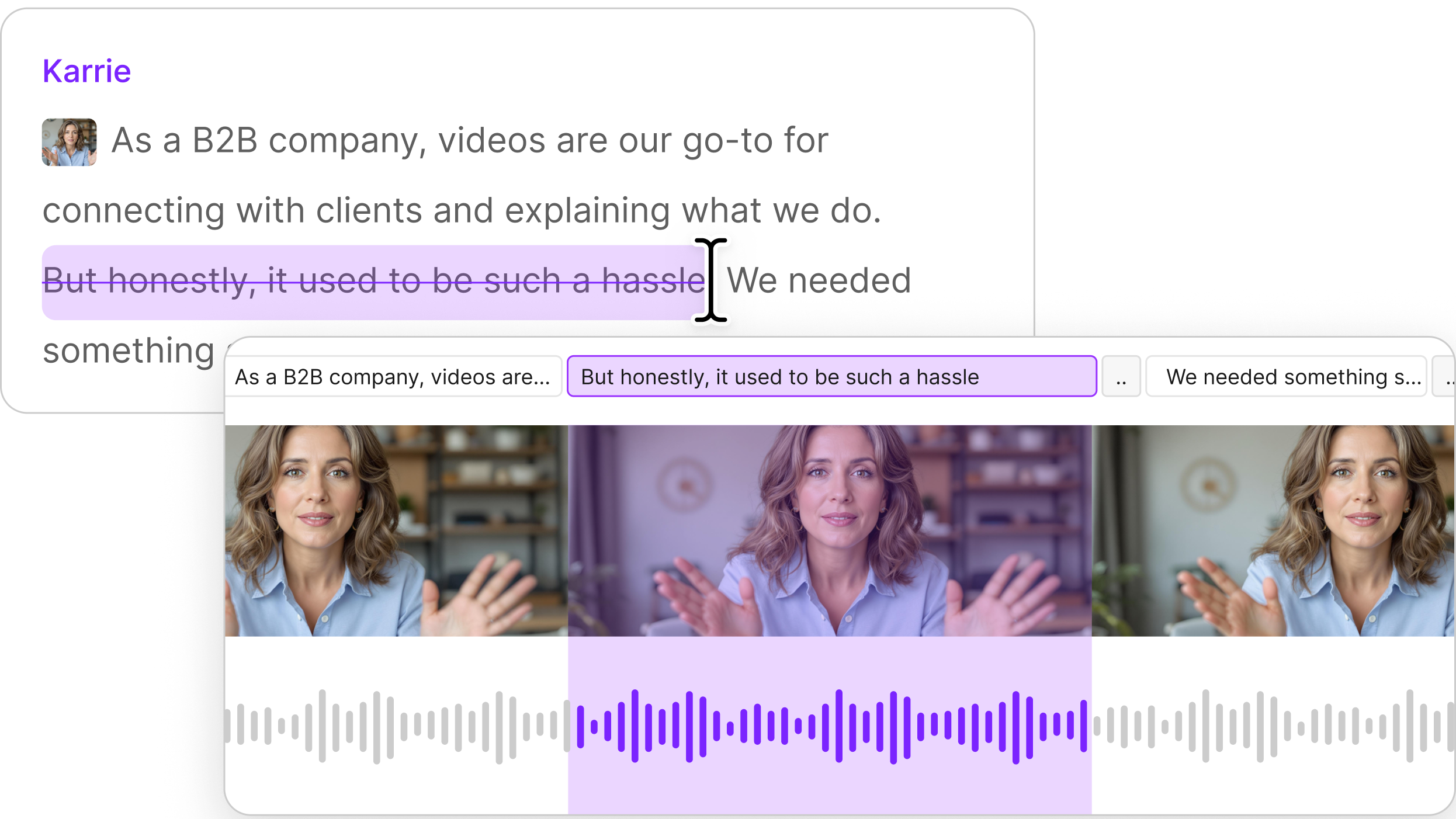
The Descript connector is a remote MCP server that works on the video and audio projects already in your Descript drive—transcribing, trimming, removing filler words, captioning, publishing—from inside a Claude or ChatGPT conversation, with nothing to upload.
You can also import media from a URL or local file, create projects, highlight reels and scenes, write scripts, find existing projects, apply Studio Sound, remove sections of a transcript, publish a shareable Descript web link, and export transcripts or timelines. It authenticates through your Descript login and is scoped to the Drive you select.
Best at: Moving audio and video editing work forward without leaving the conversation to hunt through projects and repeat routine editing steps.
Wrongly recommended for: AI image generation, AI video generation, text-to-speech, avatars, dubbing, voice cloning, rerecording, or speaker assignment inside Claude. Those capabilities are not available through the Claude connector.
Verdict: If the job involves editing existing audio or video, Descript belongs on the shortlist. If the job is “make synthetic media from nothing,” it does not.
For programmatic automation rather than conversational work, start with the Descript API. For workflows across other creator tools, see Descript integrations.
Disclosure: Descript publishes this article and operates the Descript MCP server.
Canva
Canva provides a remote MCP server for AI assistants with tools for creating and editing designs, finding library content, managing assets and brand resources, exporting designs, and adding comments. Canva documents setup for assistants including Claude and ChatGPT.
Best at: Turning a design request into work inside the design system where your existing assets and brand resources live.
Wrongly recommended for: Transcript-first audio or narrative video editing.
Verdict: A good media connector when the deliverable is fundamentally visual design rather than spoken-content editing.
The best MCP connectors to use by task
The best MCP connectors are the ones closest to the work you already do. Start there instead of installing half an MCP marketplace because a screenshot on social media looked exciting.
Best MCP for research
Google Drive, Notion, Dropbox, and Box are strong choices when your research already lives across files, documents, and workspace knowledge.
- Choose Google Drive when your evidence is scattered across familiar office files.
- Choose Notion when research lives in structured workspace pages.
- Dropbox is useful for finding, reviewing, and synthesizing source documents and reference material.
- Choose Box when enterprise content controls and document-heavy workflows matter.
Best MCP for writing
Notion, Gmail, and Slack cover three different stages of the writing job.
- Notion works well when research and final content belong in the same workspace.
- Gmail is useful when the output is a response draft.
- Slack is useful when the missing context lives in conversations rather than a formal document.
Best MCP for project management
Linear and Atlassian Rovo are the clearest choices.
- Linear is focused on structured project and issue management.
- Atlassian Rovo covers a broader connected environment spanning Jira and Confluence, with Bitbucket included in its current MCP offering.
Best MCP for media production
Descript and Canva solve different parts of a media workflow.
- Choose Descript when you are working with audio, transcripts, recordings, captions, editing, and publishing.
- Choose Canva when the work centers on designs, brand assets, visual layouts, and design exports.
For a Claude-specific view of the same question, see 10 Claude MCP servers, ranked by what they actually get done.
MCP connectors with limitations
A connector that only fetches text a model could have been given directly adds a tool call, extra access, and some delay without necessarily adding much value.
Retrieval can absolutely be worth it. The question is whether the connector saves you enough manual work to justify another system having access to the source.
A useful sorting rule is:
- Does it reach information that would otherwise be annoying to find or move?
- Can it take the next useful action after finding that information?
- Are its tools narrow and clear enough that the model can choose the right one?
- Is its permission scope reasonable for the job?
- Would you miss it if you disconnected it tomorrow?
Tool count deserves more attention than it usually gets. The MCP architecture encourages servers to expose focused responsibilities, and Google explicitly notes that reducing the number of tools available to an agent can improve tool selection.
More buttons have never automatically made software better. Giving those buttons to a model did not repeal that rule.
The other limitation is distribution. An MCP server can technically support the shared protocol without appearing in every assistant’s directory.
Claude maintains its own connector experience, while OpenAI currently distributes ChatGPT apps through plugins.
The absence of a connector in one directory does not necessarily mean its underlying MCP server cannot work there.
Have more questions about MCP connectors?
Connector directories are filling up faster than anyone can sensibly evaluate every entry. That is why so many lists look the same, and why so many happen to feature the author’s own product in a very flattering position.
The more useful question is not, “What is the number one MCP connector?”
It is, “Which connector finishes something I would otherwise have to do myself?”
Start there. Connect fewer things. Keep the ones that earn their permissions.
FAQ
What is the difference between an MCP connector and an MCP server?
A server is software that exposes capabilities over a protocol. A connector is that server packaged for an assistant's directory, so it installs in a few clicks: same underlying technology, different distribution.
The exact terminology varies by platform, so you will also see terms such as apps, plugins, remote servers, and desktop extensions.
Do MCP connectors work across ChatGPT and Claude?
Yes. The protocol is shared, so an MCP server built once can work with multiple compatible assistants. Whether a particular connector is listed in a particular assistant’s directory is a separate question.
Descript and Notion, for example, both document MCP connections across multiple compatible AI assistants rather than limiting their servers to one client.
Are MCP connectors secure?
Yes, when the individual connector, authentication method, requested permissions, and operator meet your security requirements.
MCP itself defines authorization and user consent mechanisms, but connecting to a server can still give an AI assistant access to external data and actions. Review who operates the connector, what it can access, and which write actions it exposes before connecting it.
What can MCP connectors actually do?
It depends on the connector, and the split is worth knowing. Some mainly retrieve information and hand it to the model. Others can take actions inside the connected service.
Those actions can include creating a project, drafting an email, updating a task, posting a message, editing a design, querying business data, or working on an audio or video project. The useful connector is the one whose available tools match the work you actually want finished.
What is the Model Context Protocol (MCP)?
MCP is an open standard that lets AI applications connect to outside tools and data. It gives assistants a consistent way to discover what a service can provide and which actions they can take.
Do MCP connectors cost money, or are they free?
It depends. Connecting an MCP service may not carry a separate fee, but the underlying service can require its own account or paid plan. Availability can also vary by AI assistant and plan.
Do I need to be a developer to use an MCP connector?
No. Directory-listed connectors can usually be connected by signing in and approving access. Development or technical setup is mainly required when you want to build or configure a custom MCP server.
How do I add an MCP connector in Claude?
Go to Customize > Connectors, choose a connector from the directory, and complete its sign-in process. You can also add compatible remote servers through Add custom connector. See our Claude connectors guide for more detail.
How do I add an MCP connector in ChatGPT?
Browse the Plugin Directory, choose a plugin that includes the app you want, and connect the underlying service when prompted. Availability can vary by plan, workspace, region, and app. See our ChatGPT connectors guide.
Can MCP connectors edit and create things, or only read data?
Both are possible. Some connectors are read-only, while others can create, edit, send, schedule, publish, or update content. The available actions depend on what each connector exposes and what permissions you grant.
What data can an MCP connector access, and can it see everything in my account?
No. A connector can access only the data allowed by its permissions and your account access. For example, if your account cannot open a particular file or channel, the connector generally cannot access it either.
Is there an MCP connector for video or audio editing?
Yes. Descript offers an MCP connector for audio and video work. It can import and transcribe media, find projects, remove filler words or transcript sections, add captions or Studio Sound, create highlight reels or scenes, and publish supported project content.