

CapCut moved auto captions behind a paid tier, which caught a lot of creators who had built a workflow around them being free. The alternatives generate captions from a transcript, which also gives you something to search and correct. Descript captions free up to a monthly limit.
If you've opened CapCut recently you’ve probably noticed that auto captions, the feature that made CapCut the default for quick social videos, is no longer free. It now requires a Pro subscription.
The change happened as part of CapCut's 2025 pricing restructure, which moved auto captions, 4K export, and watermark-free output behind a paid tier. There are a few workarounds with the free plan, but they’re complicated, which sort of defeats the purpose, and the styling options and SRT export are limited. If you want your captions to actually look good, you're paying $10–20/month depending on your platform and region.
That's a real problem for creators who relied on CapCut specifically because it was free. Captions aren't a nice-to-have anymore — they're a baseline requirement for social video. Paywalling them essentially means CapCut is no longer a free video editor.
With Descript, on the other hand, you get free captions with all your videos. Plus they’re auto-generated, fully customizable, and only a click away. Here's a look at what Descript offers — and why the caption workflow is fundamentally better, not just cheaper.
Captions that are already there, right where you need them
In most video editors, captioning is a separate step. You finish your edit, then generate captions, then fix the errors, then re-sync the timing. It's a whole second job grafted onto the end of your workflow.
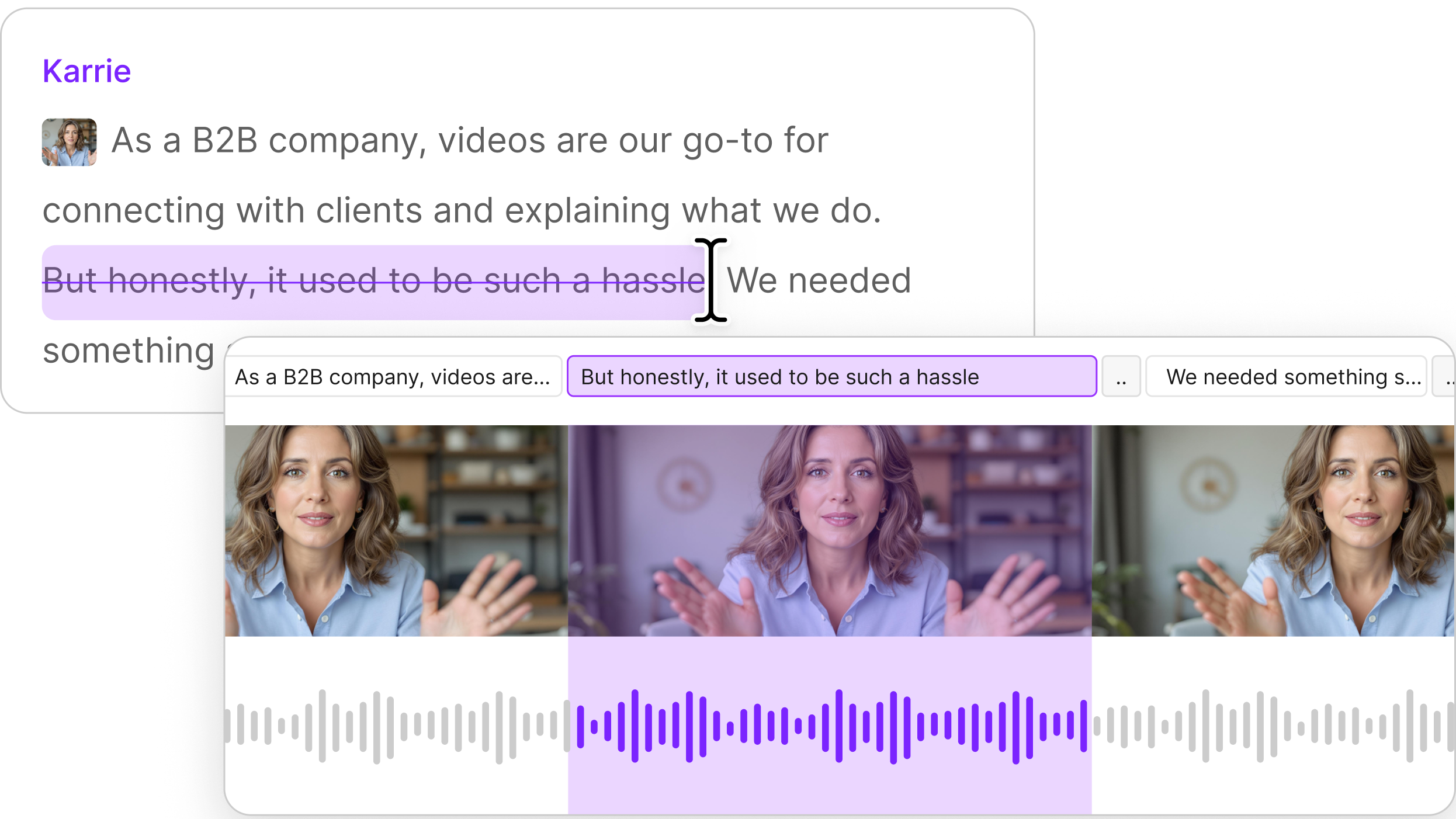
Descript doesn't work like that. When you import a video, Descript transcribes the audio immediately. That transcript is your editing interface — you cut, rearrange, and clean up your video by editing text. And because captions are generated directly from the transcript, they're already accurate by the time you add them. Adding them takes two clicks: one to turn them on and one to choose your style.
This is the core difference: in CapCut, captions are generated after your edit, from a separate AI pass over the audio. In Descript, captions are a byproduct of the edit itself. They don't need to be re-synced because the words and the video are already linked.
Styling without keyframing
Captions styling is one of those things that seems like a nice-to-have until you realize: it’s another opportunity to make your videos look like your videos.
Descript gives you pre-made caption styles you can apply in one click: options like Karaoke, Typewriter, and various bold/color combinations. If one of those works for you, you're done in about three seconds.
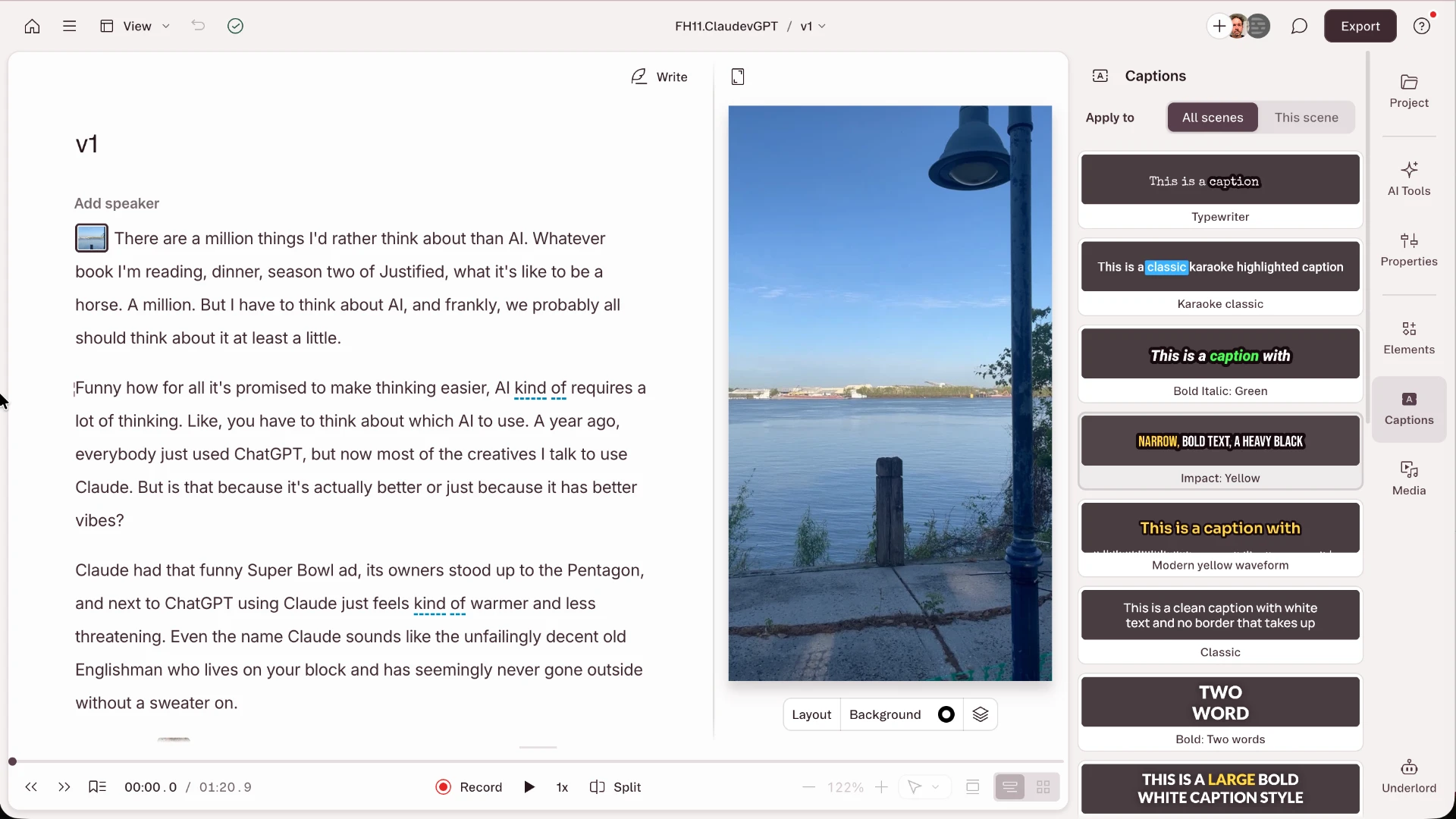
Pre-made caption styles, right there for the choosing.
But if you want to create something unique, you can. You can change the font, size, color, alignment, borders, and backgrounds. You can set different styles for active words versus upcoming words — so the highlighted word pops while the rest stays muted. You can add animation (fades, slides, etc.) and control it per scene, so your captions can look different during an intro versus the main content versus a quote callout. You can move the captions wherever you want in the frame just by clicking and dragging.
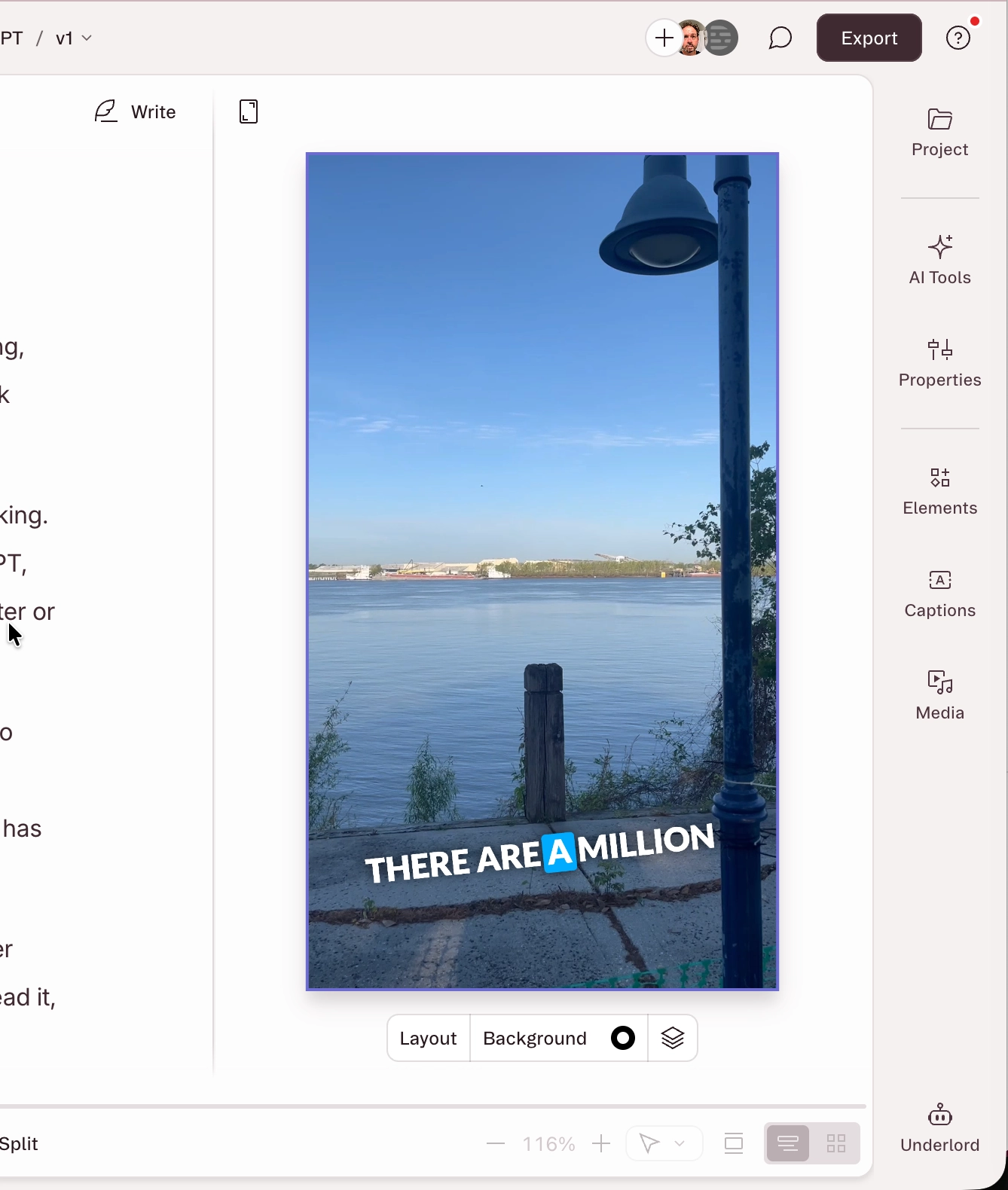
Add your captions, then style them any way you want, just by clicking, dragging — no keyframes or timeline nonsense necessary.
All of this happens in the editor. No keyframing. No typing out individual caption blocks. You style one caption, apply it everywhere, and adjust it for individual scenes if you want to.
You can also save your styled captions as part of a reusable layout, so on the next video your branded style is a click away.
What Descript's free plan includes
Descript's free plan includes caption generation, styling, and export. You get one hour of uploaded media a month, with unlimited captions and styling. For short social videos — the exact use case where CapCut's free captions used to live — that should be enough. (You also get 100 AI credits lifetime; enough for a taste of all the AI editing, generation, and creative support tools Descript serves up.)
You can export captions as burned-in (hardcoded into the video) or as a separate SRT or VTT subtitle file for YouTube and other platforms. Both are on the free plan.
The paid plans unlock more transcription hours, higher resolution export, and additional AI features. But the captioning workflow itself — generate, style, export — isn't locked behind a paywall.
CapCut vs. Descript for captions: an honest comparison
CapCut's caption generator is decent when it works. The AI transcription is reasonably accurate for English, and the Pro plan includes some trendy animated caption styles designed for TikTok and Reels. If you're already paying for CapCut Pro and your workflow is built around it, the captions are fine.
But there are real friction points. The styling options differ between CapCut's mobile and desktop apps. Exporting an SRT file is a paid, desktop-only feature. And the captions are generated from a separate audio analysis — meaning if the AI gets a word wrong, you're editing it separately from your main edit, then re-syncing in the timeline. Change something in your timeline, and you may need to regenerate and re-fix your captions.
Descript's advantage isn't just that captions are free. It's that captions aren't a separate feature at all. They're built into your editing. You edit your video by editing the transcript, so by the time you're done, your captions are edited too. Fewer steps, fewer sync issues, and fewer moments where you're doing the same correction twice.
The tradeoff: Descript doesn't have a mobile app, and it doesn't have CapCut's library of TikTok-native trend templates and viral effects. If your workflow is "drop clips from your phone into a trending template and publish," CapCut's ecosystem is purpose-built for that. But if your workflow involves editing real content — walk-and-talks, talking-head videos, podcasts, interviews, tutorials, anything where someone is speaking — Descript's text-based approach handles captions with less work and no paywall.
Try it
Descript is free to start. Import a video, edit the transcript, add captions, style them, export. The whole thing takes a few minutes.